
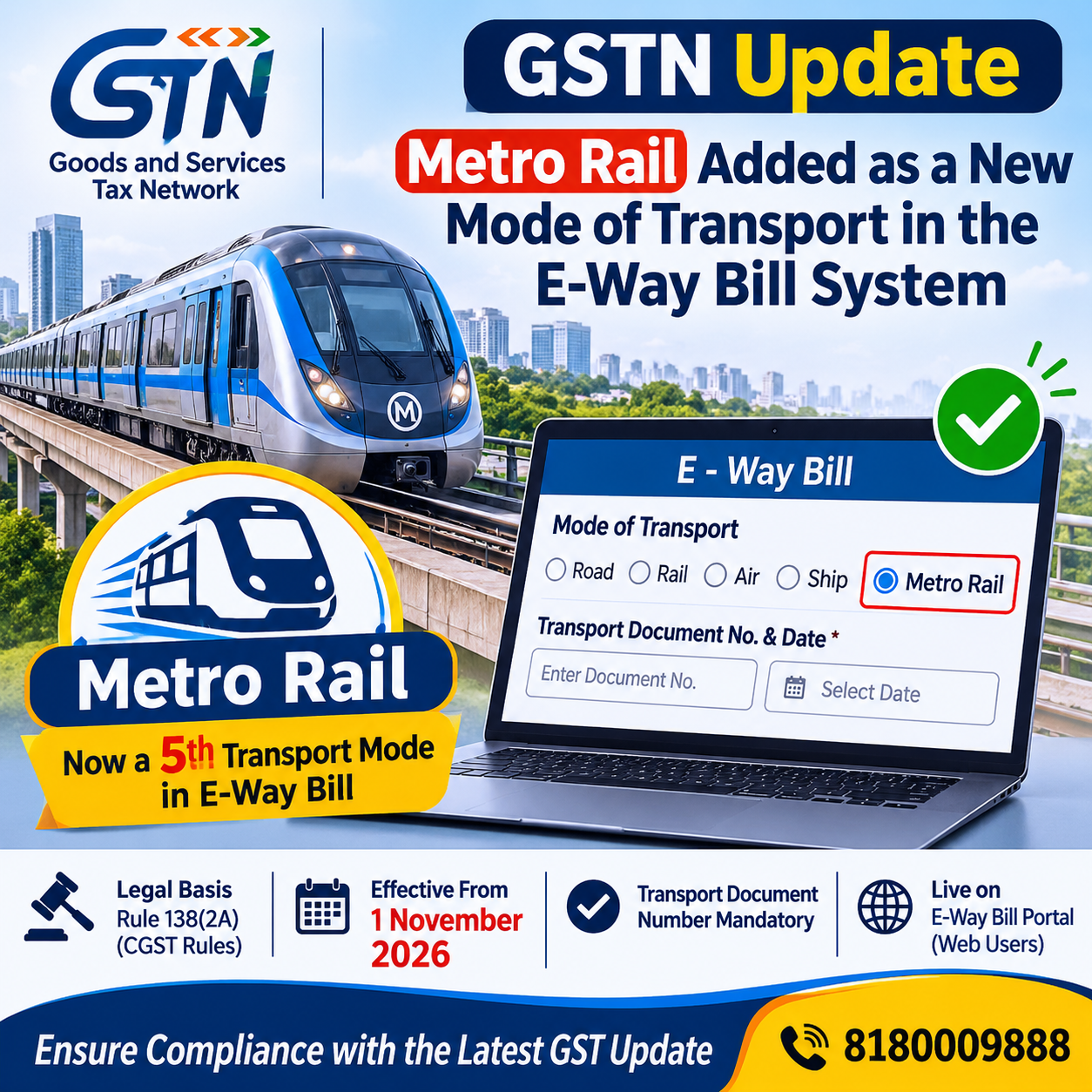

GST Update: Metro Rail Added to the E-Way Bill Transportation Modes
Goods transported through Metro Rail can now be reported under a dedicated transportation mode on the E-Way Bill portal. As per the GSTN advisory dated 20 November 2026, Metro Rail has been introduced as the fifth mode of transportation. Previously, the portal provided only four options: Road, Rail, Air, and Ship or Ship cum Road/Rail. With this update, Metro Rail is now available as a separate transport category.
The facility to select Metro Rail as a separate mode of transportation has been introduced following the amendment to Rule 138(2A) of the CGST Rules through Notification No. 05/2026–Central Tax, effective from 1 November 2026. This option is already available to users accessing the e-way bill portal through the web interface. API-based users can currently test the functionality in the sandbox environment.
This article covers:
- The statutory provisions supporting the new facility
- Where Metro Rail is available on the E-Way Bill portal
- The information required when selecting Metro Rail
- Important steps for taxpayers, transporters and software developers
Legal Framework: Rule 138(2A) and Notification No. 05/2026–CT
Rule 138(2A) of the CGST Rules deals with the transportation of goods through railways, airways or vessels. In these cases, the registered supplier or recipient is responsible for generating the e-way bill. Instead of entering a vehicle registration number in Part-B, the relevant transport document number must be provided.
Through Notification No. 05/2026–Central Tax dated 26 October 2026, the government introduced the CGST (Amendment) Rules, 2026, bringing Metro Rail transportation within the scope of Rule 138(2A) with effect from 1 November 2026.
To implement this legal amendment, GSTN updated the E-Way Bill portal through its advisory dated 20 November 2026.
Therefore, goods transported through Metro Rail will now be subject to the same documentation requirements applicable to goods transported by conventional railways.
Availability of Metro Rail on the E-Way Bill Portal
The Metro Rail facility has been incorporated into all five major functions of the E-Way Bill system that require users to select a transportation mode.
| E-Way Bill Functionality | Web Portal | Excel | API |
|---|---|---|---|
| E-Way Bill Generation | Available in Production | Available | Sandbox Only |
| Part-B Update | Available in Production | Available | Sandbox Only |
| Vehicle Details Update | Available in Production | Available | Sandbox Only |
| Consolidated E-Way Bill Generation | Available in Production | Available | Sandbox Only |
| Consolidated E-Way Bill Regeneration | Available in Production | Available | Sandbox Only |
GSTN will communicate the API production launch through a separate announcement.
Until the API facility becomes operational in the production environment, businesses generating e-way bills through ERP systems or GSP integrations should use the web portal for consignments transported through Metro Rail.
Steps to Choose Metro Rail on the E-Way Bill Portal
The newly added Metro Rail facility is available in the existing Mode selection field, alongside Road, Rail, Air and Ship. Users can select it while performing the relevant e-way bill activities.
The following steps explain how to use the new transportation option.
1. Selecting Metro Rail During E-Way Bill Generation (Part-B)
While creating an e-way bill, navigate to the Part-B section and locate the Mode field. From the available transportation options, select Metro Rail instead of Road.
After selecting this option, enter the Transporter Document Number and Date. These details are compulsory for Metro Rail transportation. The Vehicle Number field is applicable to road transportation.
E-Way Bill Generation – Part-B: Select Metro Rail from the Mode dropdown to record the transportation details.
2. Updating Part-B or Vehicle Transportation Details
In situations where goods are transferred from road transportation to Metro Rail during transit, or where Part-B details need to be entered later, taxpayers can use the Update Part-B/Vehicle facility.
Follow these steps:
- Open the Update Part-B/Vehicle option.
- Choose Metro Rail under Mode of Transport.
- Enter the Place of Change.
- Specify the Reason for the change.
- Provide the Transport Document Number and Date.
Once the information is submitted, the modification will be reflected in the Vehicle Updation History, allowing users to track the transportation changes.
Update Part-B/Vehicle – Enter the revised transport mode, location of change, reason and applicable transport document details.
3. Verifying Details on the Printed E-Way Bill
Once the e-way bill is successfully generated, review the information displayed in its Part-B table.
The table contains details such as:
- Mode of Transportation
- Vehicle Number or Transport Document Number
- Transport Document Date
- Place details
For goods moved through Metro Rail, verify that the selected mode is correctly displayed as Metro Rail and that the transport document number and date have been entered accurately.
Printed E-Way Bill – Check the Part-B details to confirm that Metro Rail and the relevant transport document information are correctly reflected.
Important Guidelines for Metro Rail Transportation
As specified in the GSTN advisory, taxpayers and transporters should follow these important instructions when generating or updating e-way bills for Metro Rail consignments:
- Choose the Correct Transport Mode: Whenever goods are transported through Metro Rail, select Metro Rail from the available options. Do not incorrectly report such transportation under Road or Rail.
- Transport Document Number Is Compulsory: Providing the Transport Document Number is mandatory when Metro Rail is selected. The system will not allow the transaction to proceed without this information.
- Verify All Transportation Information: Before submitting the e-way bill, carefully check the transport document number, document date and other relevant transportation details to avoid errors.
Part-B Requirements for Different Modes of Transportation
Transport Mode Details Required in Part-B Road Vehicle registration number (transporter document details may be optional) Rail Railway Receipt (RR) or transport document number along with date Air Airway Bill or transport document number and date Ship or Ship cum Road/Rail Bill of Lading or transport document number and date Metro Rail (New) Transport document number and date are compulsory Action Points for Businesses and Stakeholders
Taxpayers (Suppliers and Recipients)
- Review consignments that are transported through Metro Rail, either entirely or as part of the journey.
- Select Metro Rail under the transport mode and ensure the relevant transport document is available.
- Inform dispatch teams and logistics personnel about the newly introduced option while preparing e-way bills.
Transporters
- Update Part-B or transportation details whenever goods are transferred from road to Metro Rail during transit.
- Ensure that a valid transport document number and date are available for each Metro Rail consignment.
ERP, GSP and API-Based Users
- Incorporate the new Metro Rail transport mode into ERP and API integrations and carry out testing in the sandbox environment using the NIC E-Way Bill API documentation.
- Until GSTN enables the API functionality in production, generate e-way bills involving Metro Rail through the web portal.
Frequently Asked Questions (FAQs)
Q1. When did Metro Rail become available as a transport mode on the E-Way Bill portal?
The legal amendment under Notification No. 05/2026–Central Tax came into effect on 1 November 2026. GSTN announced the corresponding portal functionality on 20 November 2026, and it is currently available to web portal users.
Q2. Is entering a vehicle number compulsory for Metro Rail transportation?
No. For Metro Rail movements, the mandatory Part-B requirement is the transport document number and date. Similar to railway and air transportation, the transport document details are the primary information required instead of a road vehicle registration number.
Q3. Can Metro Rail e-way bills currently be generated through APIs?
API-based generation of Metro Rail e-way bills is not yet available in the production environment. The functionality is currently accessible for testing in the sandbox. GSTN will issue a separate notification regarding its production launch.
Q4. How should I update the e-way bill if goods are transported by road first and then by Metro Rail?
Generate the e-way bill for the initial road movement using the Road mode. Once the goods are transferred to Metro Rail, update Part-B through the relevant update facility by selecting Metro Rail and entering the applicable transport document number and date.
Q5. Is Metro Rail supported for consolidated e-way bills?
Yes. The Metro Rail transport mode is available for both consolidated e-way bill generation and consolidated e-way bill regeneration.
Q6. What happens if Metro Rail transportation is incorrectly reported under Road?
GSTN’s advisory requires taxpayers to select Metro Rail whenever goods are transported through this mode. Incorrect transportation details in Part-B may result in discrepancies during verification. Therefore, businesses should ensure that the actual transport mode is accurately reported.
Conclusion
The inclusion of Metro Rail in the E-Way Bill system brings the portal in line with the amendment to Rule 138(2A) of the CGST Rules. Businesses transporting goods through metro networks must now select the appropriate Metro Rail option and provide the mandatory transport document details in Part-B.
The facility is already operational for web-based users, while API users can continue testing in the sandbox until the production rollout is announced by GSTN. Businesses, transporters and software providers should make the necessary operational and system changes to ensure smooth compliance.