Become a Sales Partner with SwaNirmit Technologies

Become a Sales Partner with Swanirmit Technologies

Are you looking for a profitable business opportunity with zero investment? Swanirmit Technologies invites distributors, computer dealers, IT professionals, freelancers, business consultants, and entrepreneurs to become our Sales Partners and grow their income by selling our Easy Smart Shop Billing Software.

Why Choose Swanirmit Technologies?

Swanirmit Technologies is a trusted software development company specializing in Billing Software, Retail Management Solutions, Inventory Management, GST Billing, and Business Automation Software. Our mission is to help businesses simplify their daily operations with reliable, easy-to-use, and affordable software solutions.

Our flagship product, Easy Smart Shop Billing Software, is designed for retail stores, supermarkets, wholesalers, distributors, pharmacies, garment shops, hardware stores, mobile shops, and many other businesses.

Sales Partner Program Benefits

When you become a Sales Partner, you receive:

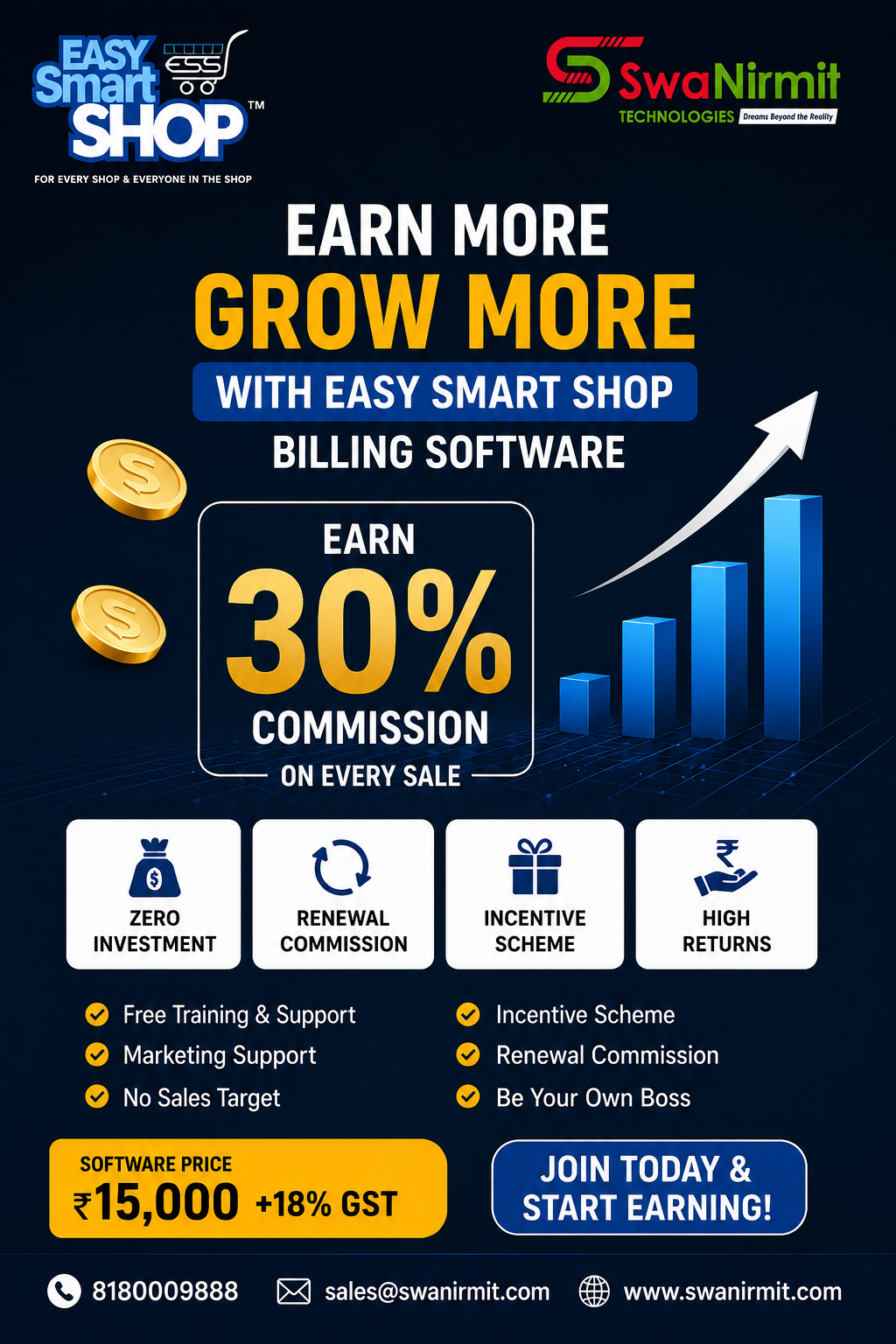
  • 30% Commission on every software sale.
  • Attractive incentive schemes for high-performing partners.
  • One-year renewal business opportunities.
  • Complete product training and sales guidance.
  • Sales brochures, presentations, and marketing materials.
  • Technical support from our expert team.
  • No stock or inventory required.
  • Zero investment to get started.
  • Opportunity to build a long-term business relationship with Swanirmit Technologies.

Partner Portal โ€“ Manage Your Business Online

Every Sales Partner gets access to our dedicated Partner Portal, where you can:

  • Register as a Sales Partner
  • Submit customer leads
  • Track your sales progress
  • Access marketing materials
  • Stay connected with our support team
  • Manage your partner activities anytime, anywhere

Partner Portal: https://partner.swanirmit.com/home

Who Can Join?

Our Sales Partner Program is ideal for:

  • Computer Dealers
  • Software Resellers
  • IT Companies
  • Computer Shops
  • Freelancers
  • Digital Marketing Agencies
  • Business Consultants
  • GST Consultants
  • Students with Sales Skills
  • Entrepreneurs

No prior software selling experience is required. If you have the ability to connect with businesses, we will help you with product knowledge and technical support.

Why Businesses Choose Easy Smart Shop Billing Software

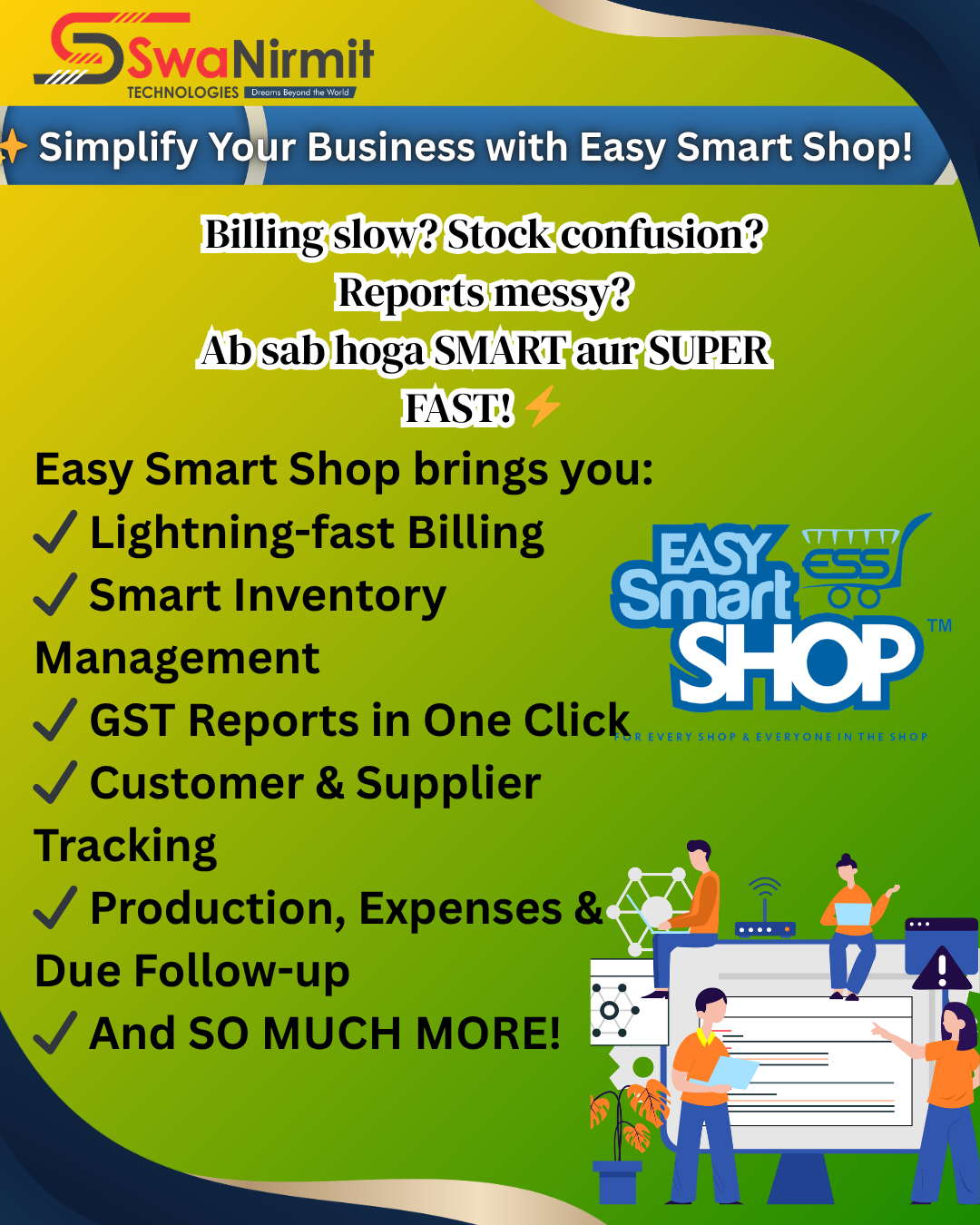
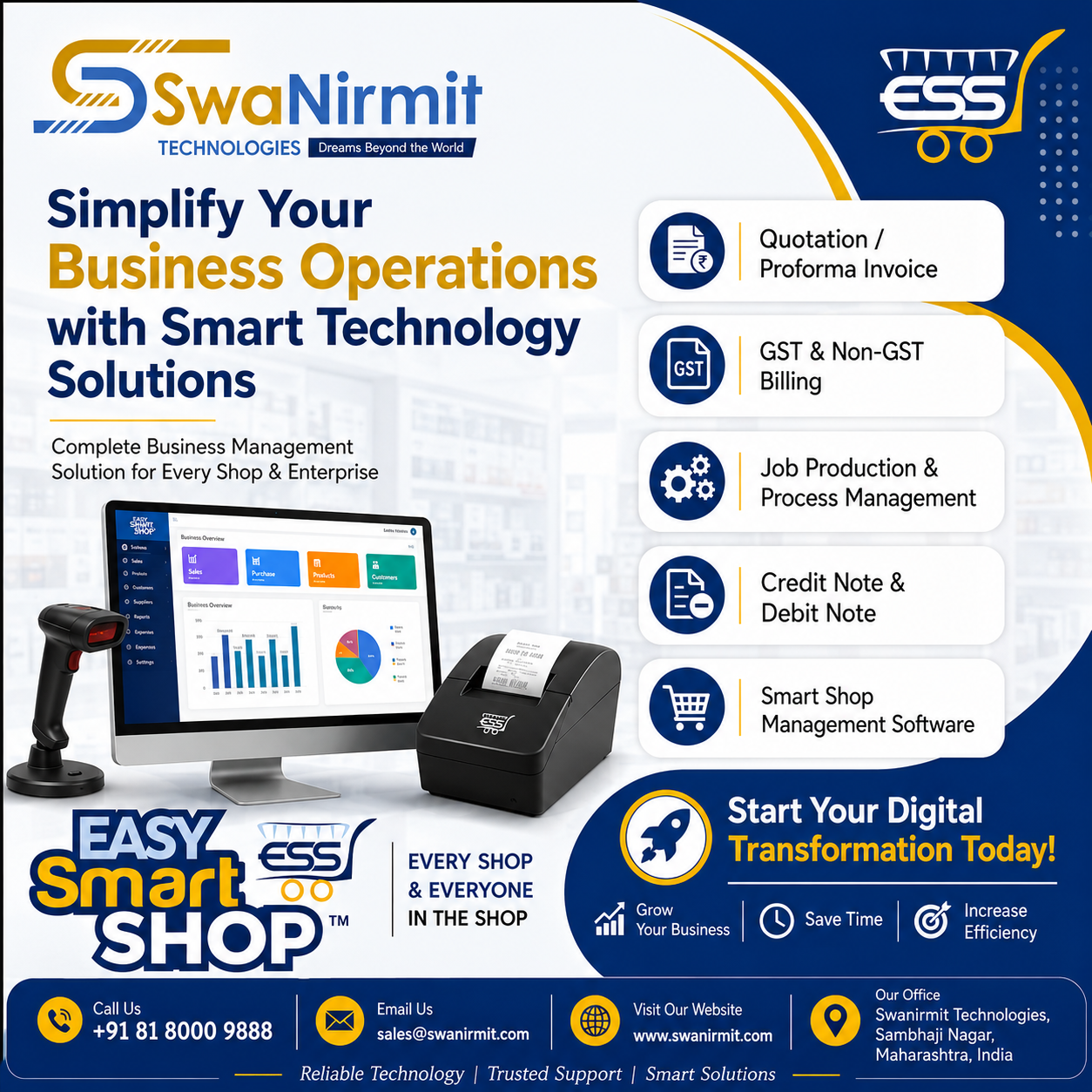
Our software offers powerful features such as:

  • GST Billing
  • Inventory Management
  • Barcode Billing
  • Customer & Supplier Management
  • Purchase & Sales Reports
  • Profit & Loss Reports
  • Multi-user Access
  • Fast and Secure Billing
  • Easy-to-use Interface
  • Reliable Technical Support

These features help businesses improve efficiency, reduce manual work, and manage operations more effectively.

Start Earning Today

Whether you want to earn additional income or build a full-time software business, the Swanirmit Technologies Sales Partner Program provides the right platform to grow.

Join our partner network and start earning attractive commissions while helping businesses adopt modern billing software solutions.

Ready to get started? Register today through our Partner Portal and begin your journey with Swanirmit Technologies.

Partner Portal: https://partner.swanirmit.com/home

Contact Us

Swanirmit Technologies

๐Ÿ“ž Phone: 8180009888

๐Ÿ“ง Email: sales@swanirmit.com

๐ŸŒ Website: www.swanirmit.com

๐ŸŒ Product Website: www.easysmartshop.com

๐Ÿ”— Partner Portal: https://partner.swanirmit.com/home

Become a Sales Partner today and grow your business with Swanirmit Technologies.

Easy Smart Shop Purchase Management: Simplify Your Business Purchase Process

Easy Smart Shop Purchase Management: Simplify Your Business Purchase Process

Managing purchases efficiently is one of the most important parts of running a successful business. Manual purchase entries, supplier records, invoice tracking, and stock updates can take valuable time and may lead to errors.

Easy Smart Shop Purchase Management Software by SwaNirmit Technologies helps businesses manage their complete purchase process in a simple, organized, and efficient way.


What is Purchase Management in Easy Smart Shop?

Purchase Management in Easy Smart Shop is a smart solution designed to manage all purchase-related activities from a single platform.

It helps businesses maintain supplier details, record purchase invoices, update stock automatically, and keep complete purchase transaction history.

With this system, businesses can easily control purchasing activities and improve overall efficiency.


Key Features of Easy Smart Shop Purchase Management

1. Easy Purchase Entry

Create and manage purchase entries quickly with complete details.

The Purchase Entry module allows you to record:

  • Purchase Date
  • Supplier Name
  • Invoice Number
  • Item Details
  • Quantity
  • Purchase Rate
  • Discount
  • GST Details
  • Total Purchase Amount

This helps maintain accurate purchase records.


2. Supplier Management

Manage complete supplier information in one place.

You can maintain:

  • Supplier Name
  • Address
  • Contact Number
  • Email Details
  • GST Number
  • Purchase History

This makes supplier communication and tracking easier.


3. GST Purchase Management

Easy Smart Shop supports GST-based purchase transactions.

It manages:

  • HSN Code
  • GST Rate
  • CGST
  • SGST
  • IGST
  • Taxable Amount
  • Total Invoice Amount

Businesses can maintain proper GST purchase records easily.


4. Automatic Stock Update

Whenever a purchase entry is created, stock quantity gets updated automatically.

Benefits:

โœ” Real-time Stock Availability
โœ” Better Inventory Control
โœ” Avoid Stock Shortage
โœ” Easy Product Tracking


5. Purchase Invoice Management

Maintain all purchase invoices digitally.

You can track:

  • Invoice Details
  • Purchase Amount
  • Supplier Balance
  • Payment Status

This helps businesses manage their accounts more effectively.


6. Purchase Reports & Tracking

Easy Smart Shop helps generate useful purchase information for better decision-making.

Track:

  • Purchase History
  • Supplier Transactions
  • Item Purchase Details
  • Payment Records

Benefits of Easy Smart Shop Purchase Management

โœ” Reduces Manual Work
โœ” Saves Business Time
โœ” Improves Purchase Accuracy
โœ” Maintains Complete Records
โœ” Helps Manage Suppliers Easily
โœ” Provides Better Business Control


Why Businesses Choose Easy Smart Shop

Easy Smart Shop is designed for retailers, wholesalers, traders, and enterprises who want a simple yet powerful solution to manage their daily business operations.

With advanced purchase management features, businesses can improve productivity and focus on growth.


SwaNirmit Technologies โ€“ Smart Business Solutions

SwaNirmit Technologies provides reliable software solutions that help businesses move towards digital transformation.

Our goal is to provide easy, efficient, and smart technology solutions for every business.

๐Ÿ“ SwaNirmit Technologies
Chhatrapati Sambhaji Nagar, Maharashtra, India

๐Ÿ“ž +91 81 8000 9888
๐Ÿ“ง sales@swanirmit.com
๐ŸŒ www.swanirmit.com

Easy Smart Shop โ€“ Smart Management for Every Shop & Enterprise

Credit Note Module โ€“ EASY Smart Shop ERP Complete Guide What is a Credit Note?

Credit Note Module โ€“ EASY Smart Shop ERP Complete Guide
What is a Credit Note?

A Credit Note is a document issued to a customer when the company needs to reduce the invoice amount due to reasons like:

Sales Return
Post Sale Discount
Invoice Correction
Service Issue
Other adjustments

In EASY Smart Shop ERP, the Credit Note module helps manage customer returns, discounts, and invoice adjustments easily.

1) How to Open Credit Note Module?

Go to:

Sales โ†’ Credit Note

The Credit Note Entry screen will open.

2) Credit Note Entry Screen Details
A) Select Customer / Supplier

At the top:

Select Customer or Supplier

Select the required customer.

After selecting customer, you can check details using:

Customer Details Button

3) Customer Details Window

Customer information can be entered:

Name

Enter Customer Name

Address

Enter Customer Address

Email

Enter Customer Email ID

Contact

Enter Mobile Number

GST No.

Enter Customer GST Number

State

Select Customer State

Example:

27 – Maharashtra

Click:

OK

to save details.

4) Credit Note Date

Credit Note Date

Shows the date on which Credit Note is created.

Example:

23-Jun-2026

5) Credit Note Number

Enter or generate Credit Note Number.

It is used for tracking and reporting purposes.

6) Credit Note Type

There are two options:

1) Sales Return

Used when customer returns purchased items.

Example:

Customer purchased a printer and returned it.

2) Discount

Used when discount is provided after sales.

Example:

Giving โ‚น500 discount after invoice generation.

7) GST Reason Selection

Select the reason for creating Credit Note.

Available options:

01 – Sales Return

For returned goods.

02 – Post Sale Discount

For discount provided after sale.

03 – Deficiency in Services

For service-related issues.

04 – Correction in Invoice

To correct invoice mistakes.

05 – Change in POS

For change in Place of Supply.

06 – Finalization of Provisional Assessment
07 – Others

For other reasons.

8) Reference Invoice Selection

If Credit Note is created against an old invoice:

Click:

Select Reference Invoice

Select the invoice.

The system will fetch invoice details automatically.

9) Invoice Number & Invoice Date

After selecting reference invoice:

Invoice Number
Invoice Date

will be displayed automatically.

10) Remark / Reason

Enter the reason for Credit Note.

Examples:

“Material Returned Due To Damage”

or

“Discount Given As Per Customer Request”

11) Item Selection

Select items from:

Select Items

Example:

Printer
CCTV Camera
Cable
Software
12) Item Details

After selecting an item, details will appear:

Unit

PCS / Nos / Box

Description

Item Name

GST Rate %

GST Percentage

HSN

HSN Code

CGST Rate

Central GST Rate

SGST Rate

State GST Rate

IGST Rate

Integrated GST Rate

Item Type

Item Category

13) Quantity & Rate Details

Enter:

Return Quantity

Quantity returned by customer

Rate

Item selling rate

Discount %

Discount percentage (if applicable)

Amount

Total item amount

14) Add Item

After entering item details:

Click:

Add Item

The item will be added to the Credit Note list.

15) Credit Note Calculation

The system calculates:

Taxable Amount

Amount before GST

CGST

Central GST amount

SGST

State GST amount

IGST

Integrated GST amount

Tax Amount

Total GST

Total Amount

Final Credit Note value

Round Up

Rounding adjustment

Credit Note Amount

Final credit amount given to customer

16) Save Credit Note

After checking all details:

Click:

Save (F5)

Credit Note will be generated.

17) Print & Email Options

Available options:

Print (F6)

Print Credit Note

Print Preview (F7)

Check preview before printing

E-Mail Invoice (F8)

Send Credit Note through email


18) Credit Note Management

To view previous Credit Notes:

Open:

Credit Note Management

Select:

From Date
To Date
Customer

Click:

View

The list shows:

Credit Note ID
Invoice Date
Customer Name
Credit Note Number
Total Amount
Invoice Number
Updated By
19) Additional Options
New Credit Note

Create new Credit Note

Edit Credit Note

Modify existing Credit Note

Export Excel

Export Credit Note report into Excel

Print

Print report

Benefits of Credit Note Module in EASY Smart Shop ERP

โœ… Manage Sales Returns easily
โœ… GST compliant Credit Notes
โœ… Invoice correction facility
โœ… Customer balance adjustment
โœ… Automatic GST calculation
โœ… Easy reporting
โœ… Excel export facility

EASY Smart Shop ERP Credit Note Module makes Sales Return, Discount Management, and Invoice Adjustments simple, accurate, and faster.

Lead Management โ€“ EASY Smart SHOP

In todayโ€™s competitive business environment, every inquiry is a potential opportunity. Without a proper lead management system, businesses can lose track of customer inquiries, follow-ups, quotations, and sales opportunities. The Lead Management in EASY Smart SHOP helps businesses organize, track, and convert leads into customers efficiently.

Why Lead Management is Important?

  • Centralized customer enquiry management
  • Better follow-up tracking
  • Improved sales team productivity
  • Faster lead conversion
  • Complete lead history and communication records
  • Better customer relationship management
  • Reduced chances of missing sales opportunities

Lead Management Dashboard

The Lead Management screen provides a complete overview of all leads generated within the business.

Key Features:

โœ” View all leads in a single screen

โœ” Separate tabs for:

  • My Leads
  • Pending Leads
  • Closed / Converted Leads
  • Rejected Leads
  • All Leads

โœ” Quick search facility

โœ” Export lead data to Excel

โœ” Easy lead editing and updating

โœ” Lead assignment tracking

The dashboard allows management and sales teams to monitor lead status and performance in real time.


Create New Lead

The Lead Add/Edit screen is designed to capture complete customer inquiry details.

Customer Information

The system stores:

  • Customer Name
  • Contact Number
  • Alternate Contact Number
  • Email ID
  • Alternate Email ID
  • Company Website
  • GSTIN Number
  • Customer ID

This ensures all customer information is available in one place.

Lead Details

Users can record:

  • Lead Title
  • Lead Source
  • Lead Category
  • Lead Status
  • Assigned Executive
  • State & District
  • Customer Address

This helps classify and prioritize leads effectively.
Read More

EASY Smart SHOP โ€“ Complete Sales Entry & Billing Management Software

EASY Smart SHOP โ€“ Complete Sales Entry Process Explained

Managing sales manually can create billing mistakes, payment confusion, stock issues, and difficulty in maintaining customer records.
To solve these business challenges, EASY Smart SHOP provides a smart and professional Sales Entry Management System that helps businesses perform billing, GST invoicing, payment management, receipt handling, and document storage from a single software.

Below is the complete step-by-step explanation of the Sales Entry process using the slides from EASY Smart SHOP software.


1. Sales Module Dashboard

The Sales Module is the central area where users can manage complete sales activities.

Inside the Sales Menu, users can access multiple important features such as:

Available Sales Features

  • Sale Entry
  • Management of Sales
  • Customer Account Statement
  • Credit Note
  • Receipt Entry
  • Order Management
  • Sale Invoice
  • DC Out Entry
  • Bulk Sales Management

This organized structure allows businesses to handle every sales-related task from one place.

The dashboard also displays important business notifications like:

  • Low stock alerts
  • Pending stock quantity
  • Customer balance details
  • System updates

This helps business owners stay updated with daily operations.


2. Store Sales Management Screen

The Store Sales Management window helps businesses monitor and manage all invoice records efficiently.

Key Functions of This Screen

Date-Wise Sales Tracking

Users can filter invoices according to selected dates.

Customer-Wise Search

Businesses can quickly search sales records customer-wise.

Invoice Tracking

Every invoice contains:

  • Invoice Number
  • Customer Name
  • Invoice Date
  • Total Amount
  • Balance Amount

Pending Payment Monitoring

The software automatically shows pending balances for each customer.

Sales Summary

At the bottom of the screen, users can see:

  • Total Sales Amount
  • Total Balance Amount
  • Total Invoice Count

This feature is extremely useful for business owners who want complete visibility of daily sales activities.


3. GST Sales Entry Screen

https://images.openai.com/static-rsc-4/HrWQ2t5rsIDiLZ95_svTF-7UFwEp-VbwL2nzbgoq1DW3dOztP-W8fCxcfhyJmfpnVA_VcayfoILvNMzP9KyCQKiyI_Na7lG-_vsxuJW8Da2RTJVExuCxsklnq97kHBholpXAvu-txsZIO0SAfYBHfllYbNH51lVTrgLYyQwClKlri9SkOq7tlpJjkAzy94tG?purpose=fullsize


This is the main Sales Entry screen where invoices are created.

The interface is designed to make billing fast, easy, and professional.


Step-by-Step Sales Entry Process

Step 1 โ€“ Select Date

Users can select the invoice date manually or use the running date option.

Step 2 โ€“ Select Customer

Choose the customer directly from the customer list.

Step 3 โ€“ Add Items

Items can be added using:

  • Manual item selection
  • Barcode entry
  • Scanner entry

This makes the billing process much faster.

Step 4 โ€“ Enter Quantity & Rate

Users can enter:

  • Quantity
  • GST Inclusive Rate
  • Item Rate
  • Discount Percentage

Step 5 โ€“ Automatic GST Calculation

The software automatically calculates:

  • Taxable Amount
  • CGST
  • SGST
  • IGST
  • Total Tax
  • Final Invoice Amount

This reduces manual calculation errors and saves time.


4. Advanced GST API Features

https://images.openai.com/static-rsc-4/_C3oRV3kaoR_5H-oUdThbqe4xh9M6ua9Q2UgWVVuocxTATIyO2_1pUwxNLU9BVPv2D8DNFXIFod18F7FWXSSqz15oKJU9mySxj3DDDgYxeZQkj8S5GGmJII7IfyuweiTD4_ExV7i5eLusMmoAzGeJukH1z7M8eJcalCBU5_kT8vG5R_-nY-jMFCdF9q2a1bY?purpose=fullsize

EASY Smart SHOP provides advanced GST API integration features for modern businesses.

GST API Commands Available

Generate e-Invoice

Create GST-compliant e-Invoices instantly.

Generate e-Way Bill

Generate transport e-Way Bills directly from the invoice.

Re-Get Invoice Details

Fetch invoice details again whenever required.

Cancel e-Invoice

Cancel invoices easily from the software.

Print e-Invoice & e-Way Bill

Direct print options are available for faster workflow.

E-Mail Invoice

Send invoices directly to customers through email.

These features help businesses automate GST compliance work efficiently.


5. Make Receipt โ€“ Smart Payment Entry System

After completing the Sales Entry, the software provides a powerful feature called โ€œMake Receiptโ€.

This option is available in the lower section of the Sales Entry screen.

Using this feature, businesses can directly enter customer payments after invoice creation.


How Make Receipt Works

Step 1 โ€“ Open Make Receipt

Click on the Make Receipt button after saving the invoice.

Step 2 โ€“ Enter Payment Amount

Users can enter:

  • Received Amount
  • Partial Payment
  • Full Payment

Step 3 โ€“ Save Receipt

Once the amount is entered and confirmed, the software automatically updates:

  • Customer balance
  • Outstanding amount
  • Payment records

This helps businesses maintain proper payment history and pending balance management.


6. Receipt Details Management

After entering receipt details, businesses can manage complete payment information from the Payment Details section.

Payment Details Include

  • Bank Name
  • Payment Method
  • Cheque Number
  • UPI Transaction ID
  • Online Payment Reference
  • Payment Notes

This feature helps businesses maintain professional financial records.

It is especially useful for businesses that accept:

  • Bank transfers
  • UPI payments
  • Cheques
  • Online transactions
  • Mixed payment methods

7. Document Attachment Facility

https://images.openai.com/static-rsc-4/LIy0Si-p-MBKDl1cL_pd0iZiSMb_tLvy-oASqqBTmHHOib8Oa33auDtMw8inp88fQ9OFEEGgl4yzYrg_AbX0h1AW7wnOatIFeTyYj8D-ymz0SFI7D-C3jjsNhzsJoZbkavJ6-8X3qxhZVlnBE__3MInpTWXoJyuI73nzCkrcycCPkaYqvK4pKhJpi-axf7dh?purpose=fullsize

EASY Smart SHOP also supports document management with sales entries.

Businesses can attach important documents directly with invoices.

Supported Document Types

  • Invoice Copies
  • Payment Screenshots
  • Signed Receipts
  • Delivery Challans
  • Customer Documents
  • Transport Documents

This keeps all important records connected with their respective sales entries.

No need to search files manually in folders.


8. Invoice Print Preview & Item Checklist

ย 
The software provides professional invoice printing options.

Available Print Features

  • Tax Invoice Printing
  • Print Preview
  • Item Checklist
  • Dispatch Details
  • Customer Copy
  • GST Invoice Format

The print formats are designed to look clean and professional for customers.


Benefits of EASY Smart SHOP Sales Entry System

โœ… Fast Billing Process
โœ… Professional GST Invoicing
โœ… Smart Receipt Management
โœ… Customer Payment Tracking
โœ… Pending Balance Monitoring
โœ… Barcode Billing Support
โœ… Automatic Stock Update
โœ… GST API Integration
โœ… e-Invoice & e-Way Bill Generation
โœ… Document Attachment Facility
โœ… Bank Detail Management
โœ… Professional Print Formats
โœ… Complete Sales History Tracking


Complete Smart Billing Solution for Your Business

EASY Smart SHOP is not just a billing software.
It is a complete smart business management solution designed to simplify sales operations, GST billing, customer payments, and inventory management.

Whether you run a retail store, wholesale business, distribution company, or service center, EASY Smart SHOP helps you manage your entire sales process professionally and efficiently.

Make your business smarter, faster, and more organized with EASY Smart SHOP.

Why Quotation Management is Important for Every Business

Why Quotation Management is Important for Every Business

In todayโ€™s competitive business world, sending a professional quotation is the first step toward winning a customerโ€™s trust and closing more deals. A quotation helps businesses clearly explain product pricing, taxes, discounts, delivery details, and terms before the final order confirmation.

Without a proper quotation system, businesses face:

  • Manual calculation errors
  • Delayed customer response
  • Unprofessional document formats
  • Poor follow-up management
  • Difficult sales tracking

Thatโ€™s why EASY SMART SHOP provides a complete and advanced Quotation Management System designed to simplify your sales process and improve business productivity.


EASY SMART SHOP โ€“ Advanced Quotation Management System

Smart Dashboard for Fast Operations

https://images.openai.com/static-rsc-4/om9vy4T4iR-6RO6FEP37l99yiXJVbRmnQ8rW7H4rxgPpCkvn3rgIQX_s098fHX0X0TNQm7s4z2WbqRPmU3bQtQTG2HHdTJc-e8sw4BsH_e2Te5Wpndm1kQRsP4Ev-gzj2ufodJHhFuvNKPQFP2q3YB4YAy2bSDlz3ZyUSydeq8hivnbNMSBzNhZbpusqwIXK?purpose=fullsize

The EASY SMART SHOP dashboard gives users quick access to all important quotation and sales features from a single screen.

Dashboard Features:

  • New Quotation Creation
  • Sales Order Management
  • Invoice Generation
  • Purchase Management
  • Customer Management
  • Inventory Tracking
  • Job Management
  • Notification Alerts
  • Reports & Accounts

The software is designed with a simple and user-friendly interface so businesses can work faster and more efficiently.


Complete Quotation Management Panel

The Quotation Management screen helps businesses manage all quotations in one place.

Features Available:

  • Pending Quotation Tracking
  • Rejected Quotation Records
  • Final Quotation Management
  • Customer-wise Quotation Filter
  • Follow-Up Date Management
  • Closing Date Tracking
  • Sales ID & Invoice Linking

Businesses can easily track quotation status and follow up with customers at the right time.


Professional Quotation Creation Window

EASY SMART SHOP allows users to create detailed and professional quotations within seconds.

Powerful Features:

  • Item-wise quotation entry
  • GST tax calculation
  • Discount management
  • HSN code support
  • Quantity & stock tracking
  • Automatic amount calculation
  • CGST / SGST / IGST support
  • Subject & customer requirement notes

The software automatically calculates totals, taxes, discounts, and final invoice amounts, reducing manual errors.


Customer Detail Management

The Customer Details section helps businesses maintain professional customer records.

Information Managed:

  • Customer Name
  • Address
  • Contact Number
  • Email Address
  • GST Number
  • State Selection
  • Reference Details
  • Designation Information

This helps businesses maintain organized customer communication and accurate documentation.


Advanced Features in EASY SMART SHOP

The software includes multiple advanced features that make business operations faster and smarter.


Proforma Invoice System

Businesses can instantly convert quotations into professional Proforma Invoices.

Benefits:

  • Professional invoice format
  • GST-ready documents
  • Faster customer approval
  • Easy printing & sharing
  • Sales process automation

E-Mail Proforma Invoice

The software allows direct emailing of Proforma Invoices to customers.

Advantages:

  • Instant customer communication
  • PDF attachment support
  • Faster deal confirmation
  • Paperless workflow
  • Professional business impression

E-Mail Quotation Feature

Users can directly send quotations through email from the software.

Benefits:

  • One-click quotation sharing
  • Fast customer response
  • Better follow-up process
  • Improved sales conversion

Create Delivery Challan

EASY SMART SHOP also provides Delivery Challan creation for product dispatch management.

Features:

  • Delivery document generation
  • Dispatch tracking
  • Customer delivery records
  • Professional challan format

    Quotation Follow-up & Updates โ€“
    Easily track quotation follow-ups and make quick updates based on customer requirements.
    Quotation History Management โ€“
    Maintain a complete history of all quotations, making it easy to access previous records anytime.
    Document Management โ€“
    Store and manage all quotation-related documents, PDFs, bills, and attachments in one secure place for better organization and faster access.


Terms & Conditions Management

The software allows users to add custom Terms & Conditions in quotations.

Features:

  • Add custom terms
  • Edit existing terms
  • Save templates
  • Reuse quotation formats
  • Print-ready documentation

This makes every quotation more professional and legally clear.


Why Businesses Prefer EASY SMART SHOP

โœ” Professional Quotation System
โœ” GST Billing Support
โœ” Proforma Invoice Feature
โœ” Email Quotation Sending
โœ” Delivery Challan Management
โœ” Customer Database Management
โœ” Smart Tax Calculation
โœ” Inventory Integration
โœ” User-Friendly Interface
โœ” Faster Business Workflow


Perfect Solution For

  • Retail Shops
  • Wholesale Businesses
  • Electronics Shops
  • Mobile Shops
  • Service Centers
  • Hardware Stores
  • Manufacturing Businesses
  • Computer Shops
  • Distributors

Grow Your Business with EASY SMART SHOP

EASY SMART SHOP helps businesses manage quotations, invoices, customers, and sales operations professionally from one software platform.

With advanced quotation features, automated calculations, email integration, and delivery management, businesses can save time, reduce manual work, and improve customer satisfaction.


EASY SMART SHOP

โ€œFOR EVERY SHOP & EVERYONE IN THE SHOPโ€

Why Smart Businesses Are Switching to Easy Smart Shop Software

In todayโ€™s digital world, businesses are growing rapidly and customer expectations are increasing every day. Managing billing, inventory, accounting, and daily operations manually is no longer practical for modern businesses.

Many businesses still face common problems like:

โŒ Slow Billing Process
โŒ Stock Management Confusion
โŒ Manual Accounting Errors
โŒ Difficulty in Tracking Outstanding Payments
โŒ Time-Consuming Report Preparation
โŒ Lack of Proper Business Analysis

These problems not only waste valuable time but also affect overall business growth and customer satisfaction.

To solve these challenges, Swanirmit Technologies proudly presents Easy Smart Shop Software โ€” a complete smart business management solution designed to simplify and modernize your business operations.

Our software helps businesses manage all important activities from one secure and easy-to-use platform.

โœจ Key Features of Easy Smart Shop Software:

โœ… GST & Non-GST Billing
Generate fast, accurate, and professional invoices with complete GST support.

โœ… Inventory & Stock Management
Track stock availability, product movement, and low stock alerts easily.

โœ… Purchase & Sales Management
Maintain complete records of purchases, sales, returns, and transactions.

โœ… Accounting & Ledger Reports
Get accurate financial reports including ledgers, profit reports, payment reports, and balance summaries.

โœ… Barcode Billing Support
Increase billing speed and reduce manual errors with barcode scanning.

โœ… Customer & Supplier Management
Manage customer records, supplier details, payment history, and outstanding balances professionally.

โœ… Multi User Access
Allow multiple staff members to use the software securely with role-based permissions.

โœ… Daily, Monthly & Yearly Reports
Analyze your business performance with smart reports and business analytics.

โœ… Data Backup & Security
Protect your valuable business data with secure backup and recovery options.

โœ… User-Friendly Interface
Simple and easy-to-use software suitable for every business owner and staff member.

๐Ÿ’ก Why Businesses Prefer Easy Smart Shop Software?

โœ” Faster Billing & Better Customer Service
โœ” Improved Stock Control
โœ” Reduced Manual Work
โœ” Better Financial Management
โœ” Professional Business Reports
โœ” Increased Productivity
โœ” Smart & Modern Business Operations
โœ” Time & Cost Saving

Our software is suitable for:

๐Ÿช Retail Shops
๐Ÿ›’ Super Markets
๐Ÿ‘• Garments & Footwear Stores
๐Ÿ“ฑ Mobile & Electronics Shops
โš™ Hardware & Electrical Businesses
๐Ÿช‘ Furniture Shops
๐Ÿญ Manufacturing Units
๐Ÿ–จ Printing Press
๐Ÿ“ฆ Wholesale Businesses
๐Ÿ”ง Job Work Industries
and many moreโ€ฆ

One of our biggest strengths is continuous improvement. We regularly provide software updates, new features, improved performance, and modern business tools to keep your business future-ready.

๐ŸŽฏ Our Mission:
To make business management faster, smarter, easier, and completely professional for every business owner.

If you want to upgrade your business with smart technology and professional management solutions, Easy Smart Shop Software is the perfect choice.

๐Ÿ“ž Contact Us Today: +91 8180009888

๐ŸŒ www.easysmartshop.com
๐ŸŒ www.swanirmit.com

Grow smarter with Easy Smart Shop Software by SwaNirmit Technologies.

Easy Smart Shop Software โ€“ Complete Business Management Solution for Modern Businesses

In todayโ€™s fast-growing and competitive business world, managing daily operations manually is becoming difficult and time-consuming. Every business requires fast billing, accurate stock management, proper accounting, and professional reporting to run smoothly and efficiently.

To solve these challenges, SwaNirmit Technologies proudly presents Easy Smart Shop Software โ€” a smart, reliable, and complete business management solution designed for modern businesses.

Whether you run a retail shop, supermarket, manufacturing unit, medical store, or wholesale business, Easy Smart Shop Software helps you manage your entire business digitally from one powerful platform.


Why Businesses Need Smart Management Software

Traditional business management methods often create problems such as:

  • Slow billing process
  • Stock mismatch and inventory errors
  • Difficulty in maintaining accounts
  • Manual report preparation
  • Outstanding payment tracking issues
  • Data loss and security risks

A professional business software solution helps businesses save time, reduce errors, improve productivity, and make better business decisions.

Easy Smart Shop Software is specially developed to make daily business operations simple, fast, and professional.


Key Features of Easy Smart Shop Software

GST & Non-GST Billing

Generate professional invoices quickly with GST and Non-GST billing support.

Fast Invoice Printing

Create and print invoices instantly to improve customer service and reduce billing time.

Inventory & Stock Management

Track available stock, low stock alerts, purchase entries, and product management easily.

Purchase & Sales Management

Manage all purchase and sales activities from one system with complete records.

Customer & Supplier Management

Maintain customer and supplier information with transaction history and balance tracking.

Accounting & Ledger Reports

Get accurate accounting reports including ledgers, profit reports, balance summaries, and more.

Outstanding & Payment Tracking

Track pending payments, customer dues, and supplier outstanding reports easily.

Barcode Support

Faster product billing and inventory handling using barcode scanning support.

Multi-User Access

Allow multiple staff members to work securely with role-based access.

Reports & Business Analytics

Generate daily, monthly, and yearly reports to analyze business performance effectively.

Job Work & Production Management

Manage manufacturing, production, and job work operations professionally.

Data Backup & Security

Keep your important business data secure with backup and recovery options.

User-Friendly Interface

Simple and easy-to-use design suitable for all business owners and staff.

Custom Print Formats

Customize invoices and print formats according to your business requirements.


Businesses That Can Use Easy Smart Shop Software

Our software is suitable for various business types, including:

  • Retail Shops
  • Super Markets
  • Grocery / Kirana Stores
  • Garments & Footwear Shops
  • Mobile & Electronics Stores
  • Hardware & Electrical Businesses
  • Furniture Shops
  • Printing Press
  • Manufacturing Units
  • Wholesale Businesses
  • Job Work Industries
  • And many moreโ€ฆ

Continuous Updates & New Features

Technology changes rapidly, and businesses need modern solutions to stay ahead in the market.

One of the biggest strengths of Easy Smart Shop Software is continuous improvement. We regularly provide:

  • New features
  • Software updates
  • Improved reports
  • Better performance
  • Latest business tools
  • Modern billing solutions

This keeps your business software future-ready and efficient.


Benefits of Using Easy Smart Shop Software

โœ” Faster Billing Process
โœ” Better Stock Control
โœ” Professional Business Management
โœ” Reduced Manual Work
โœ” Accurate Accounting
โœ” Improved Customer Service
โœ” Secure Business Data
โœ” Time & Cost Saving
โœ” Increased Business Productivity


Our Mission

At SwaNirmit Technologies, our mission is simple:

To make business management smarter, faster, easier, and completely professional for every business owner.

We believe every business deserves reliable software that helps them grow confidently in the digital era.


Contact Us

If you are looking for a complete business management software solution, Easy Smart Shop Software is the perfect choice for your business.

๐Ÿ“ž Mobile: +91 8180009888

๐ŸŒ Easy Smart Shop Official Website

๐ŸŒ SwaNirmit Technologies Official Website

Start managing your business smarter with Easy Smart Shop Software today!

Start Fresh This Financial Year โ€“ No More Billing Errors!

เคจเคตเฅ€เคจ เค†เคฐเฅเคฅเคฟเค• เคตเคฐเฅเคท เคฎเฅเคนเคฃเคœเฅ‡ เคตเฅเคฏเคตเคธเคพเคฏเคพเคธเคพเค เฅ€ เคเค• fresh start. เคจเคตเฅ€เคจ goals, เคจเคตเฅ€เคจ planning เค†เคฃเคฟ growth เคธเคพเค เฅ€ เคจเคตเฅ€เคจ เคฆเคฟเคถเคพ. เคชเคฃ เคœเคฐ เคคเฅเคฎเคšเฅเคฏเคพ billing system เคฎเคงเฅเคฏเฅ‡ เค…เคœเฅ‚เคจเคนเฅ€ เคšเฅเค•เคพ เคนเฅ‹เคค เค…เคธเคคเฅ€เคฒ, เคคเคฐ เคนเฅ‡ เคคเฅเคฎเคšเฅเคฏเคพ business growth เคธเคพเค เฅ€ เคฎเฅ‹เค เค‚ เค…เคกเคฅเคณเคพ เค เคฐเฅ‚ เคถเค•เคคเค‚.

๐Ÿ‘‰ เคฎเฅเคนเคฃเฅ‚เคจเคš, เคฏเคพ financial year เคฎเคงเฅเคฏเฅ‡ เคเค• smart decision เค˜เฅเคฏเคพ โ€“ No More Billing Errors!


โš ๏ธ Billing Errors เคคเฅเคฎเคšเฅเคฏเคพ Business เคฒเคพ เค•เคธเคพ เคจเฅเค•เคธเคพเคจ เค•เคฐเคคเคพเคค?

Manual billing เค•เคฟเค‚เคตเคพ outdated system เคตเคพเคชเคฐเคค เค…เคธเคพเคฒ เคคเคฐ เค–เคพเคฒเฅ€เคฒ เคธเคฎเคธเฅเคฏเคพ เคฏเฅ‡เคŠ เคถเค•เคคเคพเคค:

  • โŒ Wrong calculations
  • โŒ GST filing errors
  • โŒ Duplicate / missing entries
  • โŒ Stock mismatch
  • โŒ Customer trust เค•เคฎเฅ€ เคนเฅ‹เคฃเฅ‡

เคฏเคพ เค›เฅ‹เคŸเฅเคฏเคพ เคšเฅเค•เคพ เคญเคตเคฟเคทเฅเคฏเคพเคค เคฎเฅ‹เค เฅเคฏเคพ financial loss เคฎเคงเฅเคฏเฅ‡ เคฌเคฆเคฒเฅ‚ เคถเค•เคคเคพเคค.


๐Ÿš€ Solution โ€“ Smart Billing Software

เค†เคœเคšเฅเคฏเคพ digital เคฏเฅเค—เคพเคค billing software เคนเคพ luxury เคจเคพเคนเฅ€, เคคเคฐ necessity เค†เคนเฅ‡.

โœ”๏ธ Error-Free Billing

Software automatically calculations เค•เคฐเคคเฅ‹, เคคเฅเคฏเคพเคฎเฅเคณเฅ‡ mistakes เคนเฅ‹เคฃเฅเคฏเคพเคšเฅ€ เคถเค•เฅเคฏเคคเคพ เคœเคตเคณเคœเคตเคณ เคถเฅ‚เคจเฅเคฏ เคนเฅ‹เคคเฅ‡.

โœ”๏ธ Fast & Professional Invoices

เค•เคพเคนเฅ€ เคธเฅ‡เค•เค‚เคฆเคพเคค professional bills เคคเคฏเคพเคฐ เค•เคฐเคพ.

โœ”๏ธ GST Ready System

Automatic GST reports เค†เคฃเคฟ filing เคธเคพเค เฅ€ complete support.

โœ”๏ธ Real-Time Reports

Sales, profit, stock โ€“ เคธเค—เคณเค‚ เคเค•เคพ click เคฎเคงเฅเคฏเฅ‡ track เค•เคฐเคพ.

โœ”๏ธ Easy Stock Management

Low stock alerts, inventory tracking เคธเค—เคณเค‚ เคธเฅ‹เคชเค‚ เคนเฅ‹เคคเค‚.


๐Ÿ’ก Why This Financial Year is the Right Time to Upgrade?

  • ๐Ÿ“… New beginning = Better system
  • ๐Ÿ“Š Clean accounting start
  • ๐Ÿ’ผ Professional business image
  • ๐Ÿ“ˆ Faster growth & better control

๐Ÿช เค•เฅ‹เคฃเคพเคธเคพเค เฅ€ เค‰เคชเคฏเฅเค•เฅเคค?

  • Retail Shops
  • Wholesale Businesses
  • Supermarkets
  • Medical Stores
  • Service Providers

๐Ÿ“ข Make the Smart Move Today!

เคฏเคพ เคจเคตเฅ€เคจ financial year เคฎเคงเฅเคฏเฅ‡ เคคเฅเคฎเคšเคพ business upgrade เค•เคฐเคพ เค†เคฃเคฟ billing mistakes เคฒเคพ เค•เคพเคฏเคฎเคšเคพ goodbye เคฆเฅเคฏเคพ ๐Ÿ‘‹

๐Ÿ‘‰ Smart เคฌเคจเคพ, Digital เคฌเคจเคพ!


๐Ÿ“ž Contact Us

๐Ÿ“ฑ 8180009888
๐ŸŒ www.easysmartshop.com
๐Ÿ“ง sales@swanirmit.com

Updated Income Tax Slabs Applicable for FY 2025โ€“26 (AY 2026โ€“27)

Complete Overview of Income Tax Slabs, Rebate, Standard Deduction, Surcharge & Cess

The Government has retained the New Tax Regime as the default option and further streamlined the income tax slab structure to offer greater relief to middle-income taxpayers. For Financial Year 2025โ€“26 (Assessment Year 2026โ€“27), the revised framework emphasizes higher basic exemption limits, an enhanced rebate, and a standard deduction for salaried individuals, making the regime more taxpayer-friendly.

This article provides a comprehensive explanation of the latest income tax slab rates, along with details on the rebate under Section 87A, standard deduction, health and education cess, applicable surcharge, and the categories of taxpayers to whom these provisions apply.

1. New Income Tax Slab Rates โ€“ FY 2025โ€“26 (AY 2026โ€“27)

Under the New Tax Regime, income is taxed at progressive slab rates as outlined below:

Total Income Applicable Tax Rate
Up to โ‚น4,00,000 Nil
โ‚น4,00,001 โ€“ โ‚น8,00,000 5%
โ‚น8,00,001 โ€“ โ‚น12,00,000 10%
โ‚น12,00,001 โ€“ โ‚น16,00,000 15%
โ‚น16,00,001 โ€“ โ‚น20,00,000 20%
โ‚น20,00,001 โ€“ โ‚น24,00,000 25%
Above โ‚น24,00,000 30%

๐Ÿ‘‰ Note: Income tax is calculated slab-wise, meaning each portion of income is taxed at the applicable rate, not the entire income at one single rate.


2. Income Up to โ‚น4,00,000 โ€“ No Tax Liability

For FY 2025โ€“26, the basic exemption limit under the New Tax Regime stands at โ‚น4,00,000.
Accordingly, individuals whose total taxable income does not exceed โ‚น4 lakh are not required to pay any income tax.


3. Rebate Under Section 87A โ€“ Significant Relief

Eligibility Criteria

  • Available only to Resident Individual taxpayers

  • Applicable exclusively under the New Tax Regime

Rebate Provisions

  • If taxable income does not exceed โ‚น12,00,000

  • 100% rebate of tax payable is allowed

  • Maximum rebate amount: โ‚น60,000

๐Ÿ‘‰ As a result, income up to โ‚น12 lakh becomes effectively tax-free under the New Regime.

Practical Clarification

  • Tax is first computed as per slab rates

  • If the calculated tax liability is โ‚น60,000 or less, the rebate completely offsets it

  • Net tax payable becomes Nil


4. Standard Deduction of โ‚น75,000

Who Can Claim?

  • Salaried employees

  • Pensioners

Deduction Amount

  • A flat standard deduction of โ‚น75,000 is available under the New Tax Regime

Tax Impact

Due to this deduction:

  • A salaried individual earning up to โ‚น12,75,000

  • After deducting โ‚น75,000, taxable income becomes โ‚น12,00,000

  • ๐Ÿ‘‰ No income tax is payable

This significantly enhances the attractiveness of the New Regime for salaried taxpayers who do not rely heavily on deductions.


5. Health and Education Cess

  • 4% Health and Education Cess

  • Levied on income tax plus surcharge, if any

  • Applicable to all categories of taxpayers without exception


6. Surcharge on Higher Income Levels

Surcharge is levied when total income crosses โ‚น50 lakh, as per the following structure:

Total Income Surcharge Rate
โ‚น50 lakh โ€“ โ‚น1 crore 10%
โ‚น1 crore โ€“ โ‚น2 crore 15%
โ‚น2 crore โ€“ โ‚น5 crore 25%
Above โ‚น5 crore 37%

Marginal Relief

Marginal relief is available to ensure that the additional tax payable due to surcharge does not exceed the additional income earned over the threshold limit.


7. Applicability of These Provisions

Applicable To

  • Resident Individuals

  • Salaried taxpayers

  • Pensioners

  • Professionals and business owners opting for the New Tax Regime

Not Applicable / Points of Caution

  • Non-resident individuals (Section 87A rebate not available)

  • Taxpayers with income taxed at special rates (such as lottery winnings or certain capital gains)

  • Individuals who claim substantial deductions under the Old Regime (80C, HRA, housing loan interest, etc.)


8. New Tax Regime vs Old Tax Regime โ€“ Practical Comparison

The New Tax Regime is more suitable if:

  • You have minimal deductions

  • You are a salaried taxpayer with a simple salary structure

  • Your annual income is around โ‚น12โ€“13 lakh

The Old Tax Regime may be preferable if:

  • You claim major deductions under sections 80C, 80D, HRA, or home loan interest

  • You have substantial tax-saving investments

๐Ÿ‘‰ Tip: Always compute tax liability under both regimes before filing your Income Tax Return to choose the most beneficial option.