Why Quotation Management is Important for Every Business

Why Quotation Management is Important for Every Business

In today’s competitive business world, sending a professional quotation is the first step toward winning a customer’s trust and closing more deals. A quotation helps businesses clearly explain product pricing, taxes, discounts, delivery details, and terms before the final order confirmation.

Without a proper quotation system, businesses face:

  • Manual calculation errors
  • Delayed customer response
  • Unprofessional document formats
  • Poor follow-up management
  • Difficult sales tracking

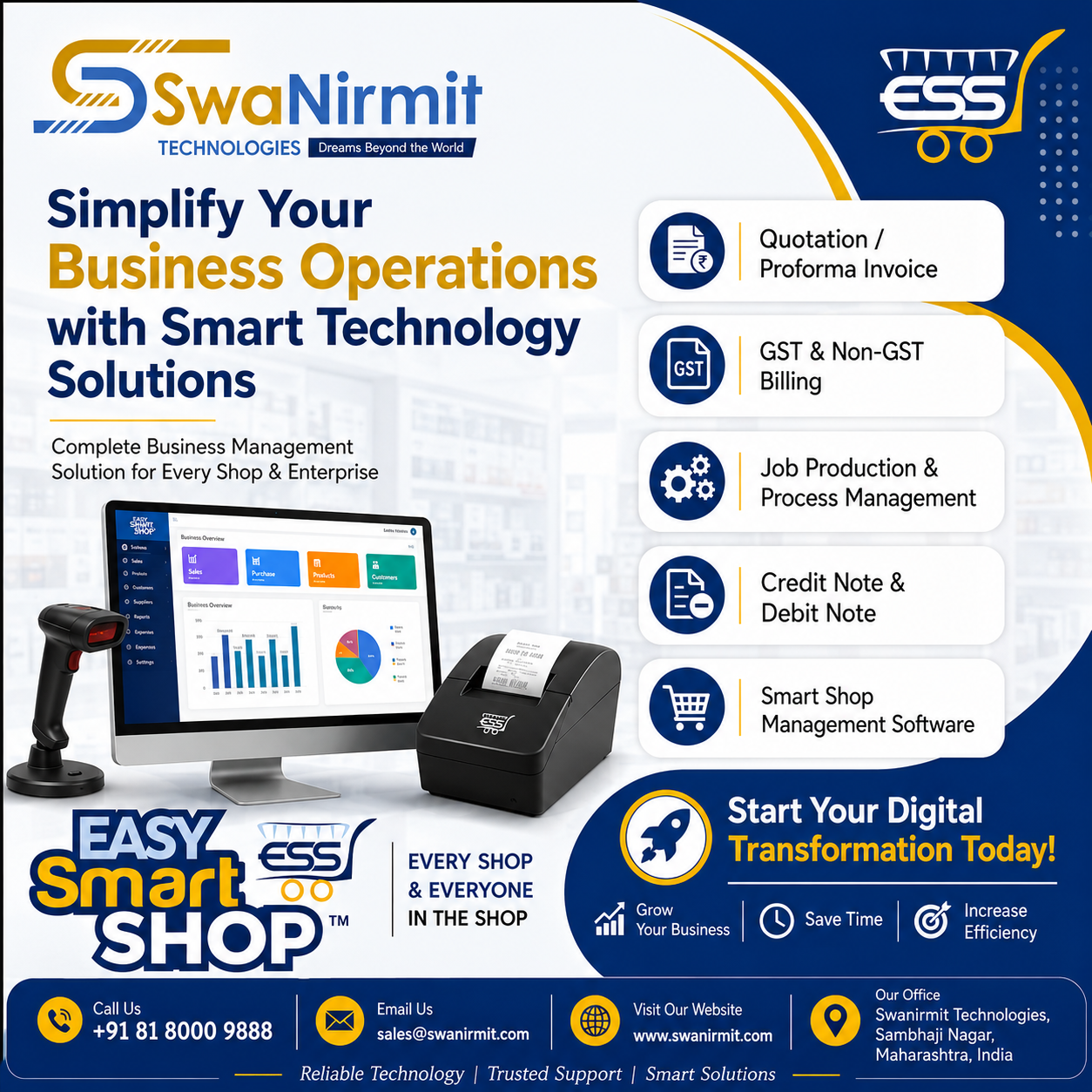
That’s why EASY SMART SHOP provides a complete and advanced Quotation Management System designed to simplify your sales process and improve business productivity.


EASY SMART SHOP – Advanced Quotation Management System

Smart Dashboard for Fast Operations

https://images.openai.com/static-rsc-4/om9vy4T4iR-6RO6FEP37l99yiXJVbRmnQ8rW7H4rxgPpCkvn3rgIQX_s098fHX0X0TNQm7s4z2WbqRPmU3bQtQTG2HHdTJc-e8sw4BsH_e2Te5Wpndm1kQRsP4Ev-gzj2ufodJHhFuvNKPQFP2q3YB4YAy2bSDlz3ZyUSydeq8hivnbNMSBzNhZbpusqwIXK?purpose=fullsize

The EASY SMART SHOP dashboard gives users quick access to all important quotation and sales features from a single screen.

Dashboard Features:

  • New Quotation Creation
  • Sales Order Management
  • Invoice Generation
  • Purchase Management
  • Customer Management
  • Inventory Tracking
  • Job Management
  • Notification Alerts
  • Reports & Accounts

The software is designed with a simple and user-friendly interface so businesses can work faster and more efficiently.


Complete Quotation Management Panel

The Quotation Management screen helps businesses manage all quotations in one place.

Features Available:

  • Pending Quotation Tracking
  • Rejected Quotation Records
  • Final Quotation Management
  • Customer-wise Quotation Filter
  • Follow-Up Date Management
  • Closing Date Tracking
  • Sales ID & Invoice Linking

Businesses can easily track quotation status and follow up with customers at the right time.


Professional Quotation Creation Window

EASY SMART SHOP allows users to create detailed and professional quotations within seconds.

Powerful Features:

  • Item-wise quotation entry
  • GST tax calculation
  • Discount management
  • HSN code support
  • Quantity & stock tracking
  • Automatic amount calculation
  • CGST / SGST / IGST support
  • Subject & customer requirement notes

The software automatically calculates totals, taxes, discounts, and final invoice amounts, reducing manual errors.


Customer Detail Management

The Customer Details section helps businesses maintain professional customer records.

Information Managed:

  • Customer Name
  • Address
  • Contact Number
  • Email Address
  • GST Number
  • State Selection
  • Reference Details
  • Designation Information

This helps businesses maintain organized customer communication and accurate documentation.


Advanced Features in EASY SMART SHOP

The software includes multiple advanced features that make business operations faster and smarter.


Proforma Invoice System

Businesses can instantly convert quotations into professional Proforma Invoices.

Benefits:

  • Professional invoice format
  • GST-ready documents
  • Faster customer approval
  • Easy printing & sharing
  • Sales process automation

E-Mail Proforma Invoice

The software allows direct emailing of Proforma Invoices to customers.

Advantages:

  • Instant customer communication
  • PDF attachment support
  • Faster deal confirmation
  • Paperless workflow
  • Professional business impression

E-Mail Quotation Feature

Users can directly send quotations through email from the software.

Benefits:

  • One-click quotation sharing
  • Fast customer response
  • Better follow-up process
  • Improved sales conversion

Create Delivery Challan

EASY SMART SHOP also provides Delivery Challan creation for product dispatch management.

Features:

  • Delivery document generation
  • Dispatch tracking
  • Customer delivery records
  • Professional challan format

    Quotation Follow-up & Updates
    Easily track quotation follow-ups and make quick updates based on customer requirements.
    Quotation History Management
    Maintain a complete history of all quotations, making it easy to access previous records anytime.
    Document Management
    Store and manage all quotation-related documents, PDFs, bills, and attachments in one secure place for better organization and faster access.


Terms & Conditions Management

The software allows users to add custom Terms & Conditions in quotations.

Features:

  • Add custom terms
  • Edit existing terms
  • Save templates
  • Reuse quotation formats
  • Print-ready documentation

This makes every quotation more professional and legally clear.


Why Businesses Prefer EASY SMART SHOP

✔ Professional Quotation System
✔ GST Billing Support
✔ Proforma Invoice Feature
✔ Email Quotation Sending
✔ Delivery Challan Management
✔ Customer Database Management
✔ Smart Tax Calculation
✔ Inventory Integration
✔ User-Friendly Interface
✔ Faster Business Workflow


Perfect Solution For

  • Retail Shops
  • Wholesale Businesses
  • Electronics Shops
  • Mobile Shops
  • Service Centers
  • Hardware Stores
  • Manufacturing Businesses
  • Computer Shops
  • Distributors

Grow Your Business with EASY SMART SHOP

EASY SMART SHOP helps businesses manage quotations, invoices, customers, and sales operations professionally from one software platform.

With advanced quotation features, automated calculations, email integration, and delivery management, businesses can save time, reduce manual work, and improve customer satisfaction.


EASY SMART SHOP

“FOR EVERY SHOP & EVERYONE IN THE SHOP”

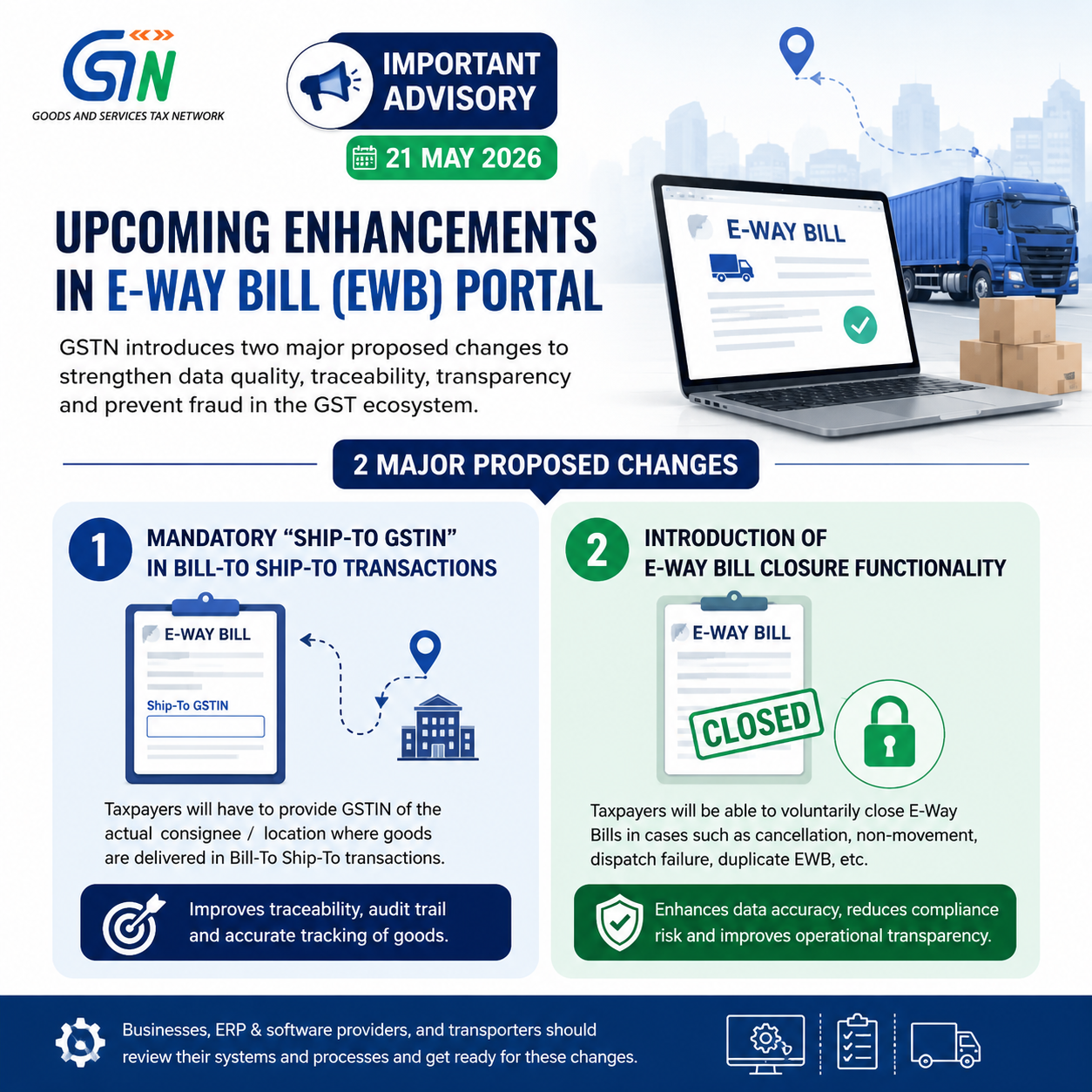
May 2026 Brings Two Significant E-Way Bill Modifications

GSTN has released an important advisory dated 21 May 2026 regarding upcoming enhancements to the E-Way Bill (EWB) Portal. These proposed updates are intended to strengthen:

  • data accuracy,
  • invoice tracking,
  • operational transparency,
  • and fraud control within the GST framework.

The advisory highlights two significant proposed changes in the EWB system:

  1. Mandatory declaration of “Ship-To GSTIN” in Bill-To Ship-To transactions
  2. Introduction of E-Way Bill Closure facility

These upcoming changes may require businesses, transporters, ERP providers, and GST software companies to implement necessary software upgrades, ERP customizations, and process-level changes to ensure smooth compliance.

Why GSTN is Introducing These Changes
GSTN has stated that these enhancements are part of its ongoing efforts towards:

strengthening data integrity,
improving tracking of goods movement,
enabling better reconciliation,
and reducing misuse of E-Way Bills.
With increasing data analytics under GST, authorities are now focusing heavily on:

actual consignee tracking,
movement verification,
invoice matching,
and prevention of fake billing practices.

  1. Mandatory “Ship-To GSTIN” in Bill-To Ship-To Transactions
    What is a Bill-To Ship-To Transaction?
    In many business models:

invoice is raised to one person (“Bill-To” party),
but goods are delivered to another location/entity (“Ship-To” party).
Example:

Head office places order,
goods directly delivered to branch office or customer location.
Currently, taxpayers often mention:

Bill-To details,
and shipping address,
but Ship-To GSTIN may not always be captured properly.

New Proposed Change
GSTN now proposes mandatory capture of:

“Ship-To GSTIN”
in Bill-To Ship-To transactions on the EWB portal.

This means:

taxpayers will now have to provide GSTIN of the actual consignee/location where goods are delivered.
Objective Behind This Change
GSTN wants to:

improve end-to-end traceability of goods,
accurately identify actual recipient,
strengthen audit trail,
and reduce fake movement transactions.
This change will help authorities:

match invoice data,
track actual goods destination,
and verify GST compliance more effectively.
Practical Impact on Businesses
This enhancement may significantly impact:

ERP systems,
invoicing software,
logistics integration,
and EWB APIs.
Businesses using automated EWB generation systems may need:

software upgrades,
API mapping changes,
additional master validations,
and process modifications.
Sectors Likely to be Highly Impacted
The following sectors frequently use Bill-To Ship-To models and may face major operational changes:

Sector Impact
FMCG High
E-commerce High
Pharmaceuticals High
Multi-location businesses High
Job work transactions Moderate
Distribution networks High
Important Compliance Point
If Ship-To GSTIN becomes mandatory:

incorrect GSTIN reporting,
use of invalid consignee GSTIN,
or mismatch with invoice details
may lead to:
EWB rejection,
detention risks,
reconciliation issues,
or departmental scrutiny.
Businesses should therefore begin reviewing:

customer master data,
consignee GSTIN mapping,
and shipping workflows.
2. Introduction of E-Way Bill Closure Functionality
Another major proposed enhancement is:

EWB Closure Facility
This will allow taxpayers to voluntarily close E-Way Bills under specified situations.

Why is EWB Closure Needed?
Currently, many E-Way Bills remain active even when:

goods movement never happened,
shipment got cancelled,
dispatch failed,
invoice was cancelled later,
or transaction became invalid.
In such situations:

EWB may continue showing as active,
creating unnecessary compliance risks and data inconsistencies.
What Will the New Closure Facility Do?
The proposed functionality will allow taxpayers to:

voluntarily close EWB,
declare non-movement/cancellation scenarios,
and maintain accurate transport records.
This will improve:

data accuracy,
transport audit trail,
and operational transparency.
Expected Benefits of EWB Closure Feature

  1. Better Record Management
    Inactive or unused EWBs can be formally closed.
  2. Reduced Compliance Risk
    Businesses can avoid unnecessary mismatches during audits.
  3. Improved Data Accuracy
    GSTN databases will better reflect actual goods movement.
  4. Lower Litigation Risk
    Taxpayers can proactively document cancelled movements.

Possible Scenarios Where Closure May Be Used
The closure facility may become useful in cases like:

goods not dispatched,
order cancelled,
transporter issue,
invoice cancellation,
duplicate EWB generated,

wrong EWB created,
shipment returned before dispatch,
or logistics failure.
Detailed operational guidelines are expected from GSTN separately.

System Changes Required by Businesses
Businesses and software providers should start preparing for:

ERP modifications,
API changes,
validation logic updates,
EWB workflow redesign,
and master data corrections.
Companies using integrated GST systems should coordinate with:

ERP vendors,
GST software providers,
and API integrators.
Action Points for Taxpayers
GSTN has advised stakeholders to begin preparedness activities.

Businesses should:

review Bill-To Ship-To processes,
validate customer GSTIN databases,
update EWB integration systems,
train GST teams,
and monitor future GSTN implementation notifications.
Important Note About Implementation
The advisory currently discusses:

proposed enhancements
along with:

expected timelines,
and preparedness requirements.
Detailed implementation procedures and technical specifications are likely to be issued separately by GSTN.

Conclusion
The latest GSTN advisory signals another major step towards deeper automation and traceability in the GST system.

The introduction of:

mandatory Ship-To GSTIN reporting,
and EWB Closure functionality
will significantly improve:

invoice tracking,
goods movement transparency,
and GST analytics.
However, these changes may also increase compliance responsibility for businesses using complex supply chains and automated EWB systems.

Taxpayers should proactively review their systems and workflows to ensure smooth compliance once these enhancements become operational on the E-Way Bill portal.

Why Smart Businesses Are Switching to Easy Smart Shop Software

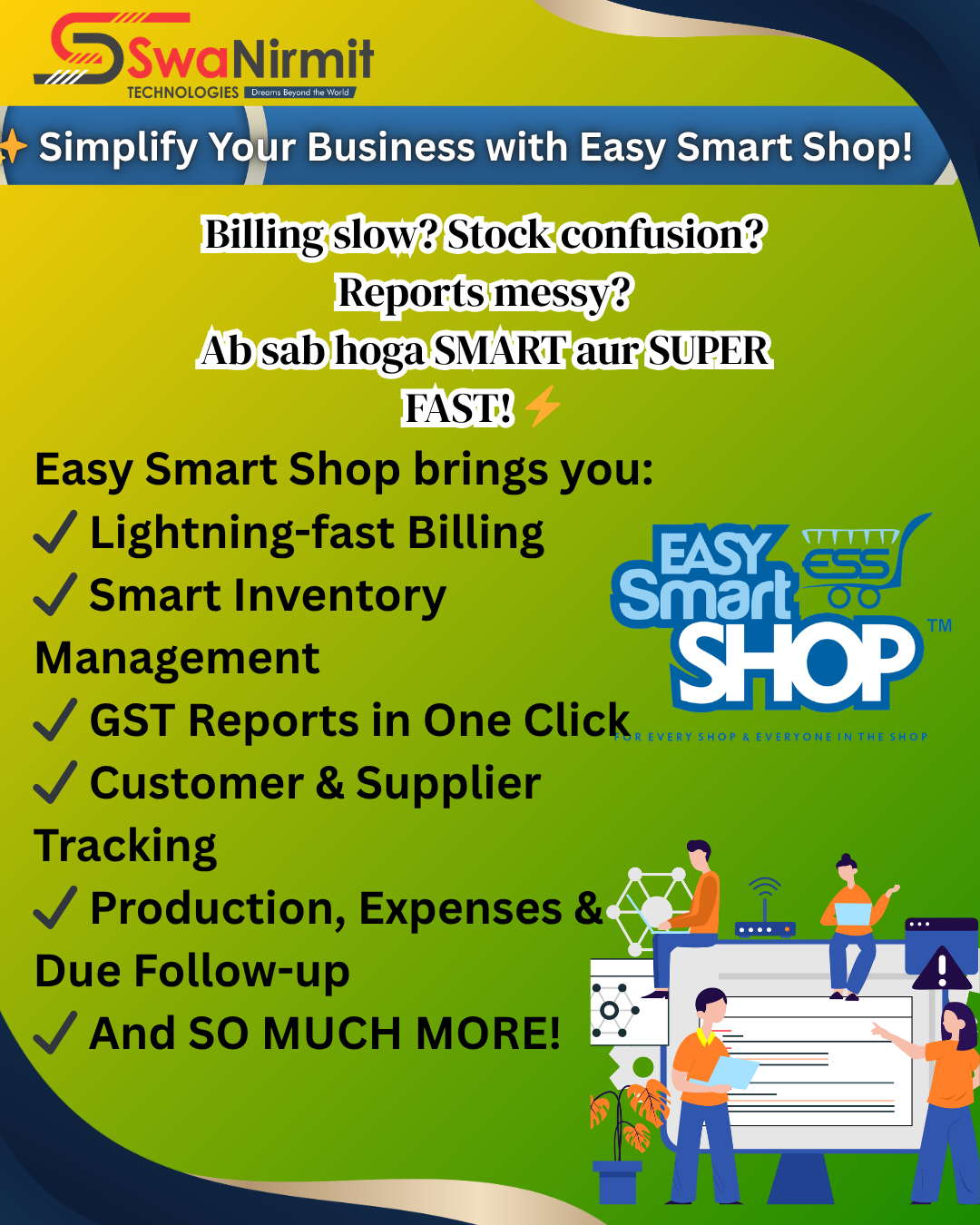
In today’s digital world, businesses are growing rapidly and customer expectations are increasing every day. Managing billing, inventory, accounting, and daily operations manually is no longer practical for modern businesses.

Many businesses still face common problems like:

❌ Slow Billing Process
❌ Stock Management Confusion
❌ Manual Accounting Errors
❌ Difficulty in Tracking Outstanding Payments
❌ Time-Consuming Report Preparation
❌ Lack of Proper Business Analysis

These problems not only waste valuable time but also affect overall business growth and customer satisfaction.

To solve these challenges, Swanirmit Technologies proudly presents Easy Smart Shop Software — a complete smart business management solution designed to simplify and modernize your business operations.

Our software helps businesses manage all important activities from one secure and easy-to-use platform.

✨ Key Features of Easy Smart Shop Software:

✅ GST & Non-GST Billing
Generate fast, accurate, and professional invoices with complete GST support.

✅ Inventory & Stock Management
Track stock availability, product movement, and low stock alerts easily.

✅ Purchase & Sales Management
Maintain complete records of purchases, sales, returns, and transactions.

✅ Accounting & Ledger Reports
Get accurate financial reports including ledgers, profit reports, payment reports, and balance summaries.

✅ Barcode Billing Support
Increase billing speed and reduce manual errors with barcode scanning.

✅ Customer & Supplier Management
Manage customer records, supplier details, payment history, and outstanding balances professionally.

✅ Multi User Access
Allow multiple staff members to use the software securely with role-based permissions.

✅ Daily, Monthly & Yearly Reports
Analyze your business performance with smart reports and business analytics.

✅ Data Backup & Security
Protect your valuable business data with secure backup and recovery options.

✅ User-Friendly Interface
Simple and easy-to-use software suitable for every business owner and staff member.

💡 Why Businesses Prefer Easy Smart Shop Software?

✔ Faster Billing & Better Customer Service
✔ Improved Stock Control
✔ Reduced Manual Work
✔ Better Financial Management
✔ Professional Business Reports
✔ Increased Productivity
✔ Smart & Modern Business Operations
✔ Time & Cost Saving

Our software is suitable for:

🏪 Retail Shops
🛒 Super Markets
👕 Garments & Footwear Stores
📱 Mobile & Electronics Shops
⚙ Hardware & Electrical Businesses
🪑 Furniture Shops
🏭 Manufacturing Units
🖨 Printing Press
📦 Wholesale Businesses
🔧 Job Work Industries
and many more…

One of our biggest strengths is continuous improvement. We regularly provide software updates, new features, improved performance, and modern business tools to keep your business future-ready.

🎯 Our Mission:
To make business management faster, smarter, easier, and completely professional for every business owner.

If you want to upgrade your business with smart technology and professional management solutions, Easy Smart Shop Software is the perfect choice.

📞 Contact Us Today: +91 8180009888

🌐 www.easysmartshop.com
🌐 www.swanirmit.com

Grow smarter with Easy Smart Shop Software by SwaNirmit Technologies.

Big Change Introduced in GST Refund Filing Process

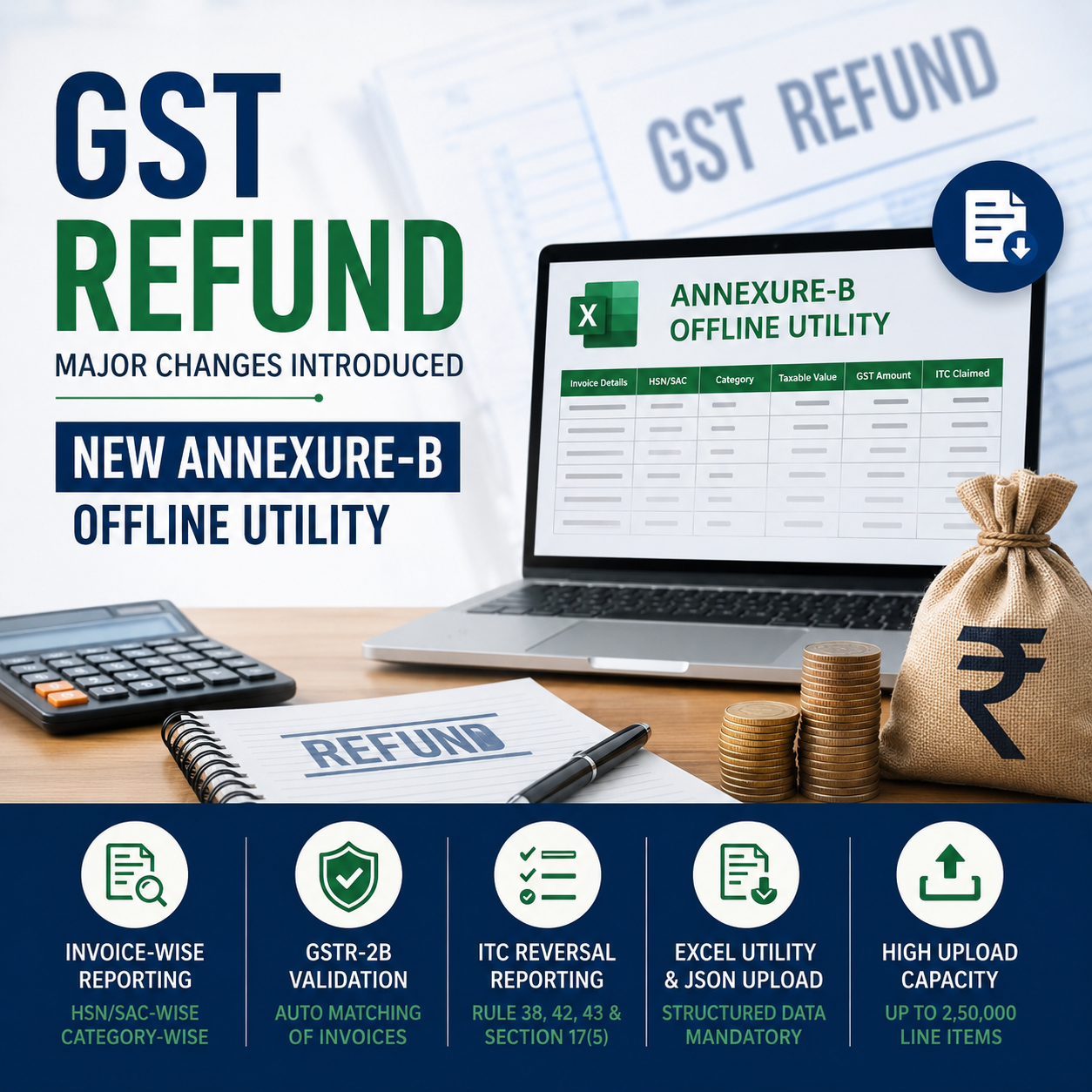
Annexure-B Offline Utility Introduced on GST Portal for Accumulated ITC Refunds

The GST Network (GSTN) has introduced a major change in the refund filing process for taxpayers claiming refund of accumulated Input Tax Credit (ITC). Earlier, taxpayers were uploading Annexure-B in PDF format while filing refund applications under certain refund categories. However, to improve automation, invoice-level verification, and system-based validation, GSTN has now launched a standardized Annexure-B Offline Utility in Excel format.

Going forward, taxpayers filing refund claims involving accumulated ITC will be required to furnish Annexure-B only through this prescribed offline utility. This update aims to bring uniformity in refund applications and enable validation of invoices directly with GSTR-2B data.

This is an important compliance change for exporters, SEZ suppliers, inverted duty structure claimants, and electricity exporters.

Refund Categories Where Annexure-B Utility is Mandatory
The new Annexure-B Offline Utility is applicable for the following refund categories:

Refund Category
Export of Goods/Services without payment of tax (Accumulated ITC)
Supplies made to SEZ Unit/SEZ Developer without payment of tax
Refund due to Inverted Tax Structure under Section 54(3)
Export of Electricity without payment of tax
Taxpayers filing refund claims under these categories must now upload Annexure-B through the

offline utility instead of PDF attachments.

What is the New Annexure-B Offline Utility?
GSTN has introduced an Excel-based offline utility where taxpayers are required to report invoice-wise inward supply details for which refund is claimed.

The utility requires detailed reporting:

HSN/SAC-wise
Category-wise
Invoice-wise
Tax amount-wise
Invoices must be bifurcated according to:

Inputs
Input Services
Capital Goods
This means a single invoice may now need to be split into multiple line items if it contains different HSN/SAC codes or different categories of inward supplies.

The utility also captures:

taxable value,
GST amount,
ITC reversal details,
blocked ITC under Section 17(5),
and Net ITC calculations.
Structure of the Annexure-B Utility
The utility contains two important tables:

Table 1 – Reversal Details
This table captures:

Rule 38 reversals,
Rule 42 reversals,
Rule 43 reversals,
Section 17(5) blocked credit,
and other reversals reported in GSTR-3B.
Table 2 – HSN/SAC-wise Inward Invoice Details
This table captures:

invoice-wise inward supplies,

HSN/SAC details,
tax values,
category of supplies,
and ITC claimed in GSTR-3B.
Major Compliance Change: Invoice Splitting Requirement
One of the biggest practical changes introduced through this utility is mandatory splitting of invoices.

If one invoice contains:

multiple HSN/SAC codes,
multiple supply categories,
or both,
then taxpayers must split the invoice into separate line items.

For example:
A single invoice containing:

Inputs,
Input Services,
and Capital Goods
cannot be reported in one consolidated row anymore.

Each line item should represent:

one HSN/SAC code,
and one category of inward supply.
The taxable value and tax amount must also be proportionately allocated.

This change may significantly increase data preparation work for taxpayers and consultants.

Duplicate Invoice Validation Introduced
GSTN has now introduced duplicate validation checks.

The system will validate invoices based on:

Supplier GSTIN

Invoice Number
Invoice Date
Category of Input Supply
HSN/SAC
If all these parameters are identical, only one line item will be accepted.

Multiple entries under the same parameters will trigger validation errors.

Therefore, taxpayers must carefully prepare invoice data before generating JSON.

GSTR-2B Validation Introduced
One of the most important changes is automatic validation of uploaded invoices with GSTR-2B.

After uploading the Annexure-B JSON file:

invoices will be matched with GSTR-2B,
valid invoices will appear in “Valid Documents” report,
mismatches will appear in “Invalid Documents” report.
This system-driven validation will significantly impact refund processing.

Special Relaxation for Old Period Invoices
GSTN has clarified an important relief for old invoices.

For invoices pertaining to:

October 2024 or earlier periods,
the portal will not validate them with GSTR-2B.

Although such invoices may display a generic “not validated” message, taxpayers can still proceed with refund filing.

This will not be treated as an error.

However, for invoices from:

November 2024 onwards,
full validation with GSTR-2B will apply.

Reporting of ITC Reversals
Taxpayers must correctly report ITC reversals while preparing Annexure-B.

The utility requires disclosure of:

Rule 38 reversals,
Rule 42 reversals,
Rule 43 reversals,
blocked credit under Section 17(5),
and other reversals reported in Table 4(B)(2) of GSTR-3B.
GSTN has also clarified that if multiple utility files are uploaded:

reversal values should be entered only in the final file,
previous files should contain reversal amount as zero.
The portal will then calculate consolidated Net ITC automatically.

Huge Upload Capacity Allowed
GSTN has allowed substantial upload limits in the utility.

Particulars Limit
Maximum entries in one utility file 10,000
Maximum utility files uploadable 25
Total line items allowed 2,50,000
If invoices exceed this limit:

remaining invoices can be submitted in PDF format as supporting documents.
This is especially important for exporters and large taxpayers having massive invoice volumes.

Important Technical Instructions Issued by GSTN
GSTN has issued several technical precautions for taxpayers:

  1. Avoid Extra Spaces
    Leading or trailing spaces may cause:

validation failures,
JSON errors,
upload issues.
2. Do Not Modify JSON Directly
Once JSON is generated:

taxpayers should not edit it manually.
Any modification should be made only in the Excel utility followed by fresh JSON generation.

  1. Do Not Rename JSON File
    Changing the JSON filename may create upload failures.
  2. Use Correct Dropdown Values
    Copy-paste functionality is enabled, but dropdown values must exactly match prescribed values.

Even small deviations can trigger errors.

  1. Close Old Utility Versions
    GSTN has advised users to completely close older versions of the utility before using the latest version to avoid processing problems.

Practical Impact on Taxpayers and Consultants
This change will significantly impact refund filing procedures.

Earlier:

taxpayers simply uploaded Annexure-B PDFs.
Now:

invoice-level structured reporting is mandatory,
HSN-wise bifurcation is required,
GSTR-2B validation applies,
JSON generation becomes compulsory,
and reconciliation work will increase substantially.
Tax professionals handling refund claims must now:

maintain proper invoice mapping,
reconcile GSTR-2B carefully,
track reversals accurately,
and prepare structured refund working papers.
Key Benefits of the New Utility
Despite increased compliance workload, the utility offers several long-term benefits:

✅ Faster system-based verification
✅ Reduction in manual scrutiny
✅ Standardized refund filing
✅ Better invoice reconciliation
✅ Improved transparency
✅ Faster processing of genuine refunds

Conclusion
The introduction of the Annexure-B Offline Utility marks a major step towards automation of GST refund processing. Taxpayers claiming refund of accumulated ITC must now shift from PDF-based Annexure-B filing to structured invoice-level reporting through the prescribed Excel utility.

This change will require:

stronger reconciliation processes,
better invoice management,
proper HSN/SAC mapping,
and accurate GSTR-2B matching.
Exporters, SEZ suppliers, and inverted duty refund claimants should immediately familiarize themselves with the new utility to avoid validation failures and refund delays.

Since invoice-level verification is now system-driven, accurate reporting will become the key factor for smooth GST refund processing in 2026.


2 Mandatory Documents You Should Not Miss While Filing ITR in 2026

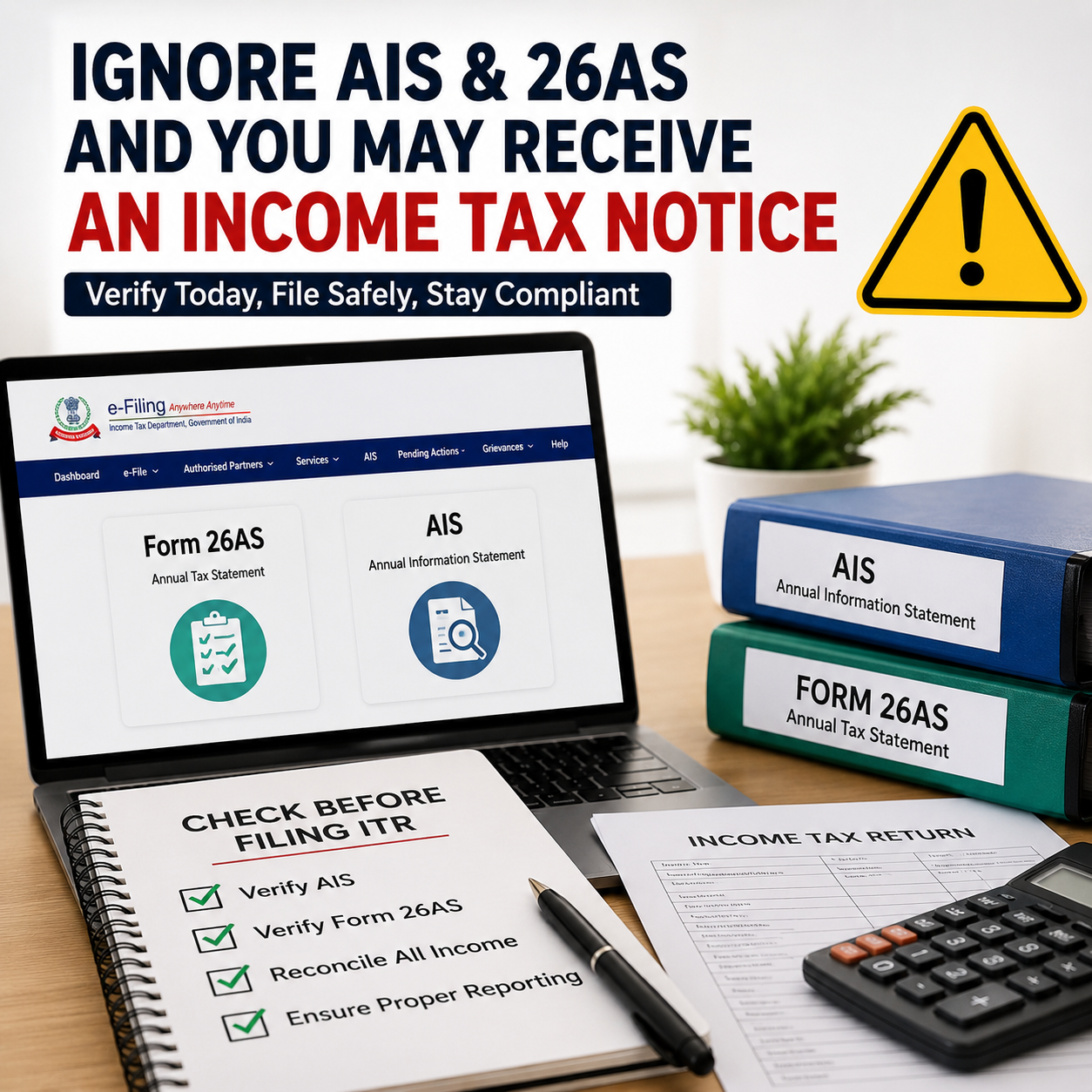
Ignoring these documents while filing your Income Tax Return can lead to mismatches, defective returns, refund delays, or even income tax notices. Today, the Income Tax Department receives financial data directly from employers, banks, mutual funds, stock brokers, property registrars, GST systems, and other reporting agencies.

Many taxpayers still assume that ITR filing only means entering salary figures and submitting the return. However, the tax system is now highly data-driven and automated. Even a small mismatch between your filed return and the information available with the department may trigger scrutiny or notices.

Why Verifying Form 26AS and AIS is Now Mandatory Before Filing ITR

With the Income Tax Department using advanced data analytics and automated verification systems, taxpayers can no longer afford to file returns without checking their reported financial data. Two documents have now become extremely important before filing any Income Tax Return for AY 2026–27:

  • Form 26AS
  • Annual Information Statement (AIS)

Ignoring these documents while filing your ITR may result in:

  • mismatch notices,
  • defective return notices,
  • refund delays,
  • scrutiny proceedings,
  • or even reassessment notices.

Therefore, every taxpayer should carefully reconcile both Form 26AS and AIS before submitting the return.

What is Form 26AS?

Form 26AS is a consolidated tax statement linked to your PAN. It contains tax-related information reported against your PAN during the financial year.

It generally includes:

  • TDS deducted by employer,
  • TDS on bank interest,
  • TCS collected,
  • advance tax paid,
  • self-assessment tax paid,
  • refund details,
  • and certain specified high-value transactions.

In simple terms, Form 26AS reflects the taxes already deposited with the government in your name.

If you claim TDS in your ITR that is not appearing in Form 26AS, your refund may get reduced or the department may issue a mismatch communication.

What is AIS (Annual Information Statement)?

AIS is now one of the most powerful information-reporting tools used by the Income Tax Department.

Compared to Form 26AS, AIS is far more detailed and comprehensive. It may contain information relating to:

  • salary income,
  • savings account interest,
  • fixed deposit interest,
  • dividend income,
  • stock market transactions,
  • mutual fund investments,
  • property purchase or sale,
  • foreign remittances,
  • GST turnover,
  • credit card payments,
  • and several other financial activities.

AIS collects data from multiple reporting entities and enables the department to compare your actual financial transactions with the income disclosed in your ITR.  This means that if your AIS reflects higher income or financial transactions than what you report in your return, the chances of receiving an income tax notice increase significantly.

Why Ignoring AIS and Form 26AS is Dangerous in 2026

Earlier, many taxpayers used to file their Income Tax Returns based only on Form 16 or basic bank statements. However, the Income Tax Department now relies heavily on advanced reporting and automated verification systems such as:

  • AIS (Annual Information Statement),
  • TIS (Taxpayer Information Summary),
  • Form 26AS,
  • SFT reporting,
  • PAN-based analytics,
  • and AI-driven data matching systems.

As a result, even small mismatches can now get automatically flagged by the department’s systems.

For example:

  • unreported bank interest,
  • ignored mutual fund redemptions,
  • missed dividend income,
  • or mismatch in stock trading turnover

may trigger notices at a later stage.

This is why blindly filing ITR without checking AIS and Form 26AS has become increasingly risky in 2026.


Common Mistakes Taxpayers Make

1. Ignoring Bank Interest

Many taxpayers forget to disclose:

  • savings account interest,
  • fixed deposit interest,
  • recurring deposit interest.

However, banks report this information directly to the department, and it generally appears in AIS.


2. Ignoring Share Market Transactions

Even if the profit amount is small, stock brokers report:

  • share sale transactions,
  • F&O turnover,
  • mutual fund redemptions.

If these transactions appear in AIS but are not properly disclosed in the ITR, taxpayers may later receive notices.


3. Claiming Incorrect TDS

Some taxpayers claim TDS based only on Form 16 without verifying whether the TDS actually appears in Form 26AS.

If TDS is missing in Form 26AS:

  • refund processing may get delayed,
  • or tax credit may be denied.

4. Filing ITR Before AIS Gets Fully Updated

Many taxpayers rush to file their ITR in May itself. However, AIS data may still be under updation by reporting entities during the early filing season.

As a result:

  • revised AIS entries may appear later,
  • creating mismatches with the already-filed return.

This is one of the major reasons tax professionals often advise taxpayers not to file returns too early without proper reconciliation.


Difference Between AIS and Form 26AS

Particulars Form 26AS AIS
TDS Details Yes Yes
Tax Payments Yes Yes
Bank Interest Limited Detailed
Share Transactions Limited Detailed
Mutual Fund Transactions Limited Yes
Property Transactions Limited Yes
Foreign Remittances No Yes
Financial Analytics No Extensive

What Happens if a Mismatch is Found?

If the department identifies mismatches between:

  • ITR filed,
  • AIS data,
  • and Form 26AS,

taxpayers may receive:

  • compliance notices,
  • defective return notices,
  • refund withholding,
  • reassessment notices,
  • or demand notices.

In several cases, these notices are generated automatically by the system without manual intervention.


How to Safely File ITR in 2026

Before filing your return, taxpayers should:

  • download and review AIS carefully,
  • verify Form 26AS,
  • match salary details with Form 16,
  • reconcile bank interest,
  • verify mutual fund and share transactions,
  • confirm all TDS entries,
  • and check high-value transactions properly.

If incorrect information appears in AIS, taxpayers can also submit feedback through the Income Tax portal.


Important Practical Advice

AIS is not always perfectly accurate. Sometimes:

  • duplicate entries,
  • incorrect reporting,
  • or wrong transaction classifications

may appear in the statement.

Therefore, taxpayers should not blindly copy AIS data into the ITR either. Proper reconciliation and verification remain extremely important.

At the same time, completely ignoring AIS and Form 26AS is one of the biggest mistakes taxpayers make during ITR filing.


Conclusion

In 2026, filing an Income Tax Return without checking Form 26AS and AIS can be highly risky because the Income Tax Department now uses advanced analytics, PAN-based reporting, and automated mismatch detection systems.

These two documents have effectively become the backbone of accurate and safe ITR filing.

Therefore, before submitting your Income Tax Return, every taxpayer should:

  • ✅ verify AIS carefully,
  • ✅ check Form 26AS properly,
  • ✅ reconcile all income and financial transactions,
  • ✅ confirm TDS and tax payment details,
  • ✅ and ensure accurate reporting in the ITR.

Easy Smart Shop Software – Complete Business Management Solution for Modern Businesses

In today’s fast-growing and competitive business world, managing daily operations manually is becoming difficult and time-consuming. Every business requires fast billing, accurate stock management, proper accounting, and professional reporting to run smoothly and efficiently.

To solve these challenges, SwaNirmit Technologies proudly presents Easy Smart Shop Software — a smart, reliable, and complete business management solution designed for modern businesses.

Whether you run a retail shop, supermarket, manufacturing unit, medical store, or wholesale business, Easy Smart Shop Software helps you manage your entire business digitally from one powerful platform.


Why Businesses Need Smart Management Software

Traditional business management methods often create problems such as:

  • Slow billing process
  • Stock mismatch and inventory errors
  • Difficulty in maintaining accounts
  • Manual report preparation
  • Outstanding payment tracking issues
  • Data loss and security risks

A professional business software solution helps businesses save time, reduce errors, improve productivity, and make better business decisions.

Easy Smart Shop Software is specially developed to make daily business operations simple, fast, and professional.


Key Features of Easy Smart Shop Software

GST & Non-GST Billing

Generate professional invoices quickly with GST and Non-GST billing support.

Fast Invoice Printing

Create and print invoices instantly to improve customer service and reduce billing time.

Inventory & Stock Management

Track available stock, low stock alerts, purchase entries, and product management easily.

Purchase & Sales Management

Manage all purchase and sales activities from one system with complete records.

Customer & Supplier Management

Maintain customer and supplier information with transaction history and balance tracking.

Accounting & Ledger Reports

Get accurate accounting reports including ledgers, profit reports, balance summaries, and more.

Outstanding & Payment Tracking

Track pending payments, customer dues, and supplier outstanding reports easily.

Barcode Support

Faster product billing and inventory handling using barcode scanning support.

Multi-User Access

Allow multiple staff members to work securely with role-based access.

Reports & Business Analytics

Generate daily, monthly, and yearly reports to analyze business performance effectively.

Job Work & Production Management

Manage manufacturing, production, and job work operations professionally.

Data Backup & Security

Keep your important business data secure with backup and recovery options.

User-Friendly Interface

Simple and easy-to-use design suitable for all business owners and staff.

Custom Print Formats

Customize invoices and print formats according to your business requirements.


Businesses That Can Use Easy Smart Shop Software

Our software is suitable for various business types, including:

  • Retail Shops
  • Super Markets
  • Grocery / Kirana Stores
  • Garments & Footwear Shops
  • Mobile & Electronics Stores
  • Hardware & Electrical Businesses
  • Furniture Shops
  • Printing Press
  • Manufacturing Units
  • Wholesale Businesses
  • Job Work Industries
  • And many more…

Continuous Updates & New Features

Technology changes rapidly, and businesses need modern solutions to stay ahead in the market.

One of the biggest strengths of Easy Smart Shop Software is continuous improvement. We regularly provide:

  • New features
  • Software updates
  • Improved reports
  • Better performance
  • Latest business tools
  • Modern billing solutions

This keeps your business software future-ready and efficient.


Benefits of Using Easy Smart Shop Software

✔ Faster Billing Process
✔ Better Stock Control
✔ Professional Business Management
✔ Reduced Manual Work
✔ Accurate Accounting
✔ Improved Customer Service
✔ Secure Business Data
✔ Time & Cost Saving
✔ Increased Business Productivity


Our Mission

At SwaNirmit Technologies, our mission is simple:

To make business management smarter, faster, easier, and completely professional for every business owner.

We believe every business deserves reliable software that helps them grow confidently in the digital era.


Contact Us

If you are looking for a complete business management software solution, Easy Smart Shop Software is the perfect choice for your business.

📞 Mobile: +91 8180009888

🌐 Easy Smart Shop Official Website

🌐 SwaNirmit Technologies Official Website

Start managing your business smarter with Easy Smart Shop Software today!

Transform Your Business Digitally with Easy Smart Shop Software

Running a business is not just about buying and selling anymore. Today’s businesses need speed, accuracy, smart management, and complete control over daily operations. From billing and inventory to accounting and customer management — everything must work smoothly and professionally.

That’s where Easy Smart Shop Software by SwaNirmit Technologies becomes your perfect business partner.

Easy Smart Shop is more than just billing software. It is a complete business management ecosystem designed to help modern businesses operate smarter, faster, and more efficiently.


One Software. Multiple Business Solutions.

Why use different systems for billing, stock, accounts, reports, and job work management when everything can be managed from one powerful platform?

Easy Smart Shop combines all essential business operations into a single smart solution.

Manage Your Business Smarter With Features Like:

✅ GST & Non-GST Billing
✅ Professional Invoice Printing
✅ Smart Inventory & Stock Tracking
✅ Purchase & Sales Management
✅ Customer & Supplier Management
✅ Accounting & Ledger Reports
✅ Outstanding Payment Follow-Up
✅ Barcode Integration
✅ Multi User Access
✅ Daily / Monthly / Yearly Reports
✅ Job Work & Production Management
✅ Data Backup & Security
✅ Custom Business Settings & Print Formats

Whether your business is small, medium, or growing rapidly, Easy Smart Shop helps you save time, reduce manual work, and improve business efficiency.


Built for Every Growing Business

Easy Smart Shop is specially designed for businesses that want professional management without complexity.

Perfect For:

✔ Retail Shops
✔ Super Markets
✔ Grocery / Kirana Stores
✔ Mobile & Electronics Shops
✔ Garments & Footwear Stores
✔ Hardware & Electrical Businesses
✔ Furniture Shops
✔ Manufacturing Units
✔ Printing Press
✔ Medical & Pharma Stores
✔ Job Work Industries
✔ Distributors & Traders
✔ And Many More Businesses

No matter what type of business you run, Easy Smart Shop adapts to your workflow and business requirements.


Why Businesses Choose Easy Smart Shop

Easy To Use

The software is designed so that anyone with basic computer knowledge can operate it easily.

Professional Business Management

Create invoices, maintain stock, manage accounts, and track reports professionally from one system.

Faster Daily Operations

Reduce manual work and complete business tasks quickly and accurately.

Smart Reporting System

Get complete business insights through powerful reports and analytics.

Continuous Updates & Improvements

Technology changes fast — and so do we.

At SwaNirmit Technologies, we continuously add new features, improvements, and advanced updates to keep your software modern and future-ready.


A Software That Grows With Your Business

Easy Smart Shop is not just software — it is a smart investment for business growth.

Our goal is to help businesses:

  • Work Faster
  • Manage Better
  • Reduce Errors
  • Improve Productivity
  • Grow Professionally

Thousands of daily business activities can be simplified with one powerful software solution.


Ready To Upgrade Your Business?

Experience smarter billing, better inventory management, professional accounting, and complete business control with Easy Smart Shop.

📞 Contact Us Today For Demo & Details:

📱 Mobile: +91 8180009888
👤 SwaNirmit Technologies

🌐 Easy Smart Shop Official Website
🌐 SwaNirmit Technologies Official Website

Easy Smart Shop

Smart Business Starts Here.

Income Tax Department Opens ITR-1 & ITR-4 Filing for AY 2026–27

Excel Utility & Online Filing Facility Now Available

The Income Tax Department has officially activated ITR-1 (Sahaj) and ITR-4 (Sugam) for Assessment Year 2026–27 on the Income Tax e-Filing Portal. Eligible taxpayers can now begin filing their Income Tax Returns through both:

  • Online Filing Mode
  • Excel Utility (Offline Mode)

available on the official Income Tax e-Filing Portal.

Major Relief for Salaried Individuals and Small Taxpayers

This update brings significant convenience for:

  • Salaried individuals
  • Pensioners
  • Freelancers
  • Small business proprietors
  • Professionals opting for presumptive taxation
  • Taxpayers filing simple income tax returns

Taxpayers can now prepare and submit returns in advance, helping them avoid last-minute technical issues and portal congestion.

ITR Forms Currently Enabled

1. ITR-1 (Sahaj)

ITR-1 is meant for resident individuals having:

  • Salary or pension income
  • Income from up to two house properties
  • Income from other sources such as interest
  • Agricultural income up to ₹5,000
  • Total income up to ₹50 lakh

Who Is Not Eligible to File ITR-1?

ITR-1 cannot be used if the taxpayer has:

  • Capital gains income
  • Foreign income or foreign assets
  • Business or professional income
  • More than two house properties
  • Directorship in a company
  • Investment in unlisted equity shares

2. ITR-4 (Sugam)

ITR-4 applies to:

  • Resident Individuals
  • Hindu Undivided Families (HUFs)
  • Partnership Firms (excluding LLPs)

earning income under presumptive taxation schemes such as:

  • Section 44AD
  • Section 44ADA
  • Section 44AE

with total income up to ₹50 lakh.

Ideal For

  • Small traders
  • Retail shop owners
  • Freelancers
  • Consultants
  • Professionals
  • Small transport operators

Filing Options Available

The department has now enabled both filing methods:

✔ Online Filing

Eligible taxpayers can directly prepare and file their return online without downloading any software or utility.

✔ Excel Utility (Offline Filing)

Taxpayers can also download the Excel utility, prepare the return offline, generate the JSON file, and upload it on the portal.

This option is especially useful for:

  • Chartered Accountants
  • Tax professionals
  • Bulk return filing
  • Detailed verification before submission

Documents Required Before Filing ITR

Taxpayers should keep the following documents ready:

  • PAN Card
  • Aadhaar Card
  • Form 16
  • AIS/TIS
  • Form 26AS
  • Bank statements
  • Interest certificates
  • Investment proofs
  • Home loan statement/certificate (if applicable)

Carefully Verify AIS and Form 26AS

Many taxpayers incorrectly rely only on Form 16 while filing returns.

Before filing, taxpayers should verify:

  • Interest income
  • Dividend income
  • TDS credits
  • Mutual fund transactions
  • Share market transactions
  • High-value transactions appearing in AIS

Any mismatch may lead to:

  • Income tax notices
  • Delay in refund processing
  • Defective return notices

New Tax Regime Continues as Default

For AY 2026–27, the New Tax Regime remains the default tax regime for individual taxpayers.

However, eligible taxpayers may still choose the old tax regime within the prescribed timelines.

Before selecting the regime, taxpayers should compare:

  • Available deductions and exemptions
  • Total taxable income
  • Rebate eligibility
  • Final tax liability

Expected Due Date for Filing ITR

The expected due date for non-audit taxpayers for AY 2026–27 is:

31 July 2026

Taxpayers are advised not to wait until the deadline because:

  • Heavy traffic may slow down the portal
  • Refunds may get delayed
  • Chances of filing mistakes increase near due dates

Advantages of Filing ITR Early

Faster Refunds

Early filers generally receive refunds sooner.

Easier Loan & Visa Processing

Income Tax Returns serve as valid income proof for:

  • Home loans
  • Vehicle loans
  • Business loans
  • Visa applications

Reduced Filing Errors

Early filing gives sufficient time to review and revise mistakes if needed.

Better Financial Planning

Taxpayers get clarity regarding tax payable or refund receivable at an early stage.

Steps to File ITR-1 or ITR-4

Step 1

Visit the Income Tax e-Filing Portal.

Step 2

Login using PAN and password.

Step 3

Navigate to:

e-File → Income Tax Return → File Income Tax Return

Step 4

Select:

  • Assessment Year: 2026–27
  • Relevant ITR Form

Step 5

Choose either:

  • Online Filing Mode
  • Offline Utility Mode

Step 6

Validate all details and submit the return.

Step 7

Complete e-Verification using:

  • Aadhaar OTP
  • Net Banking
  • Demat Account EVC
  • Bank Account EVC

Important Points to Check Before Submission

Before final filing, taxpayers should:

  • Verify bank account details carefully
  • Match TDS credits properly
  • Reconcile AIS/TIS information
  • Review deduction claims
  • Confirm tax regime selection accurately

Filing the wrong ITR form or incorrect reporting of income may result in notices from the Income Tax Department.

Conclusion

The enabling of ITR-1 and ITR-4 for AY 2026–27 marks the beginning of the income tax return filing season for millions of taxpayers. With both online filing and Excel utility options now available, eligible taxpayers and professionals can start filing returns immediately without waiting for the deadline.

Filing returns early not only helps in faster refund processing but also minimizes the risk of errors, mismatches, and notices. Taxpayers should carefully reconcile all income and tax details before final submission of their return.

When Will the Income Tax Portal Open for ITR Filing 2026?

AY 2026-27 ITR Filing Latest Update: Expected Start Dates, Utility Release & Key Information

The biggest question among taxpayers right now is: “When will ITR filing start for AY 2026-27?” With the beginning of Financial Year 2025-26 and ongoing discussions around the new Income Tax framework, taxpayers are eagerly waiting for the Income Tax Department to activate the online filing utilities for Assessment Year 2026-27.

The positive news is that the Income Tax Department has already notified multiple ITR forms for AY 2026-27, which means the filing season has officially commenced from a legal standpoint. However, actual filing for most taxpayers will begin only after the online utilities and portal filing systems become fully operational.


Have ITR Forms for AY 2026-27 Been Notified?

Yes. The CBDT has already notified important ITR forms for AY 2026-27, including:

  • ITR-1
  • ITR-2
  • ITR-3
  • ITR-4

The newly notified forms also contain several important changes, such as:

  • Separate reporting of F&O and intraday trading income
  • Additional capital gain disclosures
  • Buyback loss reporting requirements
  • Enhanced foreign asset disclosures
  • Simplified eligibility conditions in certain forms

Although the forms are officially notified, taxpayers are still waiting for:

  • Online utility activation
  • JSON schema integration
  • Prefilled return updates
  • AIS/TIS synchronization
  • Stable portal functionality

Has ITR Filing Started on the Income Tax Portal?

Currently, the forms have been released, but filing utilities for all taxpayer categories are not completely live yet. Tax professionals and taxpayers are actively monitoring utility releases because practical filing starts only after:

  • Online utility activation
  • Offline utility release
  • Validation schema updates by the department

Many taxpayers expected filing to begin from 1 April 2026 itself, but utility rollout has been gradual.


Expected Dates for ITR Utility Activation – AY 2026-27

Based on previous years’ trends and the current pace of utility releases, the expected timeline may be:

ITR Form Expected Utility / Filing Activation
ITR-1 Mid May to Late May 2026
ITR-2 Late May to Early June 2026
ITR-3 June 2026
ITR-4 Mid May to Late May 2026

The Income Tax portal’s utility download section already reflects phased releases and updates for several forms, indicating that activation is underway.

In practice, salaried taxpayers usually prefer filing only after:

  • Form 16 issuance
  • AIS updates completion
  • Prefilled data stabilization

Therefore, even if utilities become available in May 2026, many taxpayers may choose to file from June onwards for smoother processing.


Why Is There Delay in ITR Utility Activation?

Several reasons are contributing to the delayed rollout of utilities this year:

✔️ Changes in ITR Forms

The introduction of additional disclosure requirements has increased validation complexity.

✔️ Transition Towards New Tax Framework

AY 2026-27 represents a transitional phase with multiple structural compliance changes under the revised tax framework.

✔️ AIS / TIS Integration

The department now heavily relies on integrated reporting systems such as:

  • AIS
  • TIS
  • Form 26AS
  • SFT reporting
  • Broker transaction data
  • GST-linked analytics

As a result, utility validation and synchronization take more time.

✔️ Enhanced Reporting Requirements

Taxpayers having:

  • Capital gains
  • F&O income
  • Foreign assets
  • High-value transactions

may face additional disclosure and verification requirements this year.


Should Taxpayers File ITR Immediately After Utilities Go Live?

Not necessarily.

Experts generally recommend waiting until:

  • AIS/TIS data is fully updated
  • Form 16 is issued
  • Form 26AS is reconciled
  • Utilities become stable

During the initial days after utility release, taxpayers often face:

  • Validation errors
  • Portal glitches
  • JSON/schema mismatches

Therefore, unless an urgent refund claim is involved, filing after the utilities stabilize is generally considered safer.


Important Due Dates for AY 2026-27

Taxpayer Category Due Date
ITR-1 & ITR-2 (Non-audit cases) 31 July 2026
ITR-3 & ITR-4 (Non-audit cases) 31 August 2026
Audit Cases 31 October 2026
Transfer Pricing Cases 30 November 2026

Important Guidance for Taxpayers Before Filing ITR for AY 2026-27

Before submitting the Income Tax Return for AY 2026-27, taxpayers should carefully:

  • verify AIS and Form 26AS details,
  • check whether all TDS credits are correctly reflected,
  • reconcile capital gain statements,
  • confirm reporting of bank interest income, and
  • thoroughly review prefilled information available on the portal.

Filing the return hastily without proper verification may lead to issues such as:

  • defective return notices,
  • delay in processing of refunds,
  • income mismatch notices, or
  • future reassessment proceedings.

ITR filing utilities for AY 2026-27 are expected to become fully operational gradually during May and June 2026 as the Income Tax Department releases utilities in phases. Although the ITR forms have already been officially notified, taxpayers are still waiting for stable online utilities and complete portal activation across all return categories.

For salaried individuals, large-scale filing activity is expected to pick up mainly after:

  • issuance of Form 16,
  • completion of AIS updates, and
  • stabilization of filing utilities.
All About TDS: Payment Procedures, Due Dates & Forms under Old vs Revised Income Tax Act, 2025

What is TDS? (Concept)

TDS (Tax Deducted at Source) refers to a system where tax is deducted by the payer at the time of making specified payments and then remitted to the government.

👉 Objective of TDS:

  • Collection of tax at the point of income generation
  • Prevention of tax evasion
  • Ensuring steady inflow of revenue to the government

👉 Tax Credit Available To Taxpayer In:

  • Form 26AS
  • Annual Information Statement (AIS)

🔄 Key Change from 1 April 2026 (New Income Tax Act, 2025)

Structural Transformation

Old Income Tax Act, 1961 New Income Tax Act, 2025
Multiple sections (192, 194 series) Consolidated framework
Complicated structure Simplified approach
Dispersed provisions Centralized system

👉 New Section Mapping:

  • Section 392 → TDS on Salary
  • Section 393 → TDS on Other Payments

✔️ The core concept remains unchanged, but the structure is simplified.


📅 TDS Payment Due Dates

Monthly Due Dates

Particular Due Date
TDS deducted during any month 7th of the following month
TDS deducted in March 30th April (next financial year)

👉 Example:

  • TDS deducted in April → Pay by 7 May
  • TDS deducted in March → Pay by 30 April

✔️ No change under the new Act.


⚠️ Special Case – Government Deductors

  • Payment required on the same day (through book entry)
  • For March deductions → 7 April

⚠️ Interest on Delay

Default Type Interest Rate
Failure to deduct TDS 1% per month
Delay in deposit 1.5% per month

📊 TDS Return Filing Due Dates (FY 2026–27)

Quarter Period Due Date
Q1 Apr – Jun 2026 31 July 2026
Q2 Jul – Sep 2026 31 Oct 2026
Q3 Oct – Dec 2026 31 Jan 2027
Q4 Jan – Mar 2027 31 May 2027

✔️ Filing timeline remains unchanged under the new law.


📄 TDS Return Forms

🔄 A. Quarterly TDS Returns

Purpose Old Form New Form (2025 Act)
Salary TDS 24Q Form 138
Non-salary (Resident) 26Q Form 140
Non-resident payments 27Q Form 142 / 144
TCS Return 27EQ Form 143

✔️ Only form numbers changed; compliance process remains same.


🔄 B. TDS Certificates

Purpose Old Form New Form
Salary Form 16 Form 130
Non-salary Form 16A Form 131

🔄 C. Declaration Forms

Purpose Old Forms New Form
Declaration for non-deduction of TDS 15G / 15H Form 121

✔️ Significant simplification introduced.


🔄 D. Challan-cum-Statement (Major Change)

Earlier Forms New Unified Form
26QB (Property)
26QC (Rent)
26QD (Contract)
26QE (Crypto)
👉 Merged Form 141

✔️ Four separate forms are now consolidated into a single form.


⏱️ Special Cases – Different Deadlines

Nature of Transaction Applicable Form Due Date
Property transactions Form 141 Within 30 days
Rent payments (Individual) Form 141 Within 30 days
Contract/Professional (Individual) Form 141 Within 30 days
Cryptocurrency transactions Form 141 Within 30 days

⚠️ Penalties & Consequences

📌 Late Filing Fee

  • ₹200 per day
  • Maximum penalty limited to the amount of TDS