Income Tax Scrutiny Notices Under Section 143(2) Issued in June 2026: What Taxpayers Should Know

Why Are Taxpayers Receiving Section 143(2) Notices Across India?

In recent days, a large number of taxpayers have reported receiving notices under Section 143(2) of the Income-tax Act from the Income Tax Department.

For many, receiving any communication from the department immediately creates anxiety. Reports and discussions on social media have further fuelled concerns, with claims that scrutiny notices are being issued to a significant number of taxpayers.

This has left many wondering:

“I filed my Income Tax Return several months ago. Why have I received a notice only now?”

It is one of the most common questions taxpayers are asking.

The reason is linked to a specific statutory time limit prescribed under the Income-tax Act for issuing scrutiny notices—a provision that many taxpayers are unaware of.

Before assuming the worst, it is important to understand why these notices are being issued, what they actually mean, and whether you need to take any immediate action.

Why Are So Many Section 143(2) Notices Being Issued?

Many taxpayers are unaware that the Income Tax Department has a legally prescribed time limit for issuing scrutiny notices. Such notices cannot be sent at any time after a return is filed.

For Assessment Year (AY) 2025-26, the last date for issuing a notice under Section 143(2) is:

30 June 2026

This deadline plays a significant role in the recent increase in scrutiny notices.

If the Department decides to examine a return filed for AY 2025-26, the notice must be issued on or before this date. As the deadline approaches, the Department completes its risk assessment and selects eligible cases for detailed verification, resulting in a higher number of notices being issued during June 2026.


What Is a Notice Under Section 143(2)?

A notice under Section 143(2) is issued when the Income Tax Department chooses an Income Tax Return for a detailed review.

The purpose of the scrutiny is to verify whether:

  • Income has been reported correctly.
  • Deductions claimed are eligible.
  • Exemptions have been claimed as per law.
  • Capital gains have been computed accurately.
  • The information reported in the return matches the data available with the Department.

Receiving such a notice does not mean that the taxpayer has concealed income or committed tax evasion. It simply indicates that the Department requires additional information or supporting documents before completing the assessment.


Why Has Your Return Been Selected for Scrutiny?

Many taxpayers believe that once their return is processed, the matter is closed. However, the Income Tax Department now relies on advanced technology, including data analytics and AI-based risk assessment, to identify cases requiring further verification.

Information from multiple sources is compared before a return is selected for scrutiny.

1. Differences Between AIS, Form 26AS and ITR

One of the most common reasons for scrutiny is inconsistency between:

  • Annual Information Statement (AIS)
  • Form 26AS
  • Income Tax Return (ITR)

Even minor mismatches may trigger further examination.

2. High-Value Financial Transactions

The Department receives information relating to various significant transactions, such as:

  • Large cash deposits
  • Purchase or sale of immovable property
  • High-value investments
  • Significant credit card payments
  • Foreign remittances

If these transactions are not consistent with the income reported, the return may be selected for scrutiny.

3. Incorrect Reporting of Capital Gains

Taxpayers who have sold assets such as:

  • Land
  • Residential property
  • Commercial property
  • Shares
  • Mutual funds

may receive scrutiny notices if capital gains have not been disclosed or calculated correctly.

4. Large Refund Claims or Questionable Deductions

Returns claiming substantial tax refunds or unusually high deductions and exemptions are often subjected to additional verification before refunds are processed.

5. Business Losses or Unusual Profit Patterns

Businesses reporting:

  • Heavy losses
  • Exceptionally low profits
  • Large expense claims
  • Significant deductions

may attract closer examination by the Department.

6. Foreign Income and Overseas Assets

The Department has strengthened monitoring of taxpayers having:

  • Foreign bank accounts
  • Overseas investments
  • Foreign income
  • International financial transactions

Incomplete or incorrect reporting of such information may result in scrutiny.


Does a Section 143(2) Notice Mean You Have Violated Tax Laws?

No.

Receiving a scrutiny notice should not be interpreted as evidence of tax evasion or wrongdoing.

It simply means that the Income Tax Department wishes to verify certain details mentioned in your return.

Every year, many honest taxpayers receive scrutiny notices and complete the assessment successfully by submitting the required documents and explanations.


What Should You Do After Receiving a Notice?

Most scrutiny assessments are now conducted online through the Faceless Assessment system.

The general process includes:

Step 1: Log in to the Income Tax e-Filing Portal.

Step 2: Read the notice carefully along with any questionnaire issued.

Step 3: Gather all relevant documents and records.

Step 4: Upload your response through the e-Proceedings facility.

Step 5: Ensure that the response is submitted before the due date mentioned in the notice.

In most cases, the entire communication takes place electronically.


Documents That May Be Required

Depending on the issues involved, the Department may request documents such as:

  • Bank account statements
  • Property purchase agreements
  • Sale deeds
  • Capital gains calculations
  • Books of account
  • GST records
  • Loan confirmations
  • Investment proofs
  • Details of foreign assets
  • Income-related supporting documents

The exact list of documents varies according to the facts of each case.


Can You Ignore a Section 143(2) Notice?

No.

Ignoring a scrutiny notice can have serious consequences, including:

  • Best Judgment Assessment
  • Addition of income
  • Additional tax demand
  • Interest liability
  • Penalty proceedings

It is therefore essential to review the notice carefully and submit an appropriate response within the prescribed time.


Important Deadline

Particulars Details
Financial Year 2024-25
Assessment Year 2025-26
Last Date for Issue of Notice under Section 143(2) 30 June 2026

This statutory deadline is the primary reason for the noticeable increase in scrutiny notices during June 2026.


Key Takeaway

If you have received a notice under Section 143(2), there is no need to panic.

A scrutiny notice does not automatically indicate tax evasion or any irregularity. In many cases, it is issued simply because the Department requires additional verification before completing the assessment.

The recent surge in notices is mainly due to the statutory deadline of 30 June 2026 for issuing scrutiny notices for AY 2025-26.

Read the notice carefully, collect the necessary documents, respond accurately within the prescribed timeline, and seek professional assistance if required. Prompt compliance and proper documentation are the best way to ensure a smooth scrutiny process.


Frequently Asked Questions (FAQs)

Is a notice under Section 143(2) a cause for concern?

It should be taken seriously, but receiving the notice does not automatically mean that you have violated any tax provisions.

Why are many taxpayers receiving these notices in June 2026?

The Income Tax Department must issue scrutiny notices for AY 2025-26 on or before 30 June 2026, which explains the increase in notices during this period.

Are scrutiny assessments conducted online?

Yes. Most scrutiny proceedings are handled electronically through the Faceless Assessment system.

Can I appoint a Chartered Accountant to handle my case?

Yes. A Chartered Accountant or any authorised representative can assist you in preparing and submitting responses during the scrutiny proceedings.

What should I do immediately after receiving the notice?

Log in to the Income Tax e-Filing Portal, review the notice carefully, collect all relevant supporting documents, and submit your response within the specified deadline.

Income Tax Department Enables ITR-3 for AY 2026-27; ITR-1 to ITR-4 Ready for Filing

ITR-3 Now Available for AY 2026-27: Online Filing & Excel Utility Released

The Income Tax Department has officially activated both the Online Filing Facility and Excel Utility for ITR-3 for Assessment Year (AY) 2026-27. This marks a significant milestone for taxpayers who were waiting for the ITR-3 form to become available before submitting their Income Tax Returns.

Previously, the department had already enabled ITR-1, ITR-2, and ITR-4 in both online and offline modes. However, many taxpayers—including business owners, professionals, freelancers, traders, and individuals earning business or professional income—were unable to file their returns because ITR-3 had not yet been released.

With ITR-3 now available, the majority of individual taxpayers can begin filing their Income Tax Returns for AY 2026-27 without any further delay.

Taxpayers can access the filing portal by visiting www.incometax.gov.in.

Extended Due Date for Certain ITR-3 Filers

Individuals filing ITR-3 who earn income from business or profession and are not required to get their accounts audited can file their Income Tax Return up to 31st August 2026.

Who Should File ITR-3?

ITR-3 is applicable to Individuals and Hindu Undivided Families (HUFs) having income from business or profession, including:

  • Proprietorship business
  • Professional practice
  • Freelancing services
  • Share trading and Futures & Options (F&O) transactions
  • Commission or brokerage income
  • Business income along with income from other sources

In general, taxpayers earning income under the head “Profits and Gains of Business or Profession” should file ITR-3, unless they choose the presumptive taxation scheme and qualify to file ITR-4.

Who Should File ITR-1?

ITR-1 (Sahaj) is meant for resident individuals who satisfy the prescribed conditions and generally have:

  • Income from salary or pension
  • Income from one house property
  • Income from other sources, such as interest
  • Total income within the prescribed eligibility limits

    Who Should File ITR-2?

    ITR-2 is meant for Individuals and Hindu Undivided Families (HUFs) who do not earn income from business or profession but have income from one or more of the following sources:

    • Capital gains arising from the sale of shares, mutual funds, or immovable property.
    • Income from more than one house property.
    • Ownership of foreign assets or receipt of foreign income.
    • Total income that exceeds the eligibility criteria prescribed for filing ITR-1.

      Who Should File ITR-3?

      ITR-3 is designed for Individuals and Hindu Undivided Families (HUFs) earning income from a business or profession. It is generally applicable to taxpayers such as:

      • Proprietors running a business.
      • Professionals, including doctors, lawyers, architects, and chartered accountants.
      • Consultants providing professional services.
      • Freelancers earning income from independent assignments.
      • Traders dealing in shares, Futures & Options (F&O), and other derivatives.
      • Individuals having business or professional income along with salary, capital gains, house property income, or income from other sources.

      Documents Required Before Filing Your Income Tax Return

      To ensure a smooth and accurate filing process, taxpayers should keep the following documents readily available:

      • PAN Card
      • Aadhaar Card
      • Form 16 (where applicable)
      • Form 26AS
      • Annual Information Statement (AIS)
      • Taxpayer Information Summary (TIS)
      • Bank account details
      • Capital gains statements
      • Interest certificates from banks and financial institutions
      • Business financial statements and books of accounts (where applicable)

      Verify AIS, TIS and Form 26AS Before Filing

      Before submitting the Income Tax Return, taxpayers should carefully reconcile the information available in:

      • Annual Information Statement (AIS)
      • Taxpayer Information Summary (TIS)
      • Form 26AS

      These records provide details of various financial transactions, including:

      • Interest income
      • Dividend income
      • Share market transactions
      • Mutual fund investments and redemptions
      • Sale or purchase of property
      • Tax Deducted at Source (TDS)
      • Specified high-value financial transactions

      Matching these details with the information reported in your return helps avoid discrepancies. Any inconsistency may lead to notices from the Income Tax Department, defective return processing, or additional compliance requirements.

      E-Verification is Compulsory

      Filing the Income Tax Return is only one part of the process. Taxpayers must also complete the e-verification of the return within the prescribed time limit.

      A return that is not e-verified within the specified period may be treated as invalid under the provisions of the Income-tax Act, resulting in the return being considered as not filed.

      ITR-3 Now Available Along with ITR-1, ITR-2 & ITR-4

      The launch of ITR-3 for AY 2026-27 has provided significant relief to business owners, professionals, freelancers, traders, and other taxpayers who were waiting for the form to become available before filing their Income Tax Returns.

      With ITR-1, ITR-2, ITR-3, and ITR-4 now enabled in both online and offline modes, the majority of taxpayers can move forward with filing their returns for the current assessment year.

      Before Filing

      • Review AIS (Annual Information Statement)

      • Verify TIS (Taxpayer Information Summary)

      • Reconcile details with Form 26AS

Lead Management – EASY Smart SHOP

In today’s competitive business environment, every inquiry is a potential opportunity. Without a proper lead management system, businesses can lose track of customer inquiries, follow-ups, quotations, and sales opportunities. The Lead Management in EASY Smart SHOP helps businesses organize, track, and convert leads into customers efficiently.

Why Lead Management is Important?

  • Centralized customer enquiry management
  • Better follow-up tracking
  • Improved sales team productivity
  • Faster lead conversion
  • Complete lead history and communication records
  • Better customer relationship management
  • Reduced chances of missing sales opportunities

Lead Management Dashboard

The Lead Management screen provides a complete overview of all leads generated within the business.

Key Features:

âś” View all leads in a single screen

âś” Separate tabs for:

  • My Leads
  • Pending Leads
  • Closed / Converted Leads
  • Rejected Leads
  • All Leads

âś” Quick search facility

âś” Export lead data to Excel

âś” Easy lead editing and updating

âś” Lead assignment tracking

The dashboard allows management and sales teams to monitor lead status and performance in real time.


Create New Lead

The Lead Add/Edit screen is designed to capture complete customer inquiry details.

Customer Information

The system stores:

  • Customer Name
  • Contact Number
  • Alternate Contact Number
  • Email ID
  • Alternate Email ID
  • Company Website
  • GSTIN Number
  • Customer ID

This ensures all customer information is available in one place.

Lead Details

Users can record:

  • Lead Title
  • Lead Source
  • Lead Category
  • Lead Status
  • Assigned Executive
  • State & District
  • Customer Address

This helps classify and prioritize leads effectively.
Read More

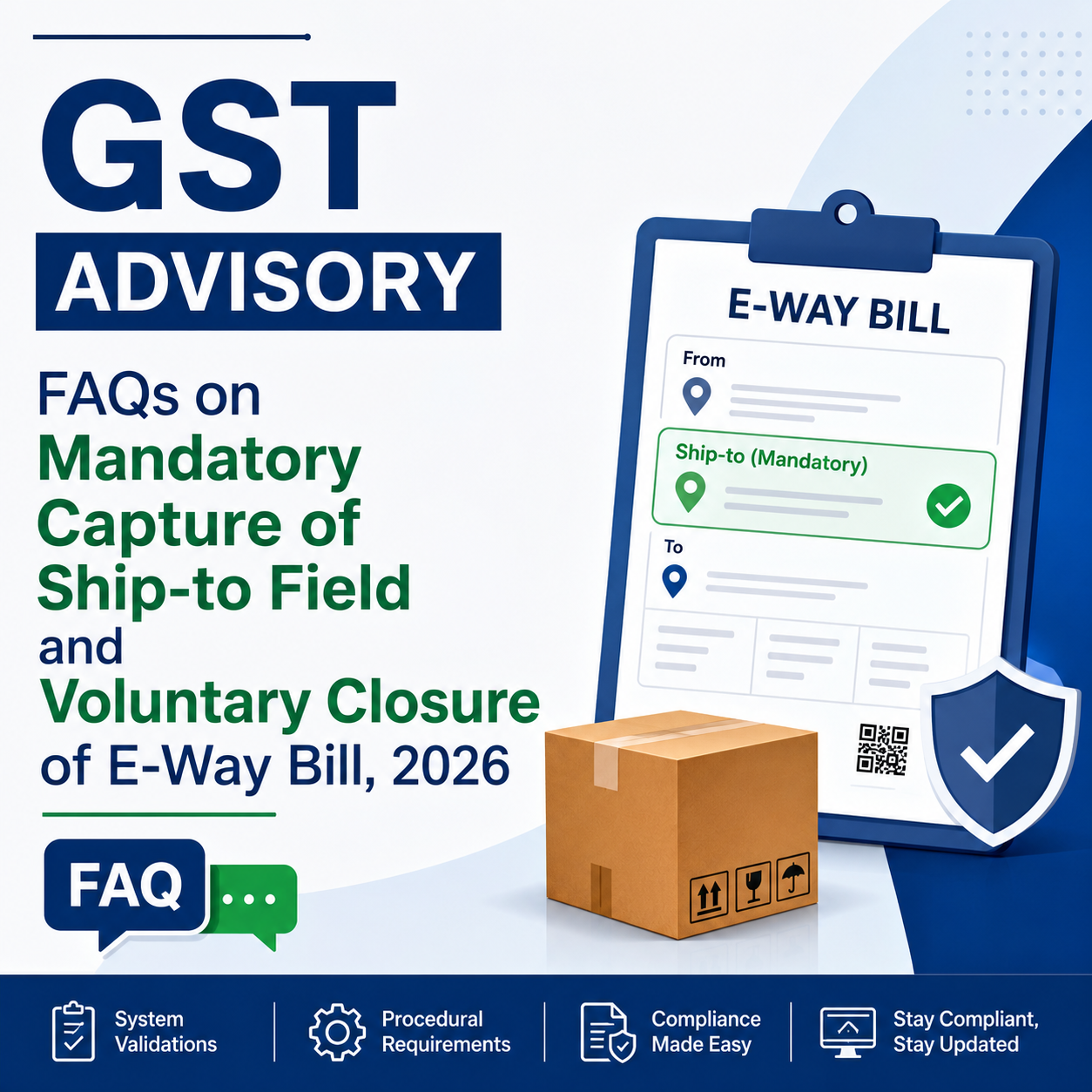
Mandatory “Ship To GSTIN” Entry and Voluntary E-Way Bill Closure Features Delayed by GSTN

Relief for Businesses: GSTN Provides Additional Time for System Preparedness

In a welcome move for taxpayers, transporters, GST Suvidha Providers (GSPs), ERP solution providers, and other stakeholders, the Goods and Services Tax Network (GSTN) has postponed the rollout of two key E-Way Bill enhancements that were originally scheduled to take effect from 15 June 2026.

According to the latest GSTN advisory released on 9 June 2026, the implementation of the following features has been rescheduled and will now come into force from 1 August 2026:

  • Mandatory reporting of “Ship To GSTIN” in Bill-To/Ship-To transactions.
  • Facility for Voluntary Closure of E-Way Bills.

Why Was the Implementation Deferred?

Earlier, through an advisory dated 20 May 2026, GSTN had announced that these functionalities would be introduced from 15 June 2026. Following the announcement, several industry bodies, businesses, ERP vendors, and other stakeholders highlighted the need for additional preparation time before the changes could be implemented smoothly.

The requests primarily cited the need for:

  • Upgrading and modifying existing software systems
  • API development, integration, and testing
  • Necessary changes in ERP applications
  • Correction and validation of master data
  • Training of users and operational teams
  • Ensuring overall system readiness

Taking these concerns into account, GSTN has extended the implementation timeline by around six weeks, providing stakeholders with sufficient time to complete the required technical and operational preparations before the new requirements become mandatory.

1. Mandatory Reporting of “Ship To GSTIN” in Bill-To/Ship-To Transactions

As part of the proposed enhancement to the E-Way Bill system, taxpayers involved in Bill-To/Ship-To transactions will be required to mention the GSTIN of the actual consignee (Ship-To party) while generating E-Way Bills.

This measure aims to:

  • Improve the quality and accuracy of transaction data
  • Minimize reporting discrepancies and mismatches
  • Create a stronger and more reliable audit trail
  • Increase transparency in the movement and delivery of goods

Businesses using accounting, billing, or ERP software should use the extended timeline to ensure that the necessary Ship-To GSTIN fields are incorporated and functioning correctly before the revised implementation date.

2. Introduction of Voluntary E-Way Bill Closure Facility

GSTN is also set to launch a new feature enabling taxpayers to voluntarily close an E-Way Bill in specified situations where the movement of goods does not take place or the E-Way Bill is no longer required.

The proposed facility is expected to offer several benefits, including:

  • Greater control over E-Way Bill management
  • Prevention of misuse of inactive or unused E-Way Bills
  • Better compliance tracking and monitoring
  • Improved reliability of logistics and transportation records

Further procedural instructions and operational guidelines are likely to be issued by GSTN before the feature becomes effective.

Revised Implementation Schedule

Particulars Earlier Effective Date Revised Effective Date
Mandatory reporting of Ship-To GSTIN in Bill-To/Ship-To transactions 15 June 2026 1 August 2026
Voluntary E-Way Bill Closure Facility 15 June 2026 1 August 2026

What Taxpayers Should Do Now

Taxpayers should make the most of the additional time provided by GSTN and undertake the following activities:

âś… Upgrade ERP, billing, and accounting applications

âś… Validate and test E-Way Bill API integrations

âś… Review and update customer and consignee GSTIN master data

âś… Conduct training sessions for GST, accounts, and logistics personnel

âś… Coordinate with GSPs, ERP providers, and software vendors

âś… Perform end-to-end testing to ensure readiness before 1 August 2026

Proper preparation during this extended period will help businesses achieve a smooth transition and avoid compliance issues once the new E-Way Bill requirements become operational.

Complete Guide to Selecting the Proper ITR Form for AY 2026-27

How to Select the Right ITR Form for AY 2026-27

The filing season for Income Tax Returns (ITR) for Assessment Year (AY) 2026-27 is now open. One of the most frequent errors made by taxpayers is choosing an inappropriate ITR form while filing their return. Using the wrong form may cause the return to be considered defective, resulting in notices from the Income Tax Department and additional compliance requirements.

To ensure smooth and accurate filing, taxpayers should understand the eligibility criteria for each ITR form. This article highlights the key changes introduced for AY 2026-27 and explains who can use ITR-1 (Sahaj).

Major Updates for AY 2026-27

Before filing your return, it is important to be aware of the following changes applicable for the current assessment year.

1. Reporting of Two House Properties Allowed in ITR-1 and ITR-4

The government has provided relief to small taxpayers by allowing eligible individuals filing ITR-1 (Sahaj) and ITR-4 (Sugam) to disclose income from up to two house properties, provided all other prescribed conditions are fulfilled.

2. Updated Return Filing Deadlines

The due dates for filing Income Tax Returns for AY 2026-27 are as follows:

Taxpayer CategoryDue Date
Individuals/HUFs not subject to audit and not having business or professional income 31 July 2026
Taxpayers having business or professional income but not liable for audit 31 August 2026
Taxpayers covered under tax audit provisions 31 October 2026

Filing within the prescribed timeline helps avoid interest, penalties, late filing fees, and other inconveniences.

ITR-1 (SAHAJ)

Eligibility for Filing ITR-1

A resident individual may file ITR-1 if he or she has:

  • Income from salary or pension.
  • Income from not more than two house properties.
  • Income from other sources such as savings bank interest, fixed deposit interest, family pension, etc.
  • Agricultural income not exceeding ₹5,000.
  • Total income up to ₹50 lakh.
  • Long-term capital gains under Section 112A up to ₹1,25,000.

Persons Not Eligible to File ITR-1

ITR-1 cannot be used by a taxpayer who:

  • Has total income exceeding ₹50 lakh.
  • Is a director in any company.
  • Owns unlisted equity shares.
  • Has capital gains income not covered under the prescribed conditions.
  • Earns income from business or profession.
  • Possesses foreign assets or receives foreign income.
  • Is a Non-Resident (NR) or Resident but Not Ordinarily Resident (RNOR).

Best Suited For

ITR-1 is generally suitable for:

  • Salaried individuals.
  • Retired pensioners.

    ITR-2

    Who is Eligible to File ITR-2?

    ITR-2 is meant for Individuals and Hindu Undivided Families (HUFs) who do not have income from business or profession but earn income from one or more of the following sources:

    • Salary or pension.
    • Income from house property.
    • Capital gains arising from the sale of shares, mutual funds, immovable property, or other capital assets.
    • Foreign income or ownership of foreign assets.
    • Total income exceeding ₹50 lakh.
    • Holding the position of Director in a company.
    • Investment in unlisted equity shares.

    Who Should Use ITR-2?

    ITR-2 is generally suitable for:

    • Salaried individuals having capital gains transactions.
    • Taxpayers who have sold property, shares, mutual funds, or other capital assets during the financial year.
    • Non-Resident Indians (NRIs).
    • Individuals required to disclose foreign assets or foreign-source income in their Income Tax Return.
  • Taxpayers earning interest from bank deposits and other similar sources.

    ITR-3

    Who Can File ITR-3?

    ITR-3 is applicable to Individuals and Hindu Undivided Families (HUFs) who earn income from business or professional activities. This includes income from:

    • Proprietary business operations.
    • Professional services and practice.
    • Freelancing assignments.
    • Commission or brokerage earnings.
    • Futures and Options (F&O) trading.
    • Intraday stock trading.
    • Business or professional income along with income from salary, house property, capital gains, or other sources.

    Who Should Use ITR-3?

    ITR-3 is generally suitable for:

    • Chartered Accountants.
    • Doctors and medical practitioners.
    • Advocates and legal professionals.
    • Consultants and independent professionals.
    • Share and derivatives traders.
    • Freelancers.
    • Proprietors running their own business.

    ITR-4 (SUGAM)

    Who Can File ITR-4?

    ITR-4 is designed for Resident Individuals, HUFs, and Firms (excluding LLPs) who opt for the presumptive taxation scheme under:

    • Section 44AD – Presumptive taxation for eligible businesses.
    • Section 44ADA – Presumptive taxation for specified professionals.
    • Section 44AE – Presumptive taxation for goods carriage operators.

    Eligibility Conditions for ITR-4

    A taxpayer can file ITR-4 if:

    • Total income does not exceed ₹50 lakh.
    • Income is declared under the eligible presumptive taxation provisions.
    • Income is earned from up to two house properties.
    • Income includes interest and other permissible sources.
    • Long-Term Capital Gain (LTCG) under Section 112A does not exceed ₹1,25,000.

    Who Cannot File ITR-4?

    ITR-4 cannot be used by:

    • Taxpayers holding foreign assets or earning foreign income.
    • Directors in companies.
    • Limited Liability Partnerships (LLPs).

    Who Should Use ITR-4?

    ITR-4 is best suited for:

    • Small business owners opting for presumptive taxation.
    • Tax practitioners and consultants.
    • Professionals covered under Section 44ADA.
    • Retail traders and other eligible taxpayers under the presumptive taxation scheme.

      ITR-5

      Who Can File ITR-5?

      ITR-5 is applicable to various non-individual entities, including:

      • Partnership Firms.
      • Limited Liability Partnerships (LLPs).
      • Associations of Persons (AOPs).
      • Bodies of Individuals (BOIs).
      • Artificial Juridical Persons (AJPs).

      This return form is not meant for individual taxpayers.

      ITR-6

      Who Can File ITR-6?

      ITR-6 is required to be filed by companies that are not claiming exemption under Section 11 of the Income Tax Act.

      This form is commonly used by:

      • Private Limited Companies.
      • Public Limited Companies.
      • Other corporate entities not eligible for filing ITR-7.

      ITR-7

      Who Can File ITR-7?

      ITR-7 is prescribed for entities that are required to furnish returns under specific provisions of the Income Tax Act. These generally include:

      • Charitable Trusts.
      • Religious Trusts.
      • Political Parties.
      • Educational and Academic Institutions.
      • Research Associations and similar organizations.

      Consequences of Choosing the Wrong ITR Form

      Filing an incorrect ITR form can create unnecessary complications and may result in various issues such as:

      • Receipt of a defective return notice under Section 139(9).
      • Delay in processing of the Income Tax Return.
      • Delay in receiving income tax refunds.
      • Additional compliance and rectification requirements.
      • Necessity to file a revised return.

      Therefore, taxpayers should carefully assess all sources of income and verify their eligibility before selecting the applicable return form.

      Conclusion

      Selecting the correct ITR form is one of the most crucial steps in the return filing process. For AY 2026-27, taxpayers should take note of important updates, including the relaxation allowing eligible taxpayers to report income from up to two house properties and the revised return filing deadlines for different categories of taxpayers.

      Before filing the return, it is advisable to review all sources of income, including salary, house property, capital gains, business income, professional receipts, foreign assets, foreign income, and presumptive taxation income. Choosing the appropriate ITR form ensures accurate compliance with tax provisions and reduces the chances of notices, delays, and filing errors.

      A correctly filed Income Tax Return not only fulfills legal obligations but also facilitates quicker processing of returns and faster issuance of refunds.

Key Compliance Due Dates in June 2026 – GST, Income Tax, PF, ESI, MCA & Other Filings

June 2026 Compliance Calendar: Key GST, Income Tax, PF, ESI, MCA & Statutory Deadlines

June 2026 is a crucial month for businesses, professionals, LLPs, companies, and taxpayers, as several important statutory compliances fall due during the month. Timely completion of GST filings, TDS/TCS payments, PF and ESI deposits, and other regulatory obligations is necessary to avoid penalties, interest charges, and compliance-related notices.

Presented below is a detailed compliance calendar for June 2026 covering significant due dates under GST, Income Tax, PF, ESI, MCA, and other applicable laws.

7 June 2026 (Sunday)

Income Tax

âś… Deposit of TDS/TCS deducted or collected during May 2026.

Applicable to all taxpayers responsible for deducting or collecting tax at source, subject to prescribed exceptions under the Income-tax provisions.


10 June 2026

GST

âś… GSTR-7 for May 2026
Return to be filed by taxpayers required to deduct TDS under GST.

âś… GSTR-8 for May 2026
Return to be filed by e-commerce operators liable to collect TCS under GST.


11 June 2026

GST

âś… GSTR-1 (Monthly) for May 2026
Filing of details relating to outward supplies by monthly GST return filers.


13 June 2026

GST

âś… GSTR-6
Return applicable to Input Service Distributors (ISD).

âś… GSTR-5
Return applicable to Non-Resident Taxable Persons (NRTP), wherever required.


15 June 2026

Income Tax

âś… First Advance Tax Installment for FY 2026-27

Taxpayers liable to pay advance tax should ensure payment of at least 15% of their estimated annual tax liability by this date.

PF & ESI

âś… Deposit of EPF contributions for May 2026.

âś… Deposit of ESI contributions for May 2026.

Applicable to establishments covered under the respective labour laws.


20 June 2026

GST

âś… GSTR-3B for May 2026

Monthly summary return and tax payment for regular GST taxpayers.


25 June 2026

GST

âś… GST PMT-06 Payment

Tax payment under the QRMP Scheme for May 2026 through Form GST PMT-06.


30 June 2026

Income Tax

âś… Submission of Challan-cum-Statements for tax deducted during May 2026 under:

• Section 194-IA – Purchase of Immovable Property (Form 26QB)

• Section 194-IB – Rent Paid by Individual/HUF (Form 26QC)

• Section 194M – Specified Payments by Individual/HUF (Form 26QD)

• Section 194S – Transfer of Virtual Digital Assets, where applicable (Form 26QE)


Additional Compliance Activities

âś… Review and update books of accounts for the first quarter of FY 2026-27.

âś… Reconcile GST liabilities, Input Tax Credit (ITC), and E-Way Bill records.

âś… Verify vendor GST compliance to safeguard ITC eligibility.

âś… Complete TDS reconciliation before filing quarterly TDS returns.


Compliance Tip

Businesses and professionals should avoid postponing compliance activities until the due date. Regular reconciliation of GST returns, accounting records, TDS transactions, and employee-related statutory payments helps minimize compliance risks and prevents avoidable notices, late fees, and interest liabilities. Maintaining a structured monthly compliance calendar can greatly improve regulatory adherence and support smooth business operations throughout the financial year.

The above due dates have been compiled after reviewing GST, Income Tax, and professional compliance calendars available from official and industry-recognized sources.    

EASY Smart SHOP – Complete Sales Entry & Billing Management Software

EASY Smart SHOP – Complete Sales Entry Process Explained

Managing sales manually can create billing mistakes, payment confusion, stock issues, and difficulty in maintaining customer records.
To solve these business challenges, EASY Smart SHOP provides a smart and professional Sales Entry Management System that helps businesses perform billing, GST invoicing, payment management, receipt handling, and document storage from a single software.

Below is the complete step-by-step explanation of the Sales Entry process using the slides from EASY Smart SHOP software.


1. Sales Module Dashboard

The Sales Module is the central area where users can manage complete sales activities.

Inside the Sales Menu, users can access multiple important features such as:

Available Sales Features

  • Sale Entry
  • Management of Sales
  • Customer Account Statement
  • Credit Note
  • Receipt Entry
  • Order Management
  • Sale Invoice
  • DC Out Entry
  • Bulk Sales Management

This organized structure allows businesses to handle every sales-related task from one place.

The dashboard also displays important business notifications like:

  • Low stock alerts
  • Pending stock quantity
  • Customer balance details
  • System updates

This helps business owners stay updated with daily operations.


2. Store Sales Management Screen

The Store Sales Management window helps businesses monitor and manage all invoice records efficiently.

Key Functions of This Screen

Date-Wise Sales Tracking

Users can filter invoices according to selected dates.

Customer-Wise Search

Businesses can quickly search sales records customer-wise.

Invoice Tracking

Every invoice contains:

  • Invoice Number
  • Customer Name
  • Invoice Date
  • Total Amount
  • Balance Amount

Pending Payment Monitoring

The software automatically shows pending balances for each customer.

Sales Summary

At the bottom of the screen, users can see:

  • Total Sales Amount
  • Total Balance Amount
  • Total Invoice Count

This feature is extremely useful for business owners who want complete visibility of daily sales activities.


3. GST Sales Entry Screen

https://images.openai.com/static-rsc-4/HrWQ2t5rsIDiLZ95_svTF-7UFwEp-VbwL2nzbgoq1DW3dOztP-W8fCxcfhyJmfpnVA_VcayfoILvNMzP9KyCQKiyI_Na7lG-_vsxuJW8Da2RTJVExuCxsklnq97kHBholpXAvu-txsZIO0SAfYBHfllYbNH51lVTrgLYyQwClKlri9SkOq7tlpJjkAzy94tG?purpose=fullsize


This is the main Sales Entry screen where invoices are created.

The interface is designed to make billing fast, easy, and professional.


Step-by-Step Sales Entry Process

Step 1 – Select Date

Users can select the invoice date manually or use the running date option.

Step 2 – Select Customer

Choose the customer directly from the customer list.

Step 3 – Add Items

Items can be added using:

  • Manual item selection
  • Barcode entry
  • Scanner entry

This makes the billing process much faster.

Step 4 – Enter Quantity & Rate

Users can enter:

  • Quantity
  • GST Inclusive Rate
  • Item Rate
  • Discount Percentage

Step 5 – Automatic GST Calculation

The software automatically calculates:

  • Taxable Amount
  • CGST
  • SGST
  • IGST
  • Total Tax
  • Final Invoice Amount

This reduces manual calculation errors and saves time.


4. Advanced GST API Features

https://images.openai.com/static-rsc-4/_C3oRV3kaoR_5H-oUdThbqe4xh9M6ua9Q2UgWVVuocxTATIyO2_1pUwxNLU9BVPv2D8DNFXIFod18F7FWXSSqz15oKJU9mySxj3DDDgYxeZQkj8S5GGmJII7IfyuweiTD4_ExV7i5eLusMmoAzGeJukH1z7M8eJcalCBU5_kT8vG5R_-nY-jMFCdF9q2a1bY?purpose=fullsize

EASY Smart SHOP provides advanced GST API integration features for modern businesses.

GST API Commands Available

Generate e-Invoice

Create GST-compliant e-Invoices instantly.

Generate e-Way Bill

Generate transport e-Way Bills directly from the invoice.

Re-Get Invoice Details

Fetch invoice details again whenever required.

Cancel e-Invoice

Cancel invoices easily from the software.

Print e-Invoice & e-Way Bill

Direct print options are available for faster workflow.

E-Mail Invoice

Send invoices directly to customers through email.

These features help businesses automate GST compliance work efficiently.


5. Make Receipt – Smart Payment Entry System

After completing the Sales Entry, the software provides a powerful feature called “Make Receipt”.

This option is available in the lower section of the Sales Entry screen.

Using this feature, businesses can directly enter customer payments after invoice creation.


How Make Receipt Works

Step 1 – Open Make Receipt

Click on the Make Receipt button after saving the invoice.

Step 2 – Enter Payment Amount

Users can enter:

  • Received Amount
  • Partial Payment
  • Full Payment

Step 3 – Save Receipt

Once the amount is entered and confirmed, the software automatically updates:

  • Customer balance
  • Outstanding amount
  • Payment records

This helps businesses maintain proper payment history and pending balance management.


6. Receipt Details Management

After entering receipt details, businesses can manage complete payment information from the Payment Details section.

Payment Details Include

  • Bank Name
  • Payment Method
  • Cheque Number
  • UPI Transaction ID
  • Online Payment Reference
  • Payment Notes

This feature helps businesses maintain professional financial records.

It is especially useful for businesses that accept:

  • Bank transfers
  • UPI payments
  • Cheques
  • Online transactions
  • Mixed payment methods

7. Document Attachment Facility

https://images.openai.com/static-rsc-4/LIy0Si-p-MBKDl1cL_pd0iZiSMb_tLvy-oASqqBTmHHOib8Oa33auDtMw8inp88fQ9OFEEGgl4yzYrg_AbX0h1AW7wnOatIFeTyYj8D-ymz0SFI7D-C3jjsNhzsJoZbkavJ6-8X3qxhZVlnBE__3MInpTWXoJyuI73nzCkrcycCPkaYqvK4pKhJpi-axf7dh?purpose=fullsize

EASY Smart SHOP also supports document management with sales entries.

Businesses can attach important documents directly with invoices.

Supported Document Types

  • Invoice Copies
  • Payment Screenshots
  • Signed Receipts
  • Delivery Challans
  • Customer Documents
  • Transport Documents

This keeps all important records connected with their respective sales entries.

No need to search files manually in folders.


8. Invoice Print Preview & Item Checklist

 
The software provides professional invoice printing options.

Available Print Features

  • Tax Invoice Printing
  • Print Preview
  • Item Checklist
  • Dispatch Details
  • Customer Copy
  • GST Invoice Format

The print formats are designed to look clean and professional for customers.


Benefits of EASY Smart SHOP Sales Entry System

âś… Fast Billing Process
âś… Professional GST Invoicing
âś… Smart Receipt Management
âś… Customer Payment Tracking
âś… Pending Balance Monitoring
âś… Barcode Billing Support
âś… Automatic Stock Update
âś… GST API Integration
âś… e-Invoice & e-Way Bill Generation
âś… Document Attachment Facility
âś… Bank Detail Management
âś… Professional Print Formats
âś… Complete Sales History Tracking


Complete Smart Billing Solution for Your Business

EASY Smart SHOP is not just a billing software.
It is a complete smart business management solution designed to simplify sales operations, GST billing, customer payments, and inventory management.

Whether you run a retail store, wholesale business, distribution company, or service center, EASY Smart SHOP helps you manage your entire sales process professionally and efficiently.

Make your business smarter, faster, and more organized with EASY Smart SHOP.

ITR-2 Activated on Income Tax Portal for AY 2026-27 Filing

The Income Tax Return (ITR) filing season for Assessment Year (AY) 2026-27 has officially gained momentum. The Income Tax Department has now enabled both online filing and Excel Utility for ITR-2 on the e-Filing portal, allowing eligible taxpayers to start filing returns for Financial Year (FY) 2025-26.

Earlier, the department had already activated ITR-1 (Sahaj) and ITR-4 (Sugam) filing utilities from 15 May 2026. With the release of ITR-2, taxpayers having capital gains, multiple house properties, foreign income, or other complex income structures can now proceed with return filing.

Who Should File ITR-2?

ITR-2 is applicable for Individuals and HUFs who do not have income from business or profession but have income from sources such as:

  • Salary or pension
  • More than one house property
  • Capital gains from shares, mutual funds, property etc.
  • Foreign assets or foreign income
  • Agricultural income exceeding ₹5,000
  • Income exceeding ₹50 lakh
  • Directors in companies
  • Investment in unlisted equity shares

Taxpayers having business or professional income are required to file ITR-3 instead.

Major Highlights of AY 2026-27 ITR Filing

Some important updates noticed in ITR-2 for AY 2026-27 include:

  • Simplified reporting structure
  • Revised capital gains reporting
  • Additional disclosure requirements for deductions under Sections 80G and 80GGC
  • Streamlined representative assessee details
  • New reporting fields linked with revised return filing provisions

The updated utility also reflects changes introduced after recent amendments in capital gains taxation.

Online Filing and Excel Utility Both Available

Taxpayers can now choose either:

  • Online filing mode directly on the portal, or
  • Offline Excel Utility for preparing and uploading JSON files

The official Income Tax portal has confirmed that ITR-2 utilities are now live for AY 2026-27.

Important Advice Before Filing

Although utilities are now available, taxpayers should avoid rushing to file returns immediately without proper reconciliation.

Before filing:

  • verify AIS and Form 26AS,
  • check TDS entries,
  • reconcile capital gains,
  • confirm interest income,
  • and review prefilled information carefully.

Experts are also advising taxpayers to wait until all TDS and financial information gets fully reflected in AIS and Form 26AS to avoid mismatch notices or defective returns.

Due Date for Filing ITR-2

For most non-audit taxpayers, the due date for filing ITR-2 for AY 2026-27 is expected to be 31 July 2026 unless extended by the government.

Taxpayers can access the filing utilities through the official Income Tax e-Filing portal:

Income Tax e-Filing Portal

Why Quotation Management is Important for Every Business

Why Quotation Management is Important for Every Business

In today’s competitive business world, sending a professional quotation is the first step toward winning a customer’s trust and closing more deals. A quotation helps businesses clearly explain product pricing, taxes, discounts, delivery details, and terms before the final order confirmation.

Without a proper quotation system, businesses face:

  • Manual calculation errors
  • Delayed customer response
  • Unprofessional document formats
  • Poor follow-up management
  • Difficult sales tracking

That’s why EASY SMART SHOP provides a complete and advanced Quotation Management System designed to simplify your sales process and improve business productivity.


EASY SMART SHOP – Advanced Quotation Management System

Smart Dashboard for Fast Operations

https://images.openai.com/static-rsc-4/om9vy4T4iR-6RO6FEP37l99yiXJVbRmnQ8rW7H4rxgPpCkvn3rgIQX_s098fHX0X0TNQm7s4z2WbqRPmU3bQtQTG2HHdTJc-e8sw4BsH_e2Te5Wpndm1kQRsP4Ev-gzj2ufodJHhFuvNKPQFP2q3YB4YAy2bSDlz3ZyUSydeq8hivnbNMSBzNhZbpusqwIXK?purpose=fullsize

The EASY SMART SHOP dashboard gives users quick access to all important quotation and sales features from a single screen.

Dashboard Features:

  • New Quotation Creation
  • Sales Order Management
  • Invoice Generation
  • Purchase Management
  • Customer Management
  • Inventory Tracking
  • Job Management
  • Notification Alerts
  • Reports & Accounts

The software is designed with a simple and user-friendly interface so businesses can work faster and more efficiently.


Complete Quotation Management Panel

The Quotation Management screen helps businesses manage all quotations in one place.

Features Available:

  • Pending Quotation Tracking
  • Rejected Quotation Records
  • Final Quotation Management
  • Customer-wise Quotation Filter
  • Follow-Up Date Management
  • Closing Date Tracking
  • Sales ID & Invoice Linking

Businesses can easily track quotation status and follow up with customers at the right time.


Professional Quotation Creation Window

EASY SMART SHOP allows users to create detailed and professional quotations within seconds.

Powerful Features:

  • Item-wise quotation entry
  • GST tax calculation
  • Discount management
  • HSN code support
  • Quantity & stock tracking
  • Automatic amount calculation
  • CGST / SGST / IGST support
  • Subject & customer requirement notes

The software automatically calculates totals, taxes, discounts, and final invoice amounts, reducing manual errors.


Customer Detail Management

The Customer Details section helps businesses maintain professional customer records.

Information Managed:

  • Customer Name
  • Address
  • Contact Number
  • Email Address
  • GST Number
  • State Selection
  • Reference Details
  • Designation Information

This helps businesses maintain organized customer communication and accurate documentation.


Advanced Features in EASY SMART SHOP

The software includes multiple advanced features that make business operations faster and smarter.


Proforma Invoice System

Businesses can instantly convert quotations into professional Proforma Invoices.

Benefits:

  • Professional invoice format
  • GST-ready documents
  • Faster customer approval
  • Easy printing & sharing
  • Sales process automation

E-Mail Proforma Invoice

The software allows direct emailing of Proforma Invoices to customers.

Advantages:

  • Instant customer communication
  • PDF attachment support
  • Faster deal confirmation
  • Paperless workflow
  • Professional business impression

E-Mail Quotation Feature

Users can directly send quotations through email from the software.

Benefits:

  • One-click quotation sharing
  • Fast customer response
  • Better follow-up process
  • Improved sales conversion

Create Delivery Challan

EASY SMART SHOP also provides Delivery Challan creation for product dispatch management.

Features:

  • Delivery document generation
  • Dispatch tracking
  • Customer delivery records
  • Professional challan format

    Quotation Follow-up & Updates –
    Easily track quotation follow-ups and make quick updates based on customer requirements.
    Quotation History Management –
    Maintain a complete history of all quotations, making it easy to access previous records anytime.
    Document Management –
    Store and manage all quotation-related documents, PDFs, bills, and attachments in one secure place for better organization and faster access.


Terms & Conditions Management

The software allows users to add custom Terms & Conditions in quotations.

Features:

  • Add custom terms
  • Edit existing terms
  • Save templates
  • Reuse quotation formats
  • Print-ready documentation

This makes every quotation more professional and legally clear.


Why Businesses Prefer EASY SMART SHOP

âś” Professional Quotation System
âś” GST Billing Support
âś” Proforma Invoice Feature
âś” Email Quotation Sending
âś” Delivery Challan Management
âś” Customer Database Management
âś” Smart Tax Calculation
âś” Inventory Integration
âś” User-Friendly Interface
âś” Faster Business Workflow


Perfect Solution For

  • Retail Shops
  • Wholesale Businesses
  • Electronics Shops
  • Mobile Shops
  • Service Centers
  • Hardware Stores
  • Manufacturing Businesses
  • Computer Shops
  • Distributors

Grow Your Business with EASY SMART SHOP

EASY SMART SHOP helps businesses manage quotations, invoices, customers, and sales operations professionally from one software platform.

With advanced quotation features, automated calculations, email integration, and delivery management, businesses can save time, reduce manual work, and improve customer satisfaction.


EASY SMART SHOP

“FOR EVERY SHOP & EVERYONE IN THE SHOP”

May 2026 Brings Two Significant E-Way Bill Modifications

GSTN has released an important advisory dated 21 May 2026 regarding upcoming enhancements to the E-Way Bill (EWB) Portal. These proposed updates are intended to strengthen:

  • data accuracy,
  • invoice tracking,
  • operational transparency,
  • and fraud control within the GST framework.

The advisory highlights two significant proposed changes in the EWB system:

  1. Mandatory declaration of “Ship-To GSTIN” in Bill-To Ship-To transactions
  2. Introduction of E-Way Bill Closure facility

These upcoming changes may require businesses, transporters, ERP providers, and GST software companies to implement necessary software upgrades, ERP customizations, and process-level changes to ensure smooth compliance.

Why GSTN is Introducing These Changes
GSTN has stated that these enhancements are part of its ongoing efforts towards:

strengthening data integrity,
improving tracking of goods movement,
enabling better reconciliation,
and reducing misuse of E-Way Bills.
With increasing data analytics under GST, authorities are now focusing heavily on:

actual consignee tracking,
movement verification,
invoice matching,
and prevention of fake billing practices.

  1. Mandatory “Ship-To GSTIN” in Bill-To Ship-To Transactions
    What is a Bill-To Ship-To Transaction?
    In many business models:

invoice is raised to one person (“Bill-To” party),
but goods are delivered to another location/entity (“Ship-To” party).
Example:

Head office places order,
goods directly delivered to branch office or customer location.
Currently, taxpayers often mention:

Bill-To details,
and shipping address,
but Ship-To GSTIN may not always be captured properly.

New Proposed Change
GSTN now proposes mandatory capture of:

“Ship-To GSTIN”
in Bill-To Ship-To transactions on the EWB portal.

This means:

taxpayers will now have to provide GSTIN of the actual consignee/location where goods are delivered.
Objective Behind This Change
GSTN wants to:

improve end-to-end traceability of goods,
accurately identify actual recipient,
strengthen audit trail,
and reduce fake movement transactions.
This change will help authorities:

match invoice data,
track actual goods destination,
and verify GST compliance more effectively.
Practical Impact on Businesses
This enhancement may significantly impact:

ERP systems,
invoicing software,
logistics integration,
and EWB APIs.
Businesses using automated EWB generation systems may need:

software upgrades,
API mapping changes,
additional master validations,
and process modifications.
Sectors Likely to be Highly Impacted
The following sectors frequently use Bill-To Ship-To models and may face major operational changes:

Sector Impact
FMCG High
E-commerce High
Pharmaceuticals High
Multi-location businesses High
Job work transactions Moderate
Distribution networks High
Important Compliance Point
If Ship-To GSTIN becomes mandatory:

incorrect GSTIN reporting,
use of invalid consignee GSTIN,
or mismatch with invoice details
may lead to:
EWB rejection,
detention risks,
reconciliation issues,
or departmental scrutiny.
Businesses should therefore begin reviewing:

customer master data,
consignee GSTIN mapping,
and shipping workflows.
2. Introduction of E-Way Bill Closure Functionality
Another major proposed enhancement is:

EWB Closure Facility
This will allow taxpayers to voluntarily close E-Way Bills under specified situations.

Why is EWB Closure Needed?
Currently, many E-Way Bills remain active even when:

goods movement never happened,
shipment got cancelled,
dispatch failed,
invoice was cancelled later,
or transaction became invalid.
In such situations:

EWB may continue showing as active,
creating unnecessary compliance risks and data inconsistencies.
What Will the New Closure Facility Do?
The proposed functionality will allow taxpayers to:

voluntarily close EWB,
declare non-movement/cancellation scenarios,
and maintain accurate transport records.
This will improve:

data accuracy,
transport audit trail,
and operational transparency.
Expected Benefits of EWB Closure Feature

  1. Better Record Management
    Inactive or unused EWBs can be formally closed.
  2. Reduced Compliance Risk
    Businesses can avoid unnecessary mismatches during audits.
  3. Improved Data Accuracy
    GSTN databases will better reflect actual goods movement.
  4. Lower Litigation Risk
    Taxpayers can proactively document cancelled movements.

Possible Scenarios Where Closure May Be Used
The closure facility may become useful in cases like:

goods not dispatched,
order cancelled,
transporter issue,
invoice cancellation,
duplicate EWB generated,

wrong EWB created,
shipment returned before dispatch,
or logistics failure.
Detailed operational guidelines are expected from GSTN separately.

System Changes Required by Businesses
Businesses and software providers should start preparing for:

ERP modifications,
API changes,
validation logic updates,
EWB workflow redesign,
and master data corrections.
Companies using integrated GST systems should coordinate with:

ERP vendors,
GST software providers,
and API integrators.
Action Points for Taxpayers
GSTN has advised stakeholders to begin preparedness activities.

Businesses should:

review Bill-To Ship-To processes,
validate customer GSTIN databases,
update EWB integration systems,
train GST teams,
and monitor future GSTN implementation notifications.
Important Note About Implementation
The advisory currently discusses:

proposed enhancements
along with:

expected timelines,
and preparedness requirements.
Detailed implementation procedures and technical specifications are likely to be issued separately by GSTN.

Conclusion
The latest GSTN advisory signals another major step towards deeper automation and traceability in the GST system.

The introduction of:

mandatory Ship-To GSTIN reporting,
and EWB Closure functionality
will significantly improve:

invoice tracking,
goods movement transparency,
and GST analytics.
However, these changes may also increase compliance responsibility for businesses using complex supply chains and automated EWB systems.

Taxpayers should proactively review their systems and workflows to ensure smooth compliance once these enhancements become operational on the E-Way Bill portal.