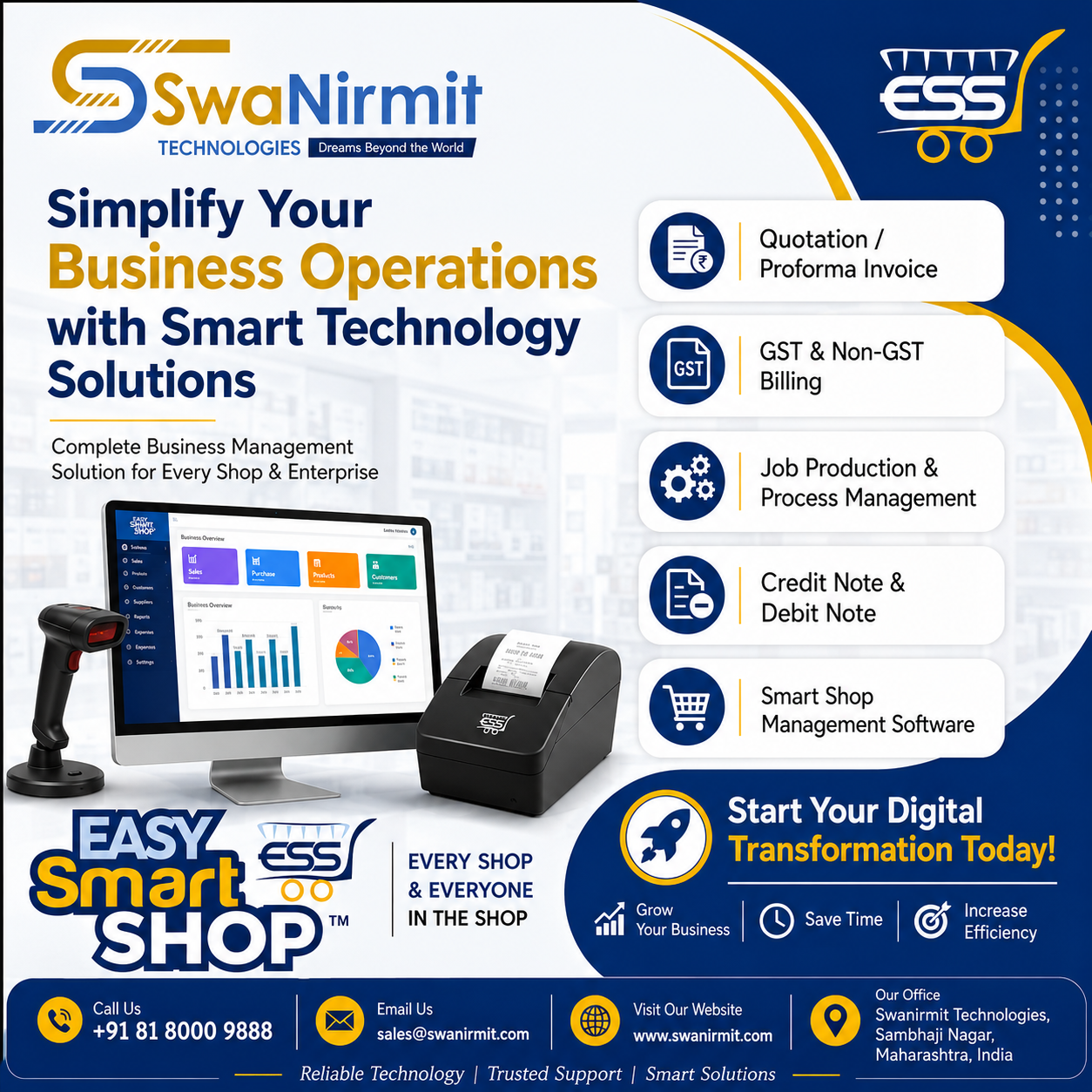
Easy Smart Shop : Complete Accounting Solution for Retail & Wholesale Businesses

Easy Smart Shop Account Menu: Complete Accounting Solution for Retail & Wholesale Businesses
Managing the financial side of a business is one of the biggest challenges for any retailer, wholesaler, distributor, or service provider. Every day, businesses deal with customer payments, supplier dues, cash transactions, bank transfers, GST compliance, and ledger management. Without an efficient accounting system, even a profitable business can face financial confusion, reporting errors, and cash flow issues.

This is where Easy Smart Shop Billing Software simplifies the entire accounting process.

The Account Menu in Easy Smart Shop is designed to provide complete control over your business finances. Whether you’re running a grocery store, medical shop, hardware store, mobile shop, garment shop, electronics showroom, supermarket, or wholesale business, the Account Module helps you manage every financial transaction accurately and efficiently.

In this article, we’ll explore every feature of the Easy Smart Shop Account Menu and understand how it helps businesses save time, improve accuracy, and maintain financial transparency.


Why is Accounting Important for Every Business?

Many small businesses still maintain records manually in notebooks or Excel sheets. As the business grows, this approach becomes difficult to manage.

Common problems include:

  • Missing payment records
  • Incorrect customer balances
  • Supplier payment confusion
  • Cash mismatch
  • Bank reconciliation issues
  • GST reporting errors
  • Time-consuming ledger preparation
  • Difficulty during audits

A modern accounting system solves these problems by keeping every financial transaction organized and easily accessible.

Easy Smart Shop provides all these features within a single integrated billing and accounting platform.


What is the Account Menu in Easy Smart Shop?

The Account Menu is a centralized accounting module that allows users to manage:

  • Customer Receipts
  • Supplier Payments
  • Cash Flow
  • Bank Transactions
  • Wallet Transactions
  • Customer Statements
  • Supplier Statements
  • Journal Entries
  • Day Book
  • Ledger Reports
  • GST Reports
  • Tally Export
  • GST Return API

Instead of using multiple software solutions, businesses can manage all accounting activities from one place.


1. Receipt Entry

Receiving payments from customers is a daily activity for every business.

The Receipt Entry feature allows users to record customer payments quickly and accurately.

Benefits

  • Record cash payments
  • Record bank payments
  • Record UPI payments
  • Link receipts to customers
  • Maintain complete payment history
  • Reduce manual accounting errors

Every receipt is stored securely and can be viewed anytime.


2. Payment Entry

Businesses regularly make payments to suppliers, employees, transport agencies, and service providers.

The Payment Entry feature helps record every outgoing payment.

Advantages

  • Supplier payment records
  • Expense payment tracking
  • Bank payment entry
  • Cash payment recording
  • Payment history maintenance
  • Better financial control

No payment is ever missed.


3. Cash Overview

Cash management is one of the most important aspects of business operations.

The Cash Overview feature provides a complete summary of:

  • Cash Received
  • Cash Paid
  • Current Cash Balance
  • Daily Cash Flow

Business owners can instantly know how much cash is available.


4. Customer Account Statement

Understanding customer balances becomes easy with the Customer Account Statement.

It provides:

  • Opening Balance
  • Sales
  • Receipts
  • Pending Amount
  • Credit Transactions
  • Complete Payment History

This helps businesses recover outstanding payments faster.


5. Customer Advance Statement

Many businesses receive advance payments before delivering goods or services.

Easy Smart Shop allows businesses to track:

  • Advance received
  • Advance utilized
  • Remaining advance balance
  • Customer-wise advance history

This prevents duplicate adjustments and accounting mistakes.


6. Supplier Account Statement

Suppliers are the backbone of every business.

The Supplier Statement shows:

  • Purchase Details
  • Payments Made
  • Outstanding Balance
  • Credit History
  • Supplier Ledger

Businesses can easily manage supplier relationships by making timely payments.


7. Money Transfer

Many businesses operate multiple cash accounts and bank accounts.

The Money Transfer feature helps transfer funds between:

  • Cash to Bank
  • Bank to Bank
  • Bank to Wallet
  • Wallet to Cash

Every transfer is automatically recorded.

This eliminates duplicate entries and maintains proper accounting.


8. Bank / Wallet Overview

Today’s businesses receive payments through:

  • Cash
  • Bank
  • UPI
  • PhonePe
  • Google Pay
  • Paytm
  • Wallets

The Bank/Wallet Overview provides:

  • Current Balance
  • Transaction Summary
  • Deposit History
  • Withdrawal History
  • Wallet Transactions

Everything is available on a single screen.


9. Bank Transaction View

Instead of checking bank statements manually, businesses can monitor transactions directly within Easy Smart Shop.

Features include:

  • Date-wise transactions
  • Account-wise transactions
  • Deposit records
  • Withdrawal records
  • Transfer records
  • Search facility

Finding any transaction takes only a few seconds.


10. Day Book

The Day Book is one of the most useful accounting reports.

It displays every financial transaction performed during the day.

Included transactions:

  • Sales
  • Purchase
  • Receipts
  • Payments
  • Expenses
  • Journal Entries
  • Cash Entries

This provides a complete financial snapshot of the business.


11. Journal Entry

Certain accounting adjustments cannot be recorded through normal transactions.

For these situations, Easy Smart Shop provides Journal Entry.

Examples include:

  • Adjustment Entries
  • Opening Balance Adjustments
  • Depreciation Entries
  • Manual Accounting Entries
  • Correction Entries

Professional accountants can maintain proper books without external software.


12. Ledger Statement

The Ledger Statement provides complete financial history for every account.

Businesses can generate ledgers for:

  • Customers
  • Suppliers
  • Cash
  • Bank
  • Expenses
  • Income
  • Assets
  • Liabilities

Reports can be filtered by:

  • Date
  • Account
  • Transaction Type

This makes auditing and financial analysis much easier.


13. GST Reports

GST compliance is essential for every registered business.

Easy Smart Shop automatically prepares GST Reports.

Available reports include:

  • GST Sales Report
  • GST Purchase Report
  • Tax Summary
  • HSN Report
  • Tax Liability
  • GST Register

These reports reduce manual work during GST filing.


14. Tally Data Export

Many Chartered Accountants prefer working in Tally.

Easy Smart Shop allows users to export accounting data directly to Tally.

Benefits include:

  • No duplicate data entry
  • Faster accounting
  • Easy CA collaboration
  • Accurate financial records
  • Time-saving workflow

This feature is especially useful for growing businesses.


15. GST Return API

Filing GST returns becomes much easier with GST Return API support.

Businesses can:

  • Prepare GST data automatically
  • Reduce manual errors
  • Improve filing speed
  • Maintain compliance
  • Save valuable accounting time

Automation ensures better accuracy.


Key Benefits of Easy Smart Shop Account Menu

The Account Menu is built to simplify daily accounting operations.

Major benefits include:

  • Complete accounting solution
  • Easy customer payment tracking
  • Supplier payment management
  • Cash and bank monitoring
  • Wallet transaction management
  • Automatic ledger generation
  • GST-ready reports
  • Tally integration
  • Secure financial records
  • Faster accounting operations
  • Reduced manual errors
  • Improved business transparency

Who Can Use Easy Smart Shop?

Easy Smart Shop is suitable for businesses of all sizes.

Industries include:

  • Grocery Stores
  • Kirana Shops
  • Mobile Shops
  • Garment Stores
  • Footwear Shops
  • Hardware Stores
  • Electrical Shops
  • Electronics Stores
  • Furniture Stores
  • Wholesale Businesses
  • Distributors
  • Supermarkets
  • Gift Shops
  • Cosmetic Stores
  • Stationery Stores
  • Service Centers
  • Auto Parts Shops

Whether your business is small or large, the Account Menu helps you maintain organized financial records.


Why Choose Easy Smart Shop Over Manual Accounting?

Manual accounting consumes significant time and increases the risk of errors. Businesses often struggle with lost records, incorrect balances, delayed GST preparation, and inefficient reporting.

Easy Smart Shop eliminates these challenges by bringing billing, inventory, accounting, GST, and reporting together in one integrated system. With real-time financial information, business owners can make faster decisions, improve cash flow management, and stay compliant with tax regulations.


Final Thoughts

A successful business depends not only on strong sales but also on accurate financial management. The Account Menu in Easy Smart Shop Billing Software is designed to simplify daily accounting tasks while improving accuracy, transparency, and efficiency.

From recording receipts and payments to generating ledger statements, GST reports, and exporting data to Tally, every feature is built to reduce manual effort and help businesses operate with confidence.

If you’re looking for an all-in-one billing and accounting solution that saves time, minimizes errors, and keeps your finances organized, Easy Smart Shop is the ideal choice.


Frequently Asked Questions (FAQs)

Q1. What is the Account Menu in Easy Smart Shop?
It is a complete accounting module that manages receipts, payments, cash, bank transactions, customer and supplier statements, ledgers, GST reports, and Tally export.

Q2. Can I manage customer outstanding payments?
Yes. The Customer Account Statement provides complete details of sales, receipts, and pending balances.

Q3. Does Easy Smart Shop support GST reporting?
Yes. It generates GST reports, tax summaries, HSN reports, and supports GST Return API integration.

Q4. Can I export data to Tally?
Yes. Easy Smart Shop includes a Tally Data Export feature for seamless accounting and CA collaboration.

Q5. Which businesses can use Easy Smart Shop?
It is suitable for retail stores, wholesale businesses, distributors, supermarkets, pharmacies, mobile shops, garment stores, hardware stores, and many other industries.


Contact Easy Smart Shop

Easy Smart Shop Billing Software
📞 Phone: 8180009888
🌐 Website: www.easysmartshop.com
🎯 Free Demo: 15 Days Free Demo Available

Suggested SEO Keywords: Easy Smart Shop, Billing Software, Accounting Software for Retail, GST Billing Software, Customer Account Statement, Supplier Ledger, Receipt Entry Software, Payment Management Software, Tally Export Software, Retail Accounting Software, Inventory and Billing Software, GST Ready Billing Software.
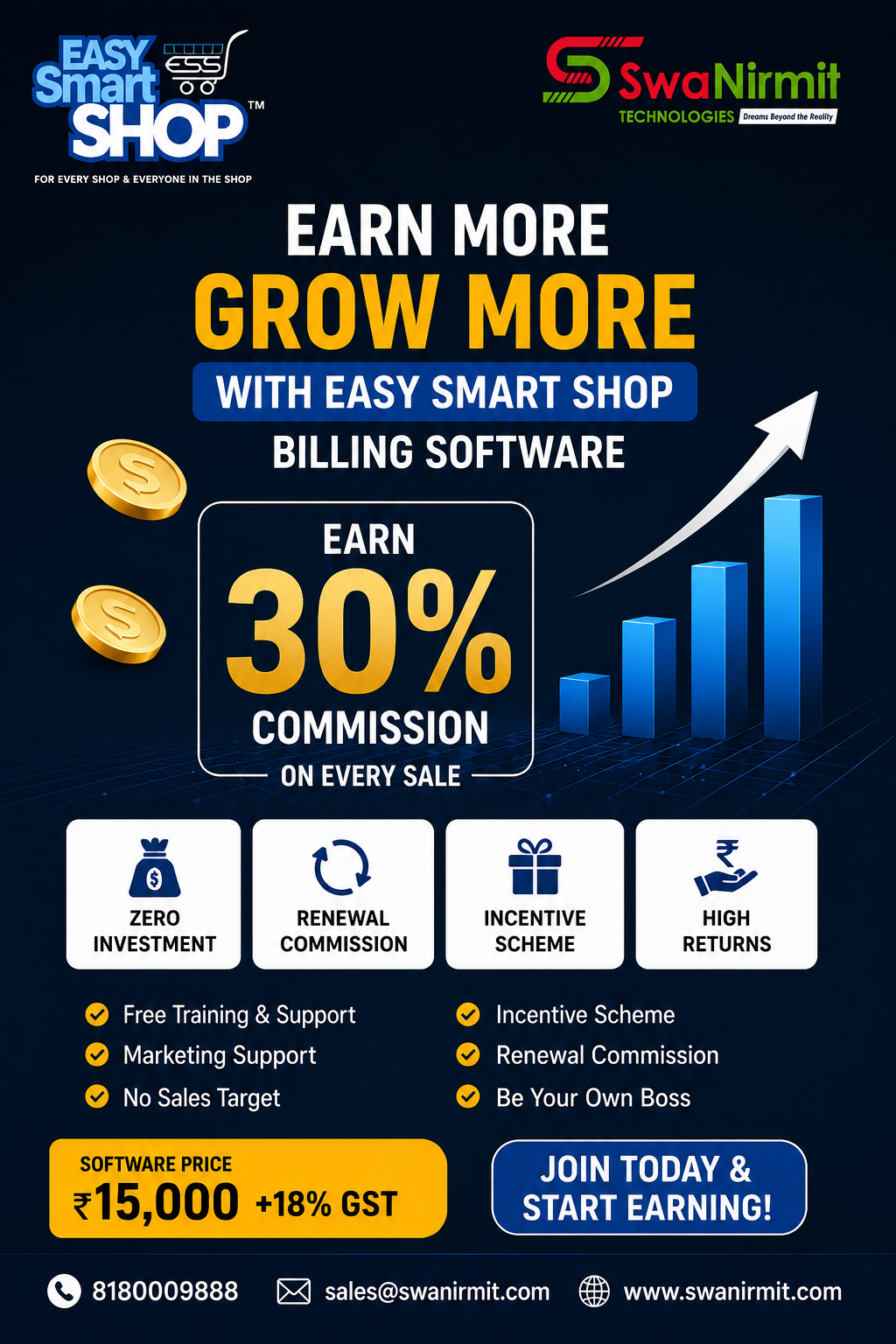
Become a Sales Partner with SwaNirmit Technologies

Become a Sales Partner with Swanirmit Technologies

Are you looking for a profitable business opportunity with zero investment? Swanirmit Technologies invites distributors, computer dealers, IT professionals, freelancers, business consultants, and entrepreneurs to become our Sales Partners and grow their income by selling our Easy Smart Shop Billing Software.

Why Choose Swanirmit Technologies?

Swanirmit Technologies is a trusted software development company specializing in Billing Software, Retail Management Solutions, Inventory Management, GST Billing, and Business Automation Software. Our mission is to help businesses simplify their daily operations with reliable, easy-to-use, and affordable software solutions.

Our flagship product, Easy Smart Shop Billing Software, is designed for retail stores, supermarkets, wholesalers, distributors, pharmacies, garment shops, hardware stores, mobile shops, and many other businesses.

Sales Partner Program Benefits

When you become a Sales Partner, you receive:

  • 30% Commission on every software sale.
  • Attractive incentive schemes for high-performing partners.
  • One-year renewal business opportunities.
  • Complete product training and sales guidance.
  • Sales brochures, presentations, and marketing materials.
  • Technical support from our expert team.
  • No stock or inventory required.
  • Zero investment to get started.
  • Opportunity to build a long-term business relationship with Swanirmit Technologies.

Partner Portal – Manage Your Business Online

Every Sales Partner gets access to our dedicated Partner Portal, where you can:

  • Register as a Sales Partner
  • Submit customer leads
  • Track your sales progress
  • Access marketing materials
  • Stay connected with our support team
  • Manage your partner activities anytime, anywhere

Partner Portal: https://partner.swanirmit.com/home

Who Can Join?

Our Sales Partner Program is ideal for:

  • Computer Dealers
  • Software Resellers
  • IT Companies
  • Computer Shops
  • Freelancers
  • Digital Marketing Agencies
  • Business Consultants
  • GST Consultants
  • Students with Sales Skills
  • Entrepreneurs

No prior software selling experience is required. If you have the ability to connect with businesses, we will help you with product knowledge and technical support.

Why Businesses Choose Easy Smart Shop Billing Software

Our software offers powerful features such as:

  • GST Billing
  • Inventory Management
  • Barcode Billing
  • Customer & Supplier Management
  • Purchase & Sales Reports
  • Profit & Loss Reports
  • Multi-user Access
  • Fast and Secure Billing
  • Easy-to-use Interface
  • Reliable Technical Support

These features help businesses improve efficiency, reduce manual work, and manage operations more effectively.

Start Earning Today

Whether you want to earn additional income or build a full-time software business, the Swanirmit Technologies Sales Partner Program provides the right platform to grow.

Join our partner network and start earning attractive commissions while helping businesses adopt modern billing software solutions.

Ready to get started? Register today through our Partner Portal and begin your journey with Swanirmit Technologies.

Partner Portal: https://partner.swanirmit.com/home

Contact Us

Swanirmit Technologies

📞 Phone: 8180009888

📧 Email: sales@swanirmit.com

🌐 Website: www.swanirmit.com

🌐 Product Website: www.easysmartshop.com

🔗 Partner Portal: https://partner.swanirmit.com/home

Become a Sales Partner today and grow your business with Swanirmit Technologies.

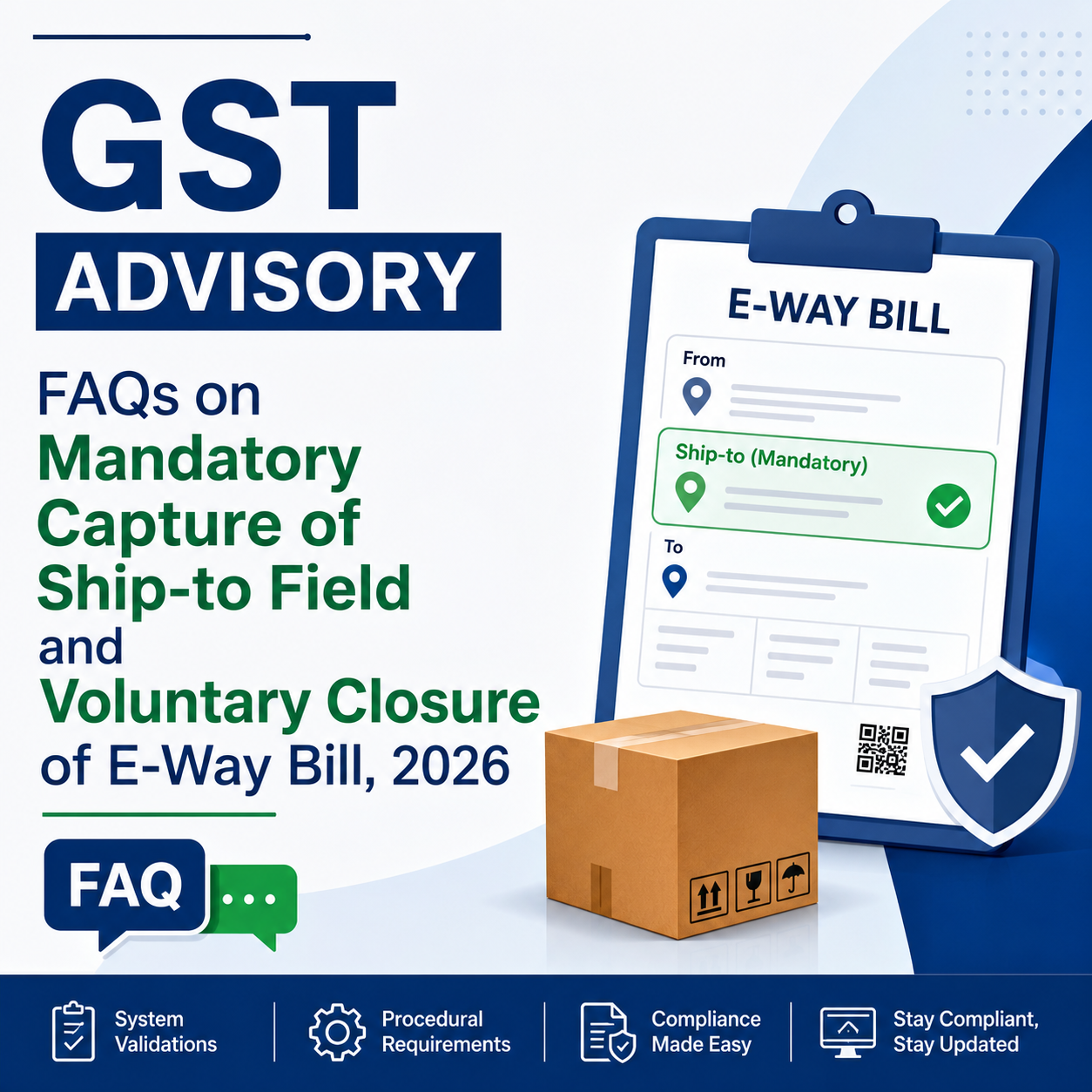
Understanding GST Advisory 2026: Ship-to Field Requirement & Voluntary E-Way Bill Closure FAQs

Several questions, concerns and representations have been received from taxpayers, trade bodies, GST Suvidha Providers (GSPs) and other stakeholders regarding the mandatory reporting of the Ship-to field while generating E-Way Bills, as well as the facility for voluntary closure of E-Way Bills.

After examining these issues, a detailed set of Frequently Asked Questions (FAQs) has been prepared to address the common queries and provide clarity on the applicable system validations, compliance procedures and operational requirements.

All stakeholders are encouraged to review these FAQs carefully to understand the prescribed requirements, system checks and the process to be followed for proper compliance.

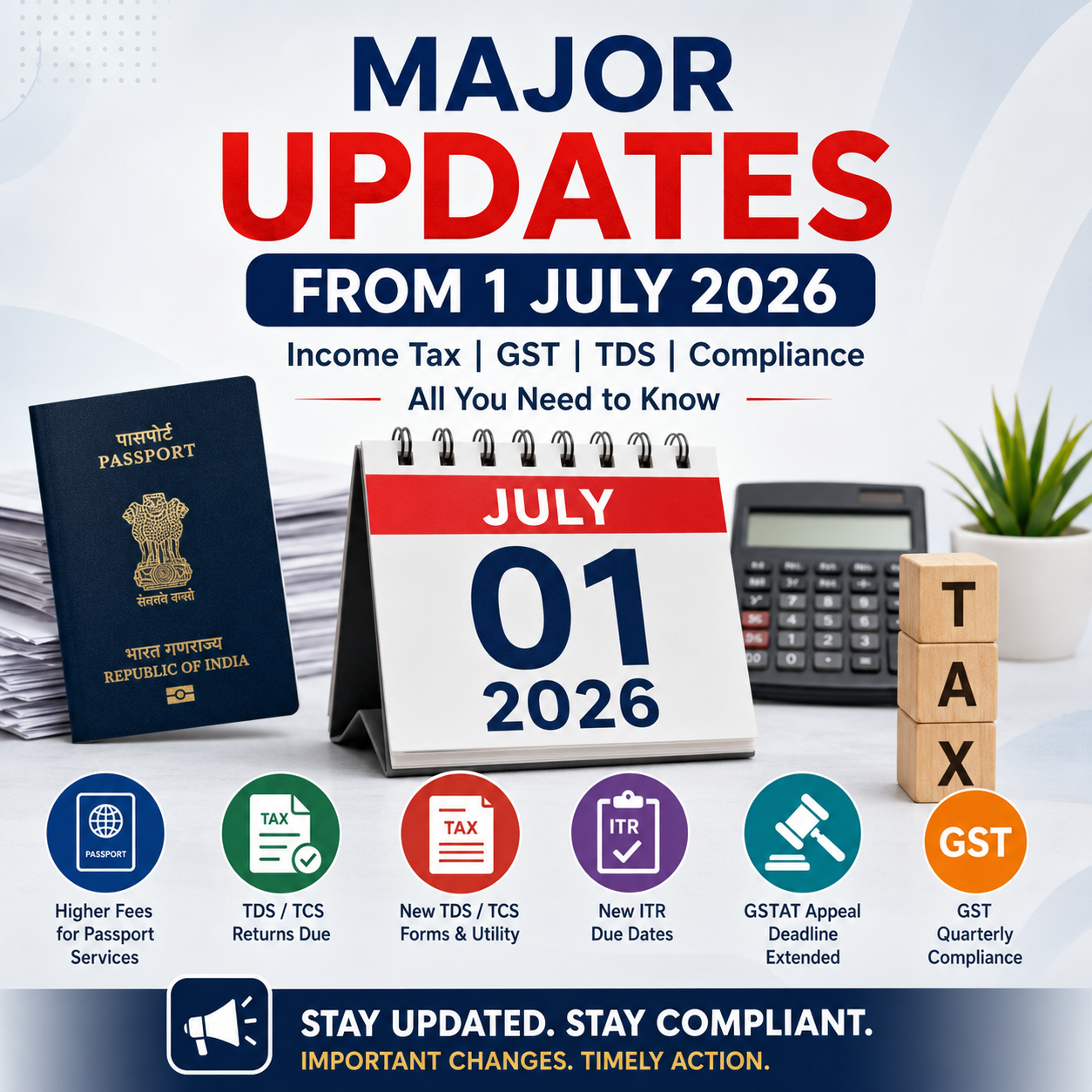
Latest Tax & Financial Changes from 1st July 2026 | Income Tax and GST Updates

With the commencement of July 2026, a number of significant regulatory and financial changes have become effective across India. These updates are expected to affect individual taxpayers, businesses, professionals, and the general public. Whether you are filing your Income Tax Return, managing GST compliance, dealing with TDS/TCS provisions, or using services related to Aadhaar, PAN, or passports, it is essential to stay informed about these latest developments.

1. Passport Fees Revised from 1 July 2026

One of the key changes effective from 1 July 2026 relates to passport services.

The Passport Seva system has introduced a revised fee structure for passport applications.

Some of the important revisions include:

  • The application fee for a fresh 36-page passport has increased from ₹1,500 to ₹2,500.
  • Charges for passport renewal, Tatkal applications, and replacement of lost or damaged passports have also been updated.

Individuals planning to apply for a new passport or renew an existing one should review the latest fee schedule before submitting their application.


2. Quarter-1 TDS and TCS Returns Due by 31 July 2026

With the completion of the first quarter of Tax Year 2026–27 (April to June 2026), the due date for filing quarterly TDS and TCS statements has arrived.

Due Date: 31 July 2026

Tax deductors and collectors are required to submit both TDS and TCS returns by this date. While returns may be filed earlier, 31 July 2026 is the final deadline for Quarter-1 compliance.


3. New TDS/TCS Return Forms and Updated Filing Utility

The Income Tax Department has introduced updated TDS/TCS return forms in line with the new Income-tax framework.

To facilitate return filing for Tax Year 2026–27 onwards, a new Return Preparation Utility (RPU) and Validation Utility have also been released.

Tax deductors should ensure they are using:

  • Latest RPU Version 1.0
  • Updated Validation Utility
  • Revised quarterly TDS/TCS return forms

Utilities applicable to FY 2025–26 should not be used for returns relating to Tax Year 2026–27. Businesses and professionals managing payroll or TDS compliance should update their software without delay.


4. Income Tax Return Filing Due Date for ITR-1 and ITR-2

July continues to be a crucial month for individual Income Tax Return filing.

For taxpayers filing ITR-1 and ITR-2, the due date remains:

31 July 2026

Before submitting the return, taxpayers should carefully verify the following information:

  • Annual Information Statement (AIS)
  • Form 26AS
  • Pre-filled return details
  • Bank account information

Checking these records on the Income Tax e-filing portal helps minimize errors and reduces the chances of receiving notices later.


5. Extended Due Date for ITR-3 and ITR-4 (Non-Audit Cases)

Business taxpayers have received additional time to file their Income Tax Returns.

For taxpayers filing ITR-3 or ITR-4 where a tax audit is not applicable, the due date has been extended to:

31 August 2026

This extension is particularly beneficial for taxpayers such as:

  • Futures & Options (F&O) traders
  • Intraday traders
  • Small business owners
  • Professionals

Considering the extended deadline, tax professionals may focus first on completing ITR-1 and ITR-2 filings during July.


6. Deadline Extended for Filing Appeals Before GSTAT

Taxpayers have also received relief regarding appeals before the GST Appellate Tribunal (GSTAT).

The deadline for filing appeals under Section 112 of the CGST Act has been extended to:

31 July 2026

The extension applies to eligible orders covered under the prescribed conditions, providing taxpayers with additional time to submit pending appeals before the Tribunal.

7. E-Way Bill Enhancements Postponed

GSTN had earlier announced two new features for the E-Way Bill system to improve reporting and compliance.

(a) E-Way Bill Closure Option

A new functionality will allow taxpayers to close an E-Way Bill after the transportation of goods is completed or if the movement does not take place.

(b) Mandatory “Ship To GSTIN”

For Bill-to Ship-to transactions, entering the GSTIN of the actual recipient (Ship To party) will become mandatory wherever applicable.

These enhancements have not yet been implemented. Their rollout has been postponed and is now expected to take effect from 1 August 2026. Until then, taxpayers need not be concerned if these options are unavailable on the E-Way Bill portal.


8. Updated TDS Return Forms Available on the Income Tax Portal

The Income Tax Department has enabled the revised quarterly TDS return forms for Tax Year 2026–27 on the e-filing portal.

Forms introduced under the updated Income-tax framework—including Forms 138, 140, 143, and 144, wherever applicable—are now available for filing.

As the new law has introduced revised section references and reporting codes, taxpayers and deductors should ensure that returns are prepared using the latest prescribed forms and utilities.


9. GST Quarterly Compliance Schedule Begins

With the April–June quarter now completed, several important GST return filings become due during July.

Key due dates include:

GSTR-3B

  • Monthly taxpayers – 20 July
  • QRMP taxpayers – 22 July or 24 July, depending on the State

GSTR-1

  • Monthly filers – 11 July
  • Quarterly filers – 13 July

Other GST returns due during the month include:

  • GSTR-5
  • GSTR-6
  • GSTR-7
  • GSTR-8

Taxpayers are also advised to reconcile purchase data through the Invoice Management System (IMS) Dashboard, which helps match invoices with GSTR-2B and improves the accuracy of GST reporting.


10. Aadhaar Email ID Update Now Free Through the Mobile App

UIDAI has introduced a welcome concession for Aadhaar users.

From 1 July 2026, updating an email ID through the Aadhaar Mobile App is free of cost.

Previously, a fee of ₹75 was charged for this service.

The waiver will remain available for six months. However, it applies only to updates made through the mobile application and not through the online portal.


11. PAN Application Procedure Revised

The process for applying for a Permanent Account Number (PAN) has also been updated under the revised Income-tax framework.

Applicants should keep the following changes in mind:

  • Aadhaar alone may not satisfy all identity or verification requirements.
  • Where proof of date of birth is required, documents such as a Matriculation Certificate or any other approved document may need to be submitted.
  • Applications should be filed using the revised PAN forms notified under the new Income-tax provisions.

Anyone planning to obtain a new PAN should carefully review the latest documentation requirements before submitting the application.


Quick Overview

Update Applicable Date
Passport application fees revised 1 July 2026
Quarter-1 TDS/TCS return due date 31 July 2026
New TDS/TCS forms and filing utilities Now Available
ITR-1 & ITR-2 filing due date 31 July 2026
ITR-3 & ITR-4 (Non-Audit) due date 31 August 2026
GSTAT appeal filing deadline 31 July 2026
New E-Way Bill features Expected from 1 August 2026
GST quarterly return filings July 2026
Aadhaar email update through App Free from 1 July 2026
Revised PAN application process Currently Effective

Conclusion

July 2026 is a crucial month for tax and regulatory compliance. A number of significant changes—including revised passport fees, updated TDS/TCS return procedures, Income Tax Return deadlines, GSTAT appeal relief, GST filing obligations, Aadhaar service updates, and changes to the PAN application process—have come into effect or are scheduled for implementation.

Whether you are an individual taxpayer, business owner, GST-registered entity, accountant, or tax professional, staying informed about these developments is essential. Timely compliance with the latest rules can help you avoid interest, penalties, and unnecessary notices while ensuring that you benefit from the relief measures and new facilities introduced from 1 July 2026.

Easy Smart Shop Purchase Management: Simplify Your Business Purchase Process

Easy Smart Shop Purchase Management: Simplify Your Business Purchase Process

Managing purchases efficiently is one of the most important parts of running a successful business. Manual purchase entries, supplier records, invoice tracking, and stock updates can take valuable time and may lead to errors.

Easy Smart Shop Purchase Management Software by SwaNirmit Technologies helps businesses manage their complete purchase process in a simple, organized, and efficient way.


What is Purchase Management in Easy Smart Shop?

Purchase Management in Easy Smart Shop is a smart solution designed to manage all purchase-related activities from a single platform.

It helps businesses maintain supplier details, record purchase invoices, update stock automatically, and keep complete purchase transaction history.

With this system, businesses can easily control purchasing activities and improve overall efficiency.


Key Features of Easy Smart Shop Purchase Management

1. Easy Purchase Entry

Create and manage purchase entries quickly with complete details.

The Purchase Entry module allows you to record:

  • Purchase Date
  • Supplier Name
  • Invoice Number
  • Item Details
  • Quantity
  • Purchase Rate
  • Discount
  • GST Details
  • Total Purchase Amount

This helps maintain accurate purchase records.


2. Supplier Management

Manage complete supplier information in one place.

You can maintain:

  • Supplier Name
  • Address
  • Contact Number
  • Email Details
  • GST Number
  • Purchase History

This makes supplier communication and tracking easier.


3. GST Purchase Management

Easy Smart Shop supports GST-based purchase transactions.

It manages:

  • HSN Code
  • GST Rate
  • CGST
  • SGST
  • IGST
  • Taxable Amount
  • Total Invoice Amount

Businesses can maintain proper GST purchase records easily.


4. Automatic Stock Update

Whenever a purchase entry is created, stock quantity gets updated automatically.

Benefits:

✔ Real-time Stock Availability
✔ Better Inventory Control
✔ Avoid Stock Shortage
✔ Easy Product Tracking


5. Purchase Invoice Management

Maintain all purchase invoices digitally.

You can track:

  • Invoice Details
  • Purchase Amount
  • Supplier Balance
  • Payment Status

This helps businesses manage their accounts more effectively.


6. Purchase Reports & Tracking

Easy Smart Shop helps generate useful purchase information for better decision-making.

Track:

  • Purchase History
  • Supplier Transactions
  • Item Purchase Details
  • Payment Records

Benefits of Easy Smart Shop Purchase Management

✔ Reduces Manual Work
✔ Saves Business Time
✔ Improves Purchase Accuracy
✔ Maintains Complete Records
✔ Helps Manage Suppliers Easily
✔ Provides Better Business Control


Why Businesses Choose Easy Smart Shop

Easy Smart Shop is designed for retailers, wholesalers, traders, and enterprises who want a simple yet powerful solution to manage their daily business operations.

With advanced purchase management features, businesses can improve productivity and focus on growth.


SwaNirmit Technologies – Smart Business Solutions

SwaNirmit Technologies provides reliable software solutions that help businesses move towards digital transformation.

Our goal is to provide easy, efficient, and smart technology solutions for every business.

📍 SwaNirmit Technologies
Chhatrapati Sambhaji Nagar, Maharashtra, India

📞 +91 81 8000 9888
📧 sales@swanirmit.com
🌐 www.swanirmit.com

Easy Smart Shop – Smart Management for Every Shop & Enterprise

Credit Note Module – EASY Smart Shop ERP Complete Guide What is a Credit Note?

Credit Note Module – EASY Smart Shop ERP Complete Guide
What is a Credit Note?

A Credit Note is a document issued to a customer when the company needs to reduce the invoice amount due to reasons like:

Sales Return
Post Sale Discount
Invoice Correction
Service Issue
Other adjustments

In EASY Smart Shop ERP, the Credit Note module helps manage customer returns, discounts, and invoice adjustments easily.

1) How to Open Credit Note Module?

Go to:

Sales → Credit Note

The Credit Note Entry screen will open.

2) Credit Note Entry Screen Details
A) Select Customer / Supplier

At the top:

Select Customer or Supplier

Select the required customer.

After selecting customer, you can check details using:

Customer Details Button

3) Customer Details Window

Customer information can be entered:

Name

Enter Customer Name

Address

Enter Customer Address

Email

Enter Customer Email ID

Contact

Enter Mobile Number

GST No.

Enter Customer GST Number

State

Select Customer State

Example:

27 – Maharashtra

Click:

OK

to save details.

4) Credit Note Date

Credit Note Date

Shows the date on which Credit Note is created.

Example:

23-Jun-2026

5) Credit Note Number

Enter or generate Credit Note Number.

It is used for tracking and reporting purposes.

6) Credit Note Type

There are two options:

1) Sales Return

Used when customer returns purchased items.

Example:

Customer purchased a printer and returned it.

2) Discount

Used when discount is provided after sales.

Example:

Giving ₹500 discount after invoice generation.

7) GST Reason Selection

Select the reason for creating Credit Note.

Available options:

01 – Sales Return

For returned goods.

02 – Post Sale Discount

For discount provided after sale.

03 – Deficiency in Services

For service-related issues.

04 – Correction in Invoice

To correct invoice mistakes.

05 – Change in POS

For change in Place of Supply.

06 – Finalization of Provisional Assessment
07 – Others

For other reasons.

8) Reference Invoice Selection

If Credit Note is created against an old invoice:

Click:

Select Reference Invoice

Select the invoice.

The system will fetch invoice details automatically.

9) Invoice Number & Invoice Date

After selecting reference invoice:

Invoice Number
Invoice Date

will be displayed automatically.

10) Remark / Reason

Enter the reason for Credit Note.

Examples:

“Material Returned Due To Damage”

or

“Discount Given As Per Customer Request”

11) Item Selection

Select items from:

Select Items

Example:

Printer
CCTV Camera
Cable
Software
12) Item Details

After selecting an item, details will appear:

Unit

PCS / Nos / Box

Description

Item Name

GST Rate %

GST Percentage

HSN

HSN Code

CGST Rate

Central GST Rate

SGST Rate

State GST Rate

IGST Rate

Integrated GST Rate

Item Type

Item Category

13) Quantity & Rate Details

Enter:

Return Quantity

Quantity returned by customer

Rate

Item selling rate

Discount %

Discount percentage (if applicable)

Amount

Total item amount

14) Add Item

After entering item details:

Click:

Add Item

The item will be added to the Credit Note list.

15) Credit Note Calculation

The system calculates:

Taxable Amount

Amount before GST

CGST

Central GST amount

SGST

State GST amount

IGST

Integrated GST amount

Tax Amount

Total GST

Total Amount

Final Credit Note value

Round Up

Rounding adjustment

Credit Note Amount

Final credit amount given to customer

16) Save Credit Note

After checking all details:

Click:

Save (F5)

Credit Note will be generated.

17) Print & Email Options

Available options:

Print (F6)

Print Credit Note

Print Preview (F7)

Check preview before printing

E-Mail Invoice (F8)

Send Credit Note through email


18) Credit Note Management

To view previous Credit Notes:

Open:

Credit Note Management

Select:

From Date
To Date
Customer

Click:

View

The list shows:

Credit Note ID
Invoice Date
Customer Name
Credit Note Number
Total Amount
Invoice Number
Updated By
19) Additional Options
New Credit Note

Create new Credit Note

Edit Credit Note

Modify existing Credit Note

Export Excel

Export Credit Note report into Excel

Print

Print report

Benefits of Credit Note Module in EASY Smart Shop ERP

✅ Manage Sales Returns easily
✅ GST compliant Credit Notes
✅ Invoice correction facility
✅ Customer balance adjustment
✅ Automatic GST calculation
✅ Easy reporting
✅ Excel export facility

EASY Smart Shop ERP Credit Note Module makes Sales Return, Discount Management, and Invoice Adjustments simple, accurate, and faster.

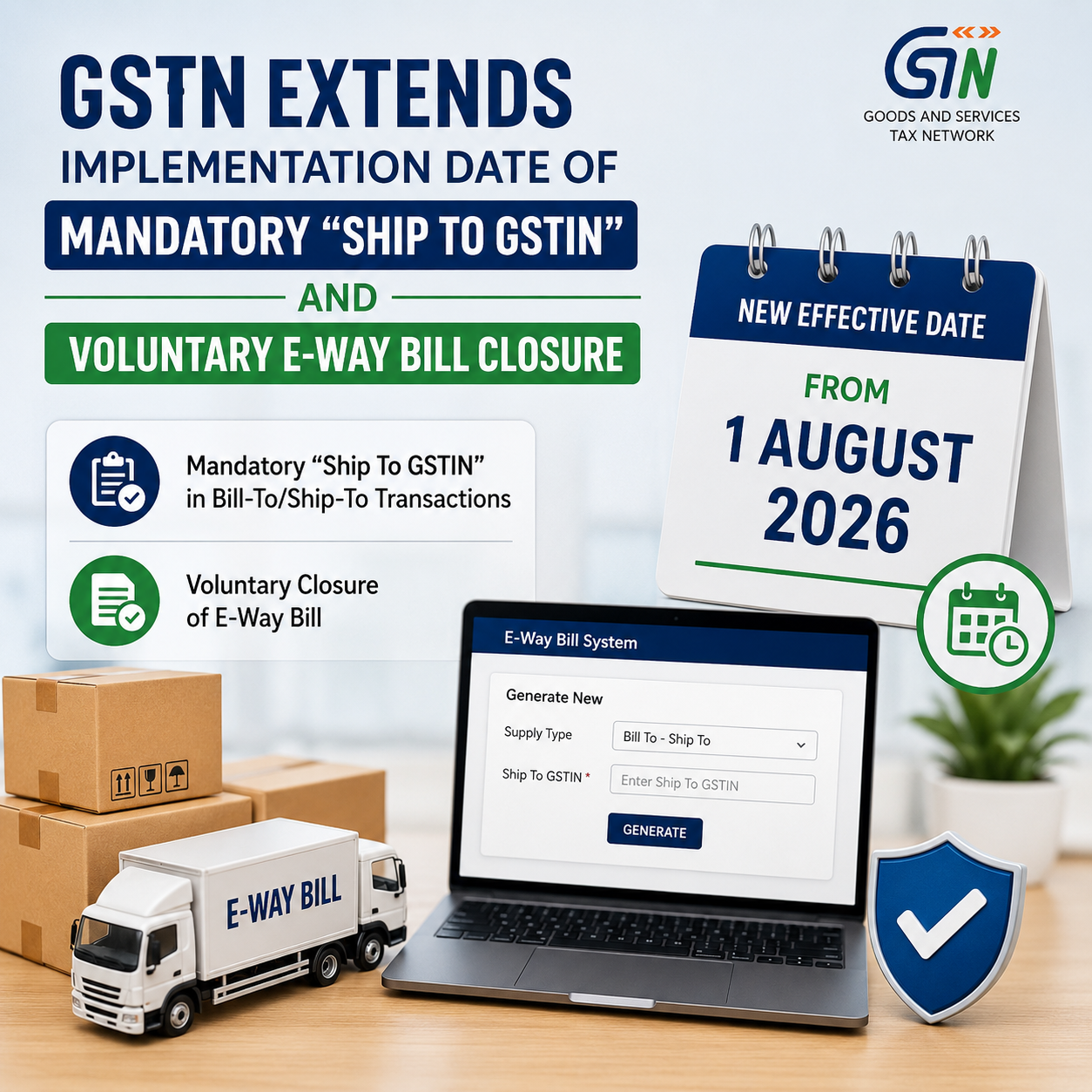
Mandatory “Ship To GSTIN” Entry and Voluntary E-Way Bill Closure Features Delayed by GSTN

Relief for Businesses: GSTN Provides Additional Time for System Preparedness

In a welcome move for taxpayers, transporters, GST Suvidha Providers (GSPs), ERP solution providers, and other stakeholders, the Goods and Services Tax Network (GSTN) has postponed the rollout of two key E-Way Bill enhancements that were originally scheduled to take effect from 15 June 2026.

According to the latest GSTN advisory released on 9 June 2026, the implementation of the following features has been rescheduled and will now come into force from 1 August 2026:

  • Mandatory reporting of “Ship To GSTIN” in Bill-To/Ship-To transactions.
  • Facility for Voluntary Closure of E-Way Bills.

Why Was the Implementation Deferred?

Earlier, through an advisory dated 20 May 2026, GSTN had announced that these functionalities would be introduced from 15 June 2026. Following the announcement, several industry bodies, businesses, ERP vendors, and other stakeholders highlighted the need for additional preparation time before the changes could be implemented smoothly.

The requests primarily cited the need for:

  • Upgrading and modifying existing software systems
  • API development, integration, and testing
  • Necessary changes in ERP applications
  • Correction and validation of master data
  • Training of users and operational teams
  • Ensuring overall system readiness

Taking these concerns into account, GSTN has extended the implementation timeline by around six weeks, providing stakeholders with sufficient time to complete the required technical and operational preparations before the new requirements become mandatory.

1. Mandatory Reporting of “Ship To GSTIN” in Bill-To/Ship-To Transactions

As part of the proposed enhancement to the E-Way Bill system, taxpayers involved in Bill-To/Ship-To transactions will be required to mention the GSTIN of the actual consignee (Ship-To party) while generating E-Way Bills.

This measure aims to:

  • Improve the quality and accuracy of transaction data
  • Minimize reporting discrepancies and mismatches
  • Create a stronger and more reliable audit trail
  • Increase transparency in the movement and delivery of goods

Businesses using accounting, billing, or ERP software should use the extended timeline to ensure that the necessary Ship-To GSTIN fields are incorporated and functioning correctly before the revised implementation date.

2. Introduction of Voluntary E-Way Bill Closure Facility

GSTN is also set to launch a new feature enabling taxpayers to voluntarily close an E-Way Bill in specified situations where the movement of goods does not take place or the E-Way Bill is no longer required.

The proposed facility is expected to offer several benefits, including:

  • Greater control over E-Way Bill management
  • Prevention of misuse of inactive or unused E-Way Bills
  • Better compliance tracking and monitoring
  • Improved reliability of logistics and transportation records

Further procedural instructions and operational guidelines are likely to be issued by GSTN before the feature becomes effective.

Revised Implementation Schedule

Particulars Earlier Effective Date Revised Effective Date
Mandatory reporting of Ship-To GSTIN in Bill-To/Ship-To transactions 15 June 2026 1 August 2026
Voluntary E-Way Bill Closure Facility 15 June 2026 1 August 2026

What Taxpayers Should Do Now

Taxpayers should make the most of the additional time provided by GSTN and undertake the following activities:

✅ Upgrade ERP, billing, and accounting applications

✅ Validate and test E-Way Bill API integrations

✅ Review and update customer and consignee GSTIN master data

✅ Conduct training sessions for GST, accounts, and logistics personnel

✅ Coordinate with GSPs, ERP providers, and software vendors

✅ Perform end-to-end testing to ensure readiness before 1 August 2026

Proper preparation during this extended period will help businesses achieve a smooth transition and avoid compliance issues once the new E-Way Bill requirements become operational.

Key Compliance Due Dates in June 2026 – GST, Income Tax, PF, ESI, MCA & Other Filings

June 2026 Compliance Calendar: Key GST, Income Tax, PF, ESI, MCA & Statutory Deadlines

June 2026 is a crucial month for businesses, professionals, LLPs, companies, and taxpayers, as several important statutory compliances fall due during the month. Timely completion of GST filings, TDS/TCS payments, PF and ESI deposits, and other regulatory obligations is necessary to avoid penalties, interest charges, and compliance-related notices.

Presented below is a detailed compliance calendar for June 2026 covering significant due dates under GST, Income Tax, PF, ESI, MCA, and other applicable laws.

7 June 2026 (Sunday)

Income Tax

✅ Deposit of TDS/TCS deducted or collected during May 2026.

Applicable to all taxpayers responsible for deducting or collecting tax at source, subject to prescribed exceptions under the Income-tax provisions.


10 June 2026

GST

✅ GSTR-7 for May 2026
Return to be filed by taxpayers required to deduct TDS under GST.

✅ GSTR-8 for May 2026
Return to be filed by e-commerce operators liable to collect TCS under GST.


11 June 2026

GST

✅ GSTR-1 (Monthly) for May 2026
Filing of details relating to outward supplies by monthly GST return filers.


13 June 2026

GST

✅ GSTR-6
Return applicable to Input Service Distributors (ISD).

✅ GSTR-5
Return applicable to Non-Resident Taxable Persons (NRTP), wherever required.


15 June 2026

Income Tax

✅ First Advance Tax Installment for FY 2026-27

Taxpayers liable to pay advance tax should ensure payment of at least 15% of their estimated annual tax liability by this date.

PF & ESI

✅ Deposit of EPF contributions for May 2026.

✅ Deposit of ESI contributions for May 2026.

Applicable to establishments covered under the respective labour laws.


20 June 2026

GST

✅ GSTR-3B for May 2026

Monthly summary return and tax payment for regular GST taxpayers.


25 June 2026

GST

✅ GST PMT-06 Payment

Tax payment under the QRMP Scheme for May 2026 through Form GST PMT-06.


30 June 2026

Income Tax

✅ Submission of Challan-cum-Statements for tax deducted during May 2026 under:

• Section 194-IA – Purchase of Immovable Property (Form 26QB)

• Section 194-IB – Rent Paid by Individual/HUF (Form 26QC)

• Section 194M – Specified Payments by Individual/HUF (Form 26QD)

• Section 194S – Transfer of Virtual Digital Assets, where applicable (Form 26QE)


Additional Compliance Activities

✅ Review and update books of accounts for the first quarter of FY 2026-27.

✅ Reconcile GST liabilities, Input Tax Credit (ITC), and E-Way Bill records.

✅ Verify vendor GST compliance to safeguard ITC eligibility.

✅ Complete TDS reconciliation before filing quarterly TDS returns.


Compliance Tip

Businesses and professionals should avoid postponing compliance activities until the due date. Regular reconciliation of GST returns, accounting records, TDS transactions, and employee-related statutory payments helps minimize compliance risks and prevents avoidable notices, late fees, and interest liabilities. Maintaining a structured monthly compliance calendar can greatly improve regulatory adherence and support smooth business operations throughout the financial year.

The above due dates have been compiled after reviewing GST, Income Tax, and professional compliance calendars available from official and industry-recognized sources.    

EASY Smart SHOP – Complete Sales Entry & Billing Management Software

EASY Smart SHOP – Complete Sales Entry Process Explained

Managing sales manually can create billing mistakes, payment confusion, stock issues, and difficulty in maintaining customer records.
To solve these business challenges, EASY Smart SHOP provides a smart and professional Sales Entry Management System that helps businesses perform billing, GST invoicing, payment management, receipt handling, and document storage from a single software.

Below is the complete step-by-step explanation of the Sales Entry process using the slides from EASY Smart SHOP software.


1. Sales Module Dashboard

The Sales Module is the central area where users can manage complete sales activities.

Inside the Sales Menu, users can access multiple important features such as:

Available Sales Features

  • Sale Entry
  • Management of Sales
  • Customer Account Statement
  • Credit Note
  • Receipt Entry
  • Order Management
  • Sale Invoice
  • DC Out Entry
  • Bulk Sales Management

This organized structure allows businesses to handle every sales-related task from one place.

The dashboard also displays important business notifications like:

  • Low stock alerts
  • Pending stock quantity
  • Customer balance details
  • System updates

This helps business owners stay updated with daily operations.


2. Store Sales Management Screen

The Store Sales Management window helps businesses monitor and manage all invoice records efficiently.

Key Functions of This Screen

Date-Wise Sales Tracking

Users can filter invoices according to selected dates.

Customer-Wise Search

Businesses can quickly search sales records customer-wise.

Invoice Tracking

Every invoice contains:

  • Invoice Number
  • Customer Name
  • Invoice Date
  • Total Amount
  • Balance Amount

Pending Payment Monitoring

The software automatically shows pending balances for each customer.

Sales Summary

At the bottom of the screen, users can see:

  • Total Sales Amount
  • Total Balance Amount
  • Total Invoice Count

This feature is extremely useful for business owners who want complete visibility of daily sales activities.


3. GST Sales Entry Screen

https://images.openai.com/static-rsc-4/HrWQ2t5rsIDiLZ95_svTF-7UFwEp-VbwL2nzbgoq1DW3dOztP-W8fCxcfhyJmfpnVA_VcayfoILvNMzP9KyCQKiyI_Na7lG-_vsxuJW8Da2RTJVExuCxsklnq97kHBholpXAvu-txsZIO0SAfYBHfllYbNH51lVTrgLYyQwClKlri9SkOq7tlpJjkAzy94tG?purpose=fullsize


This is the main Sales Entry screen where invoices are created.

The interface is designed to make billing fast, easy, and professional.


Step-by-Step Sales Entry Process

Step 1 – Select Date

Users can select the invoice date manually or use the running date option.

Step 2 – Select Customer

Choose the customer directly from the customer list.

Step 3 – Add Items

Items can be added using:

  • Manual item selection
  • Barcode entry
  • Scanner entry

This makes the billing process much faster.

Step 4 – Enter Quantity & Rate

Users can enter:

  • Quantity
  • GST Inclusive Rate
  • Item Rate
  • Discount Percentage

Step 5 – Automatic GST Calculation

The software automatically calculates:

  • Taxable Amount
  • CGST
  • SGST
  • IGST
  • Total Tax
  • Final Invoice Amount

This reduces manual calculation errors and saves time.


4. Advanced GST API Features

https://images.openai.com/static-rsc-4/_C3oRV3kaoR_5H-oUdThbqe4xh9M6ua9Q2UgWVVuocxTATIyO2_1pUwxNLU9BVPv2D8DNFXIFod18F7FWXSSqz15oKJU9mySxj3DDDgYxeZQkj8S5GGmJII7IfyuweiTD4_ExV7i5eLusMmoAzGeJukH1z7M8eJcalCBU5_kT8vG5R_-nY-jMFCdF9q2a1bY?purpose=fullsize

EASY Smart SHOP provides advanced GST API integration features for modern businesses.

GST API Commands Available

Generate e-Invoice

Create GST-compliant e-Invoices instantly.

Generate e-Way Bill

Generate transport e-Way Bills directly from the invoice.

Re-Get Invoice Details

Fetch invoice details again whenever required.

Cancel e-Invoice

Cancel invoices easily from the software.

Print e-Invoice & e-Way Bill

Direct print options are available for faster workflow.

E-Mail Invoice

Send invoices directly to customers through email.

These features help businesses automate GST compliance work efficiently.


5. Make Receipt – Smart Payment Entry System

After completing the Sales Entry, the software provides a powerful feature called “Make Receipt”.

This option is available in the lower section of the Sales Entry screen.

Using this feature, businesses can directly enter customer payments after invoice creation.


How Make Receipt Works

Step 1 – Open Make Receipt

Click on the Make Receipt button after saving the invoice.

Step 2 – Enter Payment Amount

Users can enter:

  • Received Amount
  • Partial Payment
  • Full Payment

Step 3 – Save Receipt

Once the amount is entered and confirmed, the software automatically updates:

  • Customer balance
  • Outstanding amount
  • Payment records

This helps businesses maintain proper payment history and pending balance management.


6. Receipt Details Management

After entering receipt details, businesses can manage complete payment information from the Payment Details section.

Payment Details Include

  • Bank Name
  • Payment Method
  • Cheque Number
  • UPI Transaction ID
  • Online Payment Reference
  • Payment Notes

This feature helps businesses maintain professional financial records.

It is especially useful for businesses that accept:

  • Bank transfers
  • UPI payments
  • Cheques
  • Online transactions
  • Mixed payment methods

7. Document Attachment Facility

https://images.openai.com/static-rsc-4/LIy0Si-p-MBKDl1cL_pd0iZiSMb_tLvy-oASqqBTmHHOib8Oa33auDtMw8inp88fQ9OFEEGgl4yzYrg_AbX0h1AW7wnOatIFeTyYj8D-ymz0SFI7D-C3jjsNhzsJoZbkavJ6-8X3qxhZVlnBE__3MInpTWXoJyuI73nzCkrcycCPkaYqvK4pKhJpi-axf7dh?purpose=fullsize

EASY Smart SHOP also supports document management with sales entries.

Businesses can attach important documents directly with invoices.

Supported Document Types

  • Invoice Copies
  • Payment Screenshots
  • Signed Receipts
  • Delivery Challans
  • Customer Documents
  • Transport Documents

This keeps all important records connected with their respective sales entries.

No need to search files manually in folders.


8. Invoice Print Preview & Item Checklist

 
The software provides professional invoice printing options.

Available Print Features

  • Tax Invoice Printing
  • Print Preview
  • Item Checklist
  • Dispatch Details
  • Customer Copy
  • GST Invoice Format

The print formats are designed to look clean and professional for customers.


Benefits of EASY Smart SHOP Sales Entry System

✅ Fast Billing Process
✅ Professional GST Invoicing
✅ Smart Receipt Management
✅ Customer Payment Tracking
✅ Pending Balance Monitoring
✅ Barcode Billing Support
✅ Automatic Stock Update
✅ GST API Integration
✅ e-Invoice & e-Way Bill Generation
✅ Document Attachment Facility
✅ Bank Detail Management
✅ Professional Print Formats
✅ Complete Sales History Tracking


Complete Smart Billing Solution for Your Business

EASY Smart SHOP is not just a billing software.
It is a complete smart business management solution designed to simplify sales operations, GST billing, customer payments, and inventory management.

Whether you run a retail store, wholesale business, distribution company, or service center, EASY Smart SHOP helps you manage your entire sales process professionally and efficiently.

Make your business smarter, faster, and more organized with EASY Smart SHOP.

Why Quotation Management is Important for Every Business

Why Quotation Management is Important for Every Business

In today’s competitive business world, sending a professional quotation is the first step toward winning a customer’s trust and closing more deals. A quotation helps businesses clearly explain product pricing, taxes, discounts, delivery details, and terms before the final order confirmation.

Without a proper quotation system, businesses face:

  • Manual calculation errors
  • Delayed customer response
  • Unprofessional document formats
  • Poor follow-up management
  • Difficult sales tracking

That’s why EASY SMART SHOP provides a complete and advanced Quotation Management System designed to simplify your sales process and improve business productivity.


EASY SMART SHOP – Advanced Quotation Management System

Smart Dashboard for Fast Operations

https://images.openai.com/static-rsc-4/om9vy4T4iR-6RO6FEP37l99yiXJVbRmnQ8rW7H4rxgPpCkvn3rgIQX_s098fHX0X0TNQm7s4z2WbqRPmU3bQtQTG2HHdTJc-e8sw4BsH_e2Te5Wpndm1kQRsP4Ev-gzj2ufodJHhFuvNKPQFP2q3YB4YAy2bSDlz3ZyUSydeq8hivnbNMSBzNhZbpusqwIXK?purpose=fullsize

The EASY SMART SHOP dashboard gives users quick access to all important quotation and sales features from a single screen.

Dashboard Features:

  • New Quotation Creation
  • Sales Order Management
  • Invoice Generation
  • Purchase Management
  • Customer Management
  • Inventory Tracking
  • Job Management
  • Notification Alerts
  • Reports & Accounts

The software is designed with a simple and user-friendly interface so businesses can work faster and more efficiently.


Complete Quotation Management Panel

The Quotation Management screen helps businesses manage all quotations in one place.

Features Available:

  • Pending Quotation Tracking
  • Rejected Quotation Records
  • Final Quotation Management
  • Customer-wise Quotation Filter
  • Follow-Up Date Management
  • Closing Date Tracking
  • Sales ID & Invoice Linking

Businesses can easily track quotation status and follow up with customers at the right time.


Professional Quotation Creation Window

EASY SMART SHOP allows users to create detailed and professional quotations within seconds.

Powerful Features:

  • Item-wise quotation entry
  • GST tax calculation
  • Discount management
  • HSN code support
  • Quantity & stock tracking
  • Automatic amount calculation
  • CGST / SGST / IGST support
  • Subject & customer requirement notes

The software automatically calculates totals, taxes, discounts, and final invoice amounts, reducing manual errors.


Customer Detail Management

The Customer Details section helps businesses maintain professional customer records.

Information Managed:

  • Customer Name
  • Address
  • Contact Number
  • Email Address
  • GST Number
  • State Selection
  • Reference Details
  • Designation Information

This helps businesses maintain organized customer communication and accurate documentation.


Advanced Features in EASY SMART SHOP

The software includes multiple advanced features that make business operations faster and smarter.


Proforma Invoice System

Businesses can instantly convert quotations into professional Proforma Invoices.

Benefits:

  • Professional invoice format
  • GST-ready documents
  • Faster customer approval
  • Easy printing & sharing
  • Sales process automation

E-Mail Proforma Invoice

The software allows direct emailing of Proforma Invoices to customers.

Advantages:

  • Instant customer communication
  • PDF attachment support
  • Faster deal confirmation
  • Paperless workflow
  • Professional business impression

E-Mail Quotation Feature

Users can directly send quotations through email from the software.

Benefits:

  • One-click quotation sharing
  • Fast customer response
  • Better follow-up process
  • Improved sales conversion

Create Delivery Challan

EASY SMART SHOP also provides Delivery Challan creation for product dispatch management.

Features:

  • Delivery document generation
  • Dispatch tracking
  • Customer delivery records
  • Professional challan format

    Quotation Follow-up & Updates –
    Easily track quotation follow-ups and make quick updates based on customer requirements.
    Quotation History Management –
    Maintain a complete history of all quotations, making it easy to access previous records anytime.
    Document Management –
    Store and manage all quotation-related documents, PDFs, bills, and attachments in one secure place for better organization and faster access.


Terms & Conditions Management

The software allows users to add custom Terms & Conditions in quotations.

Features:

  • Add custom terms
  • Edit existing terms
  • Save templates
  • Reuse quotation formats
  • Print-ready documentation

This makes every quotation more professional and legally clear.


Why Businesses Prefer EASY SMART SHOP

✔ Professional Quotation System
✔ GST Billing Support
✔ Proforma Invoice Feature
✔ Email Quotation Sending
✔ Delivery Challan Management
✔ Customer Database Management
✔ Smart Tax Calculation
✔ Inventory Integration
✔ User-Friendly Interface
✔ Faster Business Workflow


Perfect Solution For

  • Retail Shops
  • Wholesale Businesses
  • Electronics Shops
  • Mobile Shops
  • Service Centers
  • Hardware Stores
  • Manufacturing Businesses
  • Computer Shops
  • Distributors

Grow Your Business with EASY SMART SHOP

EASY SMART SHOP helps businesses manage quotations, invoices, customers, and sales operations professionally from one software platform.

With advanced quotation features, automated calculations, email integration, and delivery management, businesses can save time, reduce manual work, and improve customer satisfaction.


EASY SMART SHOP

“FOR EVERY SHOP & EVERYONE IN THE SHOP”