Latest Tax & Financial Changes from 1st July 2026 | Income Tax and GST Updates

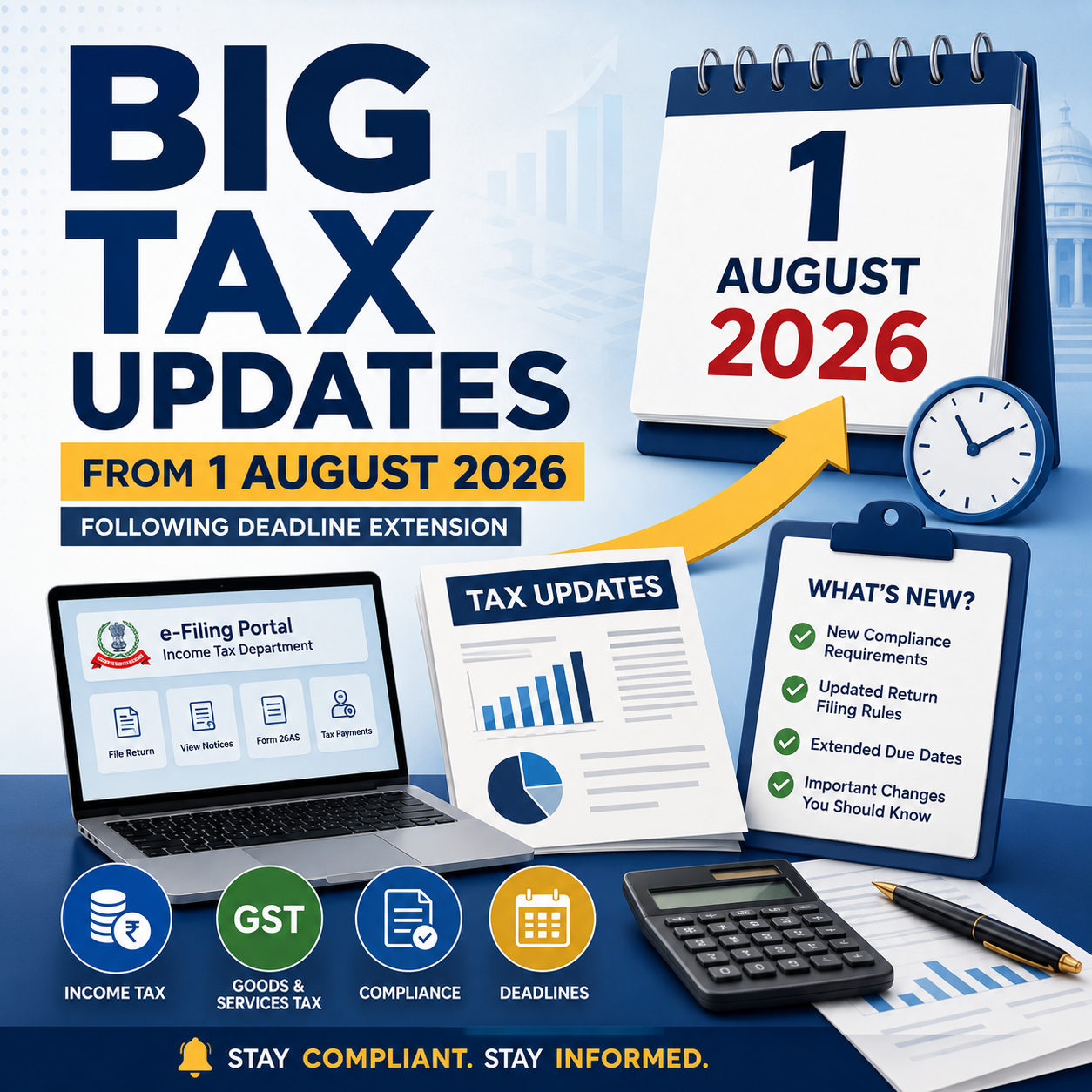
With the commencement of July 2026, a number of significant regulatory and financial changes have become effective across India. These updates are expected to affect individual taxpayers, businesses, professionals, and the general public. Whether you are filing your Income Tax Return, managing GST compliance, dealing with TDS/TCS provisions, or using services related to Aadhaar, PAN, or passports, it is essential to stay informed about these latest developments.

1. Passport Fees Revised from 1 July 2026

One of the key changes effective from 1 July 2026 relates to passport services.

The Passport Seva system has introduced a revised fee structure for passport applications.

Some of the important revisions include:

  • The application fee for a fresh 36-page passport has increased from ₹1,500 to ₹2,500.
  • Charges for passport renewal, Tatkal applications, and replacement of lost or damaged passports have also been updated.

Individuals planning to apply for a new passport or renew an existing one should review the latest fee schedule before submitting their application.


2. Quarter-1 TDS and TCS Returns Due by 31 July 2026

With the completion of the first quarter of Tax Year 2026–27 (April to June 2026), the due date for filing quarterly TDS and TCS statements has arrived.

Due Date: 31 July 2026

Tax deductors and collectors are required to submit both TDS and TCS returns by this date. While returns may be filed earlier, 31 July 2026 is the final deadline for Quarter-1 compliance.


3. New TDS/TCS Return Forms and Updated Filing Utility

The Income Tax Department has introduced updated TDS/TCS return forms in line with the new Income-tax framework.

To facilitate return filing for Tax Year 2026–27 onwards, a new Return Preparation Utility (RPU) and Validation Utility have also been released.

Tax deductors should ensure they are using:

  • Latest RPU Version 1.0
  • Updated Validation Utility
  • Revised quarterly TDS/TCS return forms

Utilities applicable to FY 2025–26 should not be used for returns relating to Tax Year 2026–27. Businesses and professionals managing payroll or TDS compliance should update their software without delay.


4. Income Tax Return Filing Due Date for ITR-1 and ITR-2

July continues to be a crucial month for individual Income Tax Return filing.

For taxpayers filing ITR-1 and ITR-2, the due date remains:

31 July 2026

Before submitting the return, taxpayers should carefully verify the following information:

  • Annual Information Statement (AIS)
  • Form 26AS
  • Pre-filled return details
  • Bank account information

Checking these records on the Income Tax e-filing portal helps minimize errors and reduces the chances of receiving notices later.


5. Extended Due Date for ITR-3 and ITR-4 (Non-Audit Cases)

Business taxpayers have received additional time to file their Income Tax Returns.

For taxpayers filing ITR-3 or ITR-4 where a tax audit is not applicable, the due date has been extended to:

31 August 2026

This extension is particularly beneficial for taxpayers such as:

  • Futures & Options (F&O) traders
  • Intraday traders
  • Small business owners
  • Professionals

Considering the extended deadline, tax professionals may focus first on completing ITR-1 and ITR-2 filings during July.


6. Deadline Extended for Filing Appeals Before GSTAT

Taxpayers have also received relief regarding appeals before the GST Appellate Tribunal (GSTAT).

The deadline for filing appeals under Section 112 of the CGST Act has been extended to:

31 July 2026

The extension applies to eligible orders covered under the prescribed conditions, providing taxpayers with additional time to submit pending appeals before the Tribunal.

7. E-Way Bill Enhancements Postponed

GSTN had earlier announced two new features for the E-Way Bill system to improve reporting and compliance.

(a) E-Way Bill Closure Option

A new functionality will allow taxpayers to close an E-Way Bill after the transportation of goods is completed or if the movement does not take place.

(b) Mandatory “Ship To GSTIN”

For Bill-to Ship-to transactions, entering the GSTIN of the actual recipient (Ship To party) will become mandatory wherever applicable.

These enhancements have not yet been implemented. Their rollout has been postponed and is now expected to take effect from 1 August 2026. Until then, taxpayers need not be concerned if these options are unavailable on the E-Way Bill portal.


8. Updated TDS Return Forms Available on the Income Tax Portal

The Income Tax Department has enabled the revised quarterly TDS return forms for Tax Year 2026–27 on the e-filing portal.

Forms introduced under the updated Income-tax framework—including Forms 138, 140, 143, and 144, wherever applicable—are now available for filing.

As the new law has introduced revised section references and reporting codes, taxpayers and deductors should ensure that returns are prepared using the latest prescribed forms and utilities.


9. GST Quarterly Compliance Schedule Begins

With the April–June quarter now completed, several important GST return filings become due during July.

Key due dates include:

GSTR-3B

  • Monthly taxpayers – 20 July
  • QRMP taxpayers – 22 July or 24 July, depending on the State

GSTR-1

  • Monthly filers – 11 July
  • Quarterly filers – 13 July

Other GST returns due during the month include:

  • GSTR-5
  • GSTR-6
  • GSTR-7
  • GSTR-8

Taxpayers are also advised to reconcile purchase data through the Invoice Management System (IMS) Dashboard, which helps match invoices with GSTR-2B and improves the accuracy of GST reporting.


10. Aadhaar Email ID Update Now Free Through the Mobile App

UIDAI has introduced a welcome concession for Aadhaar users.

From 1 July 2026, updating an email ID through the Aadhaar Mobile App is free of cost.

Previously, a fee of ₹75 was charged for this service.

The waiver will remain available for six months. However, it applies only to updates made through the mobile application and not through the online portal.


11. PAN Application Procedure Revised

The process for applying for a Permanent Account Number (PAN) has also been updated under the revised Income-tax framework.

Applicants should keep the following changes in mind:

  • Aadhaar alone may not satisfy all identity or verification requirements.
  • Where proof of date of birth is required, documents such as a Matriculation Certificate or any other approved document may need to be submitted.
  • Applications should be filed using the revised PAN forms notified under the new Income-tax provisions.

Anyone planning to obtain a new PAN should carefully review the latest documentation requirements before submitting the application.


Quick Overview

Update Applicable Date
Passport application fees revised 1 July 2026
Quarter-1 TDS/TCS return due date 31 July 2026
New TDS/TCS forms and filing utilities Now Available
ITR-1 & ITR-2 filing due date 31 July 2026
ITR-3 & ITR-4 (Non-Audit) due date 31 August 2026
GSTAT appeal filing deadline 31 July 2026
New E-Way Bill features Expected from 1 August 2026
GST quarterly return filings July 2026
Aadhaar email update through App Free from 1 July 2026
Revised PAN application process Currently Effective

Conclusion

July 2026 is a crucial month for tax and regulatory compliance. A number of significant changes—including revised passport fees, updated TDS/TCS return procedures, Income Tax Return deadlines, GSTAT appeal relief, GST filing obligations, Aadhaar service updates, and changes to the PAN application process—have come into effect or are scheduled for implementation.

Whether you are an individual taxpayer, business owner, GST-registered entity, accountant, or tax professional, staying informed about these developments is essential. Timely compliance with the latest rules can help you avoid interest, penalties, and unnecessary notices while ensuring that you benefit from the relief measures and new facilities introduced from 1 July 2026.

Easy Smart Shop Purchase Management: Simplify Your Business Purchase Process

Easy Smart Shop Purchase Management: Simplify Your Business Purchase Process

Managing purchases efficiently is one of the most important parts of running a successful business. Manual purchase entries, supplier records, invoice tracking, and stock updates can take valuable time and may lead to errors.

Easy Smart Shop Purchase Management Software by SwaNirmit Technologies helps businesses manage their complete purchase process in a simple, organized, and efficient way.


What is Purchase Management in Easy Smart Shop?

Purchase Management in Easy Smart Shop is a smart solution designed to manage all purchase-related activities from a single platform.

It helps businesses maintain supplier details, record purchase invoices, update stock automatically, and keep complete purchase transaction history.

With this system, businesses can easily control purchasing activities and improve overall efficiency.


Key Features of Easy Smart Shop Purchase Management

1. Easy Purchase Entry

Create and manage purchase entries quickly with complete details.

The Purchase Entry module allows you to record:

  • Purchase Date
  • Supplier Name
  • Invoice Number
  • Item Details
  • Quantity
  • Purchase Rate
  • Discount
  • GST Details
  • Total Purchase Amount

This helps maintain accurate purchase records.


2. Supplier Management

Manage complete supplier information in one place.

You can maintain:

  • Supplier Name
  • Address
  • Contact Number
  • Email Details
  • GST Number
  • Purchase History

This makes supplier communication and tracking easier.


3. GST Purchase Management

Easy Smart Shop supports GST-based purchase transactions.

It manages:

  • HSN Code
  • GST Rate
  • CGST
  • SGST
  • IGST
  • Taxable Amount
  • Total Invoice Amount

Businesses can maintain proper GST purchase records easily.


4. Automatic Stock Update

Whenever a purchase entry is created, stock quantity gets updated automatically.

Benefits:

✔ Real-time Stock Availability
✔ Better Inventory Control
✔ Avoid Stock Shortage
✔ Easy Product Tracking


5. Purchase Invoice Management

Maintain all purchase invoices digitally.

You can track:

  • Invoice Details
  • Purchase Amount
  • Supplier Balance
  • Payment Status

This helps businesses manage their accounts more effectively.


6. Purchase Reports & Tracking

Easy Smart Shop helps generate useful purchase information for better decision-making.

Track:

  • Purchase History
  • Supplier Transactions
  • Item Purchase Details
  • Payment Records

Benefits of Easy Smart Shop Purchase Management

✔ Reduces Manual Work
✔ Saves Business Time
✔ Improves Purchase Accuracy
✔ Maintains Complete Records
✔ Helps Manage Suppliers Easily
✔ Provides Better Business Control


Why Businesses Choose Easy Smart Shop

Easy Smart Shop is designed for retailers, wholesalers, traders, and enterprises who want a simple yet powerful solution to manage their daily business operations.

With advanced purchase management features, businesses can improve productivity and focus on growth.


SwaNirmit Technologies – Smart Business Solutions

SwaNirmit Technologies provides reliable software solutions that help businesses move towards digital transformation.

Our goal is to provide easy, efficient, and smart technology solutions for every business.

📍 SwaNirmit Technologies
Chhatrapati Sambhaji Nagar, Maharashtra, India

📞 +91 81 8000 9888
📧 sales@swanirmit.com
🌐 www.swanirmit.com

Easy Smart Shop – Smart Management for Every Shop & Enterprise

Credit Note Module – EASY Smart Shop ERP Complete Guide What is a Credit Note?

Credit Note Module – EASY Smart Shop ERP Complete Guide
What is a Credit Note?

A Credit Note is a document issued to a customer when the company needs to reduce the invoice amount due to reasons like:

Sales Return
Post Sale Discount
Invoice Correction
Service Issue
Other adjustments

In EASY Smart Shop ERP, the Credit Note module helps manage customer returns, discounts, and invoice adjustments easily.

1) How to Open Credit Note Module?

Go to:

Sales → Credit Note

The Credit Note Entry screen will open.

2) Credit Note Entry Screen Details
A) Select Customer / Supplier

At the top:

Select Customer or Supplier

Select the required customer.

After selecting customer, you can check details using:

Customer Details Button

3) Customer Details Window

Customer information can be entered:

Name

Enter Customer Name

Address

Enter Customer Address

Email

Enter Customer Email ID

Contact

Enter Mobile Number

GST No.

Enter Customer GST Number

State

Select Customer State

Example:

27 – Maharashtra

Click:

OK

to save details.

4) Credit Note Date

Credit Note Date

Shows the date on which Credit Note is created.

Example:

23-Jun-2026

5) Credit Note Number

Enter or generate Credit Note Number.

It is used for tracking and reporting purposes.

6) Credit Note Type

There are two options:

1) Sales Return

Used when customer returns purchased items.

Example:

Customer purchased a printer and returned it.

2) Discount

Used when discount is provided after sales.

Example:

Giving ₹500 discount after invoice generation.

7) GST Reason Selection

Select the reason for creating Credit Note.

Available options:

01 – Sales Return

For returned goods.

02 – Post Sale Discount

For discount provided after sale.

03 – Deficiency in Services

For service-related issues.

04 – Correction in Invoice

To correct invoice mistakes.

05 – Change in POS

For change in Place of Supply.

06 – Finalization of Provisional Assessment
07 – Others

For other reasons.

8) Reference Invoice Selection

If Credit Note is created against an old invoice:

Click:

Select Reference Invoice

Select the invoice.

The system will fetch invoice details automatically.

9) Invoice Number & Invoice Date

After selecting reference invoice:

Invoice Number
Invoice Date

will be displayed automatically.

10) Remark / Reason

Enter the reason for Credit Note.

Examples:

“Material Returned Due To Damage”

or

“Discount Given As Per Customer Request”

11) Item Selection

Select items from:

Select Items

Example:

Printer
CCTV Camera
Cable
Software
12) Item Details

After selecting an item, details will appear:

Unit

PCS / Nos / Box

Description

Item Name

GST Rate %

GST Percentage

HSN

HSN Code

CGST Rate

Central GST Rate

SGST Rate

State GST Rate

IGST Rate

Integrated GST Rate

Item Type

Item Category

13) Quantity & Rate Details

Enter:

Return Quantity

Quantity returned by customer

Rate

Item selling rate

Discount %

Discount percentage (if applicable)

Amount

Total item amount

14) Add Item

After entering item details:

Click:

Add Item

The item will be added to the Credit Note list.

15) Credit Note Calculation

The system calculates:

Taxable Amount

Amount before GST

CGST

Central GST amount

SGST

State GST amount

IGST

Integrated GST amount

Tax Amount

Total GST

Total Amount

Final Credit Note value

Round Up

Rounding adjustment

Credit Note Amount

Final credit amount given to customer

16) Save Credit Note

After checking all details:

Click:

Save (F5)

Credit Note will be generated.

17) Print & Email Options

Available options:

Print (F6)

Print Credit Note

Print Preview (F7)

Check preview before printing

E-Mail Invoice (F8)

Send Credit Note through email


18) Credit Note Management

To view previous Credit Notes:

Open:

Credit Note Management

Select:

From Date
To Date
Customer

Click:

View

The list shows:

Credit Note ID
Invoice Date
Customer Name
Credit Note Number
Total Amount
Invoice Number
Updated By
19) Additional Options
New Credit Note

Create new Credit Note

Edit Credit Note

Modify existing Credit Note

Export Excel

Export Credit Note report into Excel

Print

Print report

Benefits of Credit Note Module in EASY Smart Shop ERP

✅ Manage Sales Returns easily
✅ GST compliant Credit Notes
✅ Invoice correction facility
✅ Customer balance adjustment
✅ Automatic GST calculation
✅ Easy reporting
✅ Excel export facility

EASY Smart Shop ERP Credit Note Module makes Sales Return, Discount Management, and Invoice Adjustments simple, accurate, and faster.

Mandatory “Ship To GSTIN” Entry and Voluntary E-Way Bill Closure Features Delayed by GSTN

Relief for Businesses: GSTN Provides Additional Time for System Preparedness

In a welcome move for taxpayers, transporters, GST Suvidha Providers (GSPs), ERP solution providers, and other stakeholders, the Goods and Services Tax Network (GSTN) has postponed the rollout of two key E-Way Bill enhancements that were originally scheduled to take effect from 15 June 2026.

According to the latest GSTN advisory released on 9 June 2026, the implementation of the following features has been rescheduled and will now come into force from 1 August 2026:

  • Mandatory reporting of “Ship To GSTIN” in Bill-To/Ship-To transactions.
  • Facility for Voluntary Closure of E-Way Bills.

Why Was the Implementation Deferred?

Earlier, through an advisory dated 20 May 2026, GSTN had announced that these functionalities would be introduced from 15 June 2026. Following the announcement, several industry bodies, businesses, ERP vendors, and other stakeholders highlighted the need for additional preparation time before the changes could be implemented smoothly.

The requests primarily cited the need for:

  • Upgrading and modifying existing software systems
  • API development, integration, and testing
  • Necessary changes in ERP applications
  • Correction and validation of master data
  • Training of users and operational teams
  • Ensuring overall system readiness

Taking these concerns into account, GSTN has extended the implementation timeline by around six weeks, providing stakeholders with sufficient time to complete the required technical and operational preparations before the new requirements become mandatory.

1. Mandatory Reporting of “Ship To GSTIN” in Bill-To/Ship-To Transactions

As part of the proposed enhancement to the E-Way Bill system, taxpayers involved in Bill-To/Ship-To transactions will be required to mention the GSTIN of the actual consignee (Ship-To party) while generating E-Way Bills.

This measure aims to:

  • Improve the quality and accuracy of transaction data
  • Minimize reporting discrepancies and mismatches
  • Create a stronger and more reliable audit trail
  • Increase transparency in the movement and delivery of goods

Businesses using accounting, billing, or ERP software should use the extended timeline to ensure that the necessary Ship-To GSTIN fields are incorporated and functioning correctly before the revised implementation date.

2. Introduction of Voluntary E-Way Bill Closure Facility

GSTN is also set to launch a new feature enabling taxpayers to voluntarily close an E-Way Bill in specified situations where the movement of goods does not take place or the E-Way Bill is no longer required.

The proposed facility is expected to offer several benefits, including:

  • Greater control over E-Way Bill management
  • Prevention of misuse of inactive or unused E-Way Bills
  • Better compliance tracking and monitoring
  • Improved reliability of logistics and transportation records

Further procedural instructions and operational guidelines are likely to be issued by GSTN before the feature becomes effective.

Revised Implementation Schedule

Particulars Earlier Effective Date Revised Effective Date
Mandatory reporting of Ship-To GSTIN in Bill-To/Ship-To transactions 15 June 2026 1 August 2026
Voluntary E-Way Bill Closure Facility 15 June 2026 1 August 2026

What Taxpayers Should Do Now

Taxpayers should make the most of the additional time provided by GSTN and undertake the following activities:

✅ Upgrade ERP, billing, and accounting applications

✅ Validate and test E-Way Bill API integrations

✅ Review and update customer and consignee GSTIN master data

✅ Conduct training sessions for GST, accounts, and logistics personnel

✅ Coordinate with GSPs, ERP providers, and software vendors

✅ Perform end-to-end testing to ensure readiness before 1 August 2026

Proper preparation during this extended period will help businesses achieve a smooth transition and avoid compliance issues once the new E-Way Bill requirements become operational.

Key Compliance Due Dates in June 2026 – GST, Income Tax, PF, ESI, MCA & Other Filings

June 2026 Compliance Calendar: Key GST, Income Tax, PF, ESI, MCA & Statutory Deadlines

June 2026 is a crucial month for businesses, professionals, LLPs, companies, and taxpayers, as several important statutory compliances fall due during the month. Timely completion of GST filings, TDS/TCS payments, PF and ESI deposits, and other regulatory obligations is necessary to avoid penalties, interest charges, and compliance-related notices.

Presented below is a detailed compliance calendar for June 2026 covering significant due dates under GST, Income Tax, PF, ESI, MCA, and other applicable laws.

7 June 2026 (Sunday)

Income Tax

✅ Deposit of TDS/TCS deducted or collected during May 2026.

Applicable to all taxpayers responsible for deducting or collecting tax at source, subject to prescribed exceptions under the Income-tax provisions.


10 June 2026

GST

GSTR-7 for May 2026
Return to be filed by taxpayers required to deduct TDS under GST.

GSTR-8 for May 2026
Return to be filed by e-commerce operators liable to collect TCS under GST.


11 June 2026

GST

GSTR-1 (Monthly) for May 2026
Filing of details relating to outward supplies by monthly GST return filers.


13 June 2026

GST

GSTR-6
Return applicable to Input Service Distributors (ISD).

GSTR-5
Return applicable to Non-Resident Taxable Persons (NRTP), wherever required.


15 June 2026

Income Tax

First Advance Tax Installment for FY 2026-27

Taxpayers liable to pay advance tax should ensure payment of at least 15% of their estimated annual tax liability by this date.

PF & ESI

✅ Deposit of EPF contributions for May 2026.

✅ Deposit of ESI contributions for May 2026.

Applicable to establishments covered under the respective labour laws.


20 June 2026

GST

GSTR-3B for May 2026

Monthly summary return and tax payment for regular GST taxpayers.


25 June 2026

GST

GST PMT-06 Payment

Tax payment under the QRMP Scheme for May 2026 through Form GST PMT-06.


30 June 2026

Income Tax

✅ Submission of Challan-cum-Statements for tax deducted during May 2026 under:

• Section 194-IA – Purchase of Immovable Property (Form 26QB)

• Section 194-IB – Rent Paid by Individual/HUF (Form 26QC)

• Section 194M – Specified Payments by Individual/HUF (Form 26QD)

• Section 194S – Transfer of Virtual Digital Assets, where applicable (Form 26QE)


Additional Compliance Activities

✅ Review and update books of accounts for the first quarter of FY 2026-27.

✅ Reconcile GST liabilities, Input Tax Credit (ITC), and E-Way Bill records.

✅ Verify vendor GST compliance to safeguard ITC eligibility.

✅ Complete TDS reconciliation before filing quarterly TDS returns.


Compliance Tip

Businesses and professionals should avoid postponing compliance activities until the due date. Regular reconciliation of GST returns, accounting records, TDS transactions, and employee-related statutory payments helps minimize compliance risks and prevents avoidable notices, late fees, and interest liabilities. Maintaining a structured monthly compliance calendar can greatly improve regulatory adherence and support smooth business operations throughout the financial year.

The above due dates have been compiled after reviewing GST, Income Tax, and professional compliance calendars available from official and industry-recognized sources.    

EASY Smart SHOP – Complete Sales Entry & Billing Management Software

EASY Smart SHOP – Complete Sales Entry Process Explained

Managing sales manually can create billing mistakes, payment confusion, stock issues, and difficulty in maintaining customer records.
To solve these business challenges, EASY Smart SHOP provides a smart and professional Sales Entry Management System that helps businesses perform billing, GST invoicing, payment management, receipt handling, and document storage from a single software.

Below is the complete step-by-step explanation of the Sales Entry process using the slides from EASY Smart SHOP software.


1. Sales Module Dashboard

The Sales Module is the central area where users can manage complete sales activities.

Inside the Sales Menu, users can access multiple important features such as:

Available Sales Features

  • Sale Entry
  • Management of Sales
  • Customer Account Statement
  • Credit Note
  • Receipt Entry
  • Order Management
  • Sale Invoice
  • DC Out Entry
  • Bulk Sales Management

This organized structure allows businesses to handle every sales-related task from one place.

The dashboard also displays important business notifications like:

  • Low stock alerts
  • Pending stock quantity
  • Customer balance details
  • System updates

This helps business owners stay updated with daily operations.


2. Store Sales Management Screen

The Store Sales Management window helps businesses monitor and manage all invoice records efficiently.

Key Functions of This Screen

Date-Wise Sales Tracking

Users can filter invoices according to selected dates.

Customer-Wise Search

Businesses can quickly search sales records customer-wise.

Invoice Tracking

Every invoice contains:

  • Invoice Number
  • Customer Name
  • Invoice Date
  • Total Amount
  • Balance Amount

Pending Payment Monitoring

The software automatically shows pending balances for each customer.

Sales Summary

At the bottom of the screen, users can see:

  • Total Sales Amount
  • Total Balance Amount
  • Total Invoice Count

This feature is extremely useful for business owners who want complete visibility of daily sales activities.


3. GST Sales Entry Screen

https://images.openai.com/static-rsc-4/HrWQ2t5rsIDiLZ95_svTF-7UFwEp-VbwL2nzbgoq1DW3dOztP-W8fCxcfhyJmfpnVA_VcayfoILvNMzP9KyCQKiyI_Na7lG-_vsxuJW8Da2RTJVExuCxsklnq97kHBholpXAvu-txsZIO0SAfYBHfllYbNH51lVTrgLYyQwClKlri9SkOq7tlpJjkAzy94tG?purpose=fullsize


This is the main Sales Entry screen where invoices are created.

The interface is designed to make billing fast, easy, and professional.


Step-by-Step Sales Entry Process

Step 1 – Select Date

Users can select the invoice date manually or use the running date option.

Step 2 – Select Customer

Choose the customer directly from the customer list.

Step 3 – Add Items

Items can be added using:

  • Manual item selection
  • Barcode entry
  • Scanner entry

This makes the billing process much faster.

Step 4 – Enter Quantity & Rate

Users can enter:

  • Quantity
  • GST Inclusive Rate
  • Item Rate
  • Discount Percentage

Step 5 – Automatic GST Calculation

The software automatically calculates:

  • Taxable Amount
  • CGST
  • SGST
  • IGST
  • Total Tax
  • Final Invoice Amount

This reduces manual calculation errors and saves time.


4. Advanced GST API Features

https://images.openai.com/static-rsc-4/_C3oRV3kaoR_5H-oUdThbqe4xh9M6ua9Q2UgWVVuocxTATIyO2_1pUwxNLU9BVPv2D8DNFXIFod18F7FWXSSqz15oKJU9mySxj3DDDgYxeZQkj8S5GGmJII7IfyuweiTD4_ExV7i5eLusMmoAzGeJukH1z7M8eJcalCBU5_kT8vG5R_-nY-jMFCdF9q2a1bY?purpose=fullsize

EASY Smart SHOP provides advanced GST API integration features for modern businesses.

GST API Commands Available

Generate e-Invoice

Create GST-compliant e-Invoices instantly.

Generate e-Way Bill

Generate transport e-Way Bills directly from the invoice.

Re-Get Invoice Details

Fetch invoice details again whenever required.

Cancel e-Invoice

Cancel invoices easily from the software.

Print e-Invoice & e-Way Bill

Direct print options are available for faster workflow.

E-Mail Invoice

Send invoices directly to customers through email.

These features help businesses automate GST compliance work efficiently.


5. Make Receipt – Smart Payment Entry System

After completing the Sales Entry, the software provides a powerful feature called “Make Receipt”.

This option is available in the lower section of the Sales Entry screen.

Using this feature, businesses can directly enter customer payments after invoice creation.


How Make Receipt Works

Step 1 – Open Make Receipt

Click on the Make Receipt button after saving the invoice.

Step 2 – Enter Payment Amount

Users can enter:

  • Received Amount
  • Partial Payment
  • Full Payment

Step 3 – Save Receipt

Once the amount is entered and confirmed, the software automatically updates:

  • Customer balance
  • Outstanding amount
  • Payment records

This helps businesses maintain proper payment history and pending balance management.


6. Receipt Details Management

After entering receipt details, businesses can manage complete payment information from the Payment Details section.

Payment Details Include

  • Bank Name
  • Payment Method
  • Cheque Number
  • UPI Transaction ID
  • Online Payment Reference
  • Payment Notes

This feature helps businesses maintain professional financial records.

It is especially useful for businesses that accept:

  • Bank transfers
  • UPI payments
  • Cheques
  • Online transactions
  • Mixed payment methods

7. Document Attachment Facility

https://images.openai.com/static-rsc-4/LIy0Si-p-MBKDl1cL_pd0iZiSMb_tLvy-oASqqBTmHHOib8Oa33auDtMw8inp88fQ9OFEEGgl4yzYrg_AbX0h1AW7wnOatIFeTyYj8D-ymz0SFI7D-C3jjsNhzsJoZbkavJ6-8X3qxhZVlnBE__3MInpTWXoJyuI73nzCkrcycCPkaYqvK4pKhJpi-axf7dh?purpose=fullsize

EASY Smart SHOP also supports document management with sales entries.

Businesses can attach important documents directly with invoices.

Supported Document Types

  • Invoice Copies
  • Payment Screenshots
  • Signed Receipts
  • Delivery Challans
  • Customer Documents
  • Transport Documents

This keeps all important records connected with their respective sales entries.

No need to search files manually in folders.


8. Invoice Print Preview & Item Checklist

 
The software provides professional invoice printing options.

Available Print Features

  • Tax Invoice Printing
  • Print Preview
  • Item Checklist
  • Dispatch Details
  • Customer Copy
  • GST Invoice Format

The print formats are designed to look clean and professional for customers.


Benefits of EASY Smart SHOP Sales Entry System

✅ Fast Billing Process
✅ Professional GST Invoicing
✅ Smart Receipt Management
✅ Customer Payment Tracking
✅ Pending Balance Monitoring
✅ Barcode Billing Support
✅ Automatic Stock Update
✅ GST API Integration
✅ e-Invoice & e-Way Bill Generation
✅ Document Attachment Facility
✅ Bank Detail Management
✅ Professional Print Formats
✅ Complete Sales History Tracking


Complete Smart Billing Solution for Your Business

EASY Smart SHOP is not just a billing software.
It is a complete smart business management solution designed to simplify sales operations, GST billing, customer payments, and inventory management.

Whether you run a retail store, wholesale business, distribution company, or service center, EASY Smart SHOP helps you manage your entire sales process professionally and efficiently.

Make your business smarter, faster, and more organized with EASY Smart SHOP.

Why Quotation Management is Important for Every Business

Why Quotation Management is Important for Every Business

In today’s competitive business world, sending a professional quotation is the first step toward winning a customer’s trust and closing more deals. A quotation helps businesses clearly explain product pricing, taxes, discounts, delivery details, and terms before the final order confirmation.

Without a proper quotation system, businesses face:

  • Manual calculation errors
  • Delayed customer response
  • Unprofessional document formats
  • Poor follow-up management
  • Difficult sales tracking

That’s why EASY SMART SHOP provides a complete and advanced Quotation Management System designed to simplify your sales process and improve business productivity.


EASY SMART SHOP – Advanced Quotation Management System

Smart Dashboard for Fast Operations

https://images.openai.com/static-rsc-4/om9vy4T4iR-6RO6FEP37l99yiXJVbRmnQ8rW7H4rxgPpCkvn3rgIQX_s098fHX0X0TNQm7s4z2WbqRPmU3bQtQTG2HHdTJc-e8sw4BsH_e2Te5Wpndm1kQRsP4Ev-gzj2ufodJHhFuvNKPQFP2q3YB4YAy2bSDlz3ZyUSydeq8hivnbNMSBzNhZbpusqwIXK?purpose=fullsize

The EASY SMART SHOP dashboard gives users quick access to all important quotation and sales features from a single screen.

Dashboard Features:

  • New Quotation Creation
  • Sales Order Management
  • Invoice Generation
  • Purchase Management
  • Customer Management
  • Inventory Tracking
  • Job Management
  • Notification Alerts
  • Reports & Accounts

The software is designed with a simple and user-friendly interface so businesses can work faster and more efficiently.


Complete Quotation Management Panel

The Quotation Management screen helps businesses manage all quotations in one place.

Features Available:

  • Pending Quotation Tracking
  • Rejected Quotation Records
  • Final Quotation Management
  • Customer-wise Quotation Filter
  • Follow-Up Date Management
  • Closing Date Tracking
  • Sales ID & Invoice Linking

Businesses can easily track quotation status and follow up with customers at the right time.


Professional Quotation Creation Window

EASY SMART SHOP allows users to create detailed and professional quotations within seconds.

Powerful Features:

  • Item-wise quotation entry
  • GST tax calculation
  • Discount management
  • HSN code support
  • Quantity & stock tracking
  • Automatic amount calculation
  • CGST / SGST / IGST support
  • Subject & customer requirement notes

The software automatically calculates totals, taxes, discounts, and final invoice amounts, reducing manual errors.


Customer Detail Management

The Customer Details section helps businesses maintain professional customer records.

Information Managed:

  • Customer Name
  • Address
  • Contact Number
  • Email Address
  • GST Number
  • State Selection
  • Reference Details
  • Designation Information

This helps businesses maintain organized customer communication and accurate documentation.


Advanced Features in EASY SMART SHOP

The software includes multiple advanced features that make business operations faster and smarter.


Proforma Invoice System

Businesses can instantly convert quotations into professional Proforma Invoices.

Benefits:

  • Professional invoice format
  • GST-ready documents
  • Faster customer approval
  • Easy printing & sharing
  • Sales process automation

E-Mail Proforma Invoice

The software allows direct emailing of Proforma Invoices to customers.

Advantages:

  • Instant customer communication
  • PDF attachment support
  • Faster deal confirmation
  • Paperless workflow
  • Professional business impression

E-Mail Quotation Feature

Users can directly send quotations through email from the software.

Benefits:

  • One-click quotation sharing
  • Fast customer response
  • Better follow-up process
  • Improved sales conversion

Create Delivery Challan

EASY SMART SHOP also provides Delivery Challan creation for product dispatch management.

Features:

  • Delivery document generation
  • Dispatch tracking
  • Customer delivery records
  • Professional challan format

    Quotation Follow-up & Updates
    Easily track quotation follow-ups and make quick updates based on customer requirements.
    Quotation History Management
    Maintain a complete history of all quotations, making it easy to access previous records anytime.
    Document Management
    Store and manage all quotation-related documents, PDFs, bills, and attachments in one secure place for better organization and faster access.


Terms & Conditions Management

The software allows users to add custom Terms & Conditions in quotations.

Features:

  • Add custom terms
  • Edit existing terms
  • Save templates
  • Reuse quotation formats
  • Print-ready documentation

This makes every quotation more professional and legally clear.


Why Businesses Prefer EASY SMART SHOP

✔ Professional Quotation System
✔ GST Billing Support
✔ Proforma Invoice Feature
✔ Email Quotation Sending
✔ Delivery Challan Management
✔ Customer Database Management
✔ Smart Tax Calculation
✔ Inventory Integration
✔ User-Friendly Interface
✔ Faster Business Workflow


Perfect Solution For

  • Retail Shops
  • Wholesale Businesses
  • Electronics Shops
  • Mobile Shops
  • Service Centers
  • Hardware Stores
  • Manufacturing Businesses
  • Computer Shops
  • Distributors

Grow Your Business with EASY SMART SHOP

EASY SMART SHOP helps businesses manage quotations, invoices, customers, and sales operations professionally from one software platform.

With advanced quotation features, automated calculations, email integration, and delivery management, businesses can save time, reduce manual work, and improve customer satisfaction.


EASY SMART SHOP

“FOR EVERY SHOP & EVERYONE IN THE SHOP”

May 2026 Brings Two Significant E-Way Bill Modifications

GSTN has released an important advisory dated 21 May 2026 regarding upcoming enhancements to the E-Way Bill (EWB) Portal. These proposed updates are intended to strengthen:

  • data accuracy,
  • invoice tracking,
  • operational transparency,
  • and fraud control within the GST framework.

The advisory highlights two significant proposed changes in the EWB system:

  1. Mandatory declaration of “Ship-To GSTIN” in Bill-To Ship-To transactions
  2. Introduction of E-Way Bill Closure facility

These upcoming changes may require businesses, transporters, ERP providers, and GST software companies to implement necessary software upgrades, ERP customizations, and process-level changes to ensure smooth compliance.

Why GSTN is Introducing These Changes
GSTN has stated that these enhancements are part of its ongoing efforts towards:

strengthening data integrity,
improving tracking of goods movement,
enabling better reconciliation,
and reducing misuse of E-Way Bills.
With increasing data analytics under GST, authorities are now focusing heavily on:

actual consignee tracking,
movement verification,
invoice matching,
and prevention of fake billing practices.

  1. Mandatory “Ship-To GSTIN” in Bill-To Ship-To Transactions
    What is a Bill-To Ship-To Transaction?
    In many business models:

invoice is raised to one person (“Bill-To” party),
but goods are delivered to another location/entity (“Ship-To” party).
Example:

Head office places order,
goods directly delivered to branch office or customer location.
Currently, taxpayers often mention:

Bill-To details,
and shipping address,
but Ship-To GSTIN may not always be captured properly.

New Proposed Change
GSTN now proposes mandatory capture of:

“Ship-To GSTIN”
in Bill-To Ship-To transactions on the EWB portal.

This means:

taxpayers will now have to provide GSTIN of the actual consignee/location where goods are delivered.
Objective Behind This Change
GSTN wants to:

improve end-to-end traceability of goods,
accurately identify actual recipient,
strengthen audit trail,
and reduce fake movement transactions.
This change will help authorities:

match invoice data,
track actual goods destination,
and verify GST compliance more effectively.
Practical Impact on Businesses
This enhancement may significantly impact:

ERP systems,
invoicing software,
logistics integration,
and EWB APIs.
Businesses using automated EWB generation systems may need:

software upgrades,
API mapping changes,
additional master validations,
and process modifications.
Sectors Likely to be Highly Impacted
The following sectors frequently use Bill-To Ship-To models and may face major operational changes:

Sector Impact
FMCG High
E-commerce High
Pharmaceuticals High
Multi-location businesses High
Job work transactions Moderate
Distribution networks High
Important Compliance Point
If Ship-To GSTIN becomes mandatory:

incorrect GSTIN reporting,
use of invalid consignee GSTIN,
or mismatch with invoice details
may lead to:
EWB rejection,
detention risks,
reconciliation issues,
or departmental scrutiny.
Businesses should therefore begin reviewing:

customer master data,
consignee GSTIN mapping,
and shipping workflows.
2. Introduction of E-Way Bill Closure Functionality
Another major proposed enhancement is:

EWB Closure Facility
This will allow taxpayers to voluntarily close E-Way Bills under specified situations.

Why is EWB Closure Needed?
Currently, many E-Way Bills remain active even when:

goods movement never happened,
shipment got cancelled,
dispatch failed,
invoice was cancelled later,
or transaction became invalid.
In such situations:

EWB may continue showing as active,
creating unnecessary compliance risks and data inconsistencies.
What Will the New Closure Facility Do?
The proposed functionality will allow taxpayers to:

voluntarily close EWB,
declare non-movement/cancellation scenarios,
and maintain accurate transport records.
This will improve:

data accuracy,
transport audit trail,
and operational transparency.
Expected Benefits of EWB Closure Feature

  1. Better Record Management
    Inactive or unused EWBs can be formally closed.
  2. Reduced Compliance Risk
    Businesses can avoid unnecessary mismatches during audits.
  3. Improved Data Accuracy
    GSTN databases will better reflect actual goods movement.
  4. Lower Litigation Risk
    Taxpayers can proactively document cancelled movements.

Possible Scenarios Where Closure May Be Used
The closure facility may become useful in cases like:

goods not dispatched,
order cancelled,
transporter issue,
invoice cancellation,
duplicate EWB generated,

wrong EWB created,
shipment returned before dispatch,
or logistics failure.
Detailed operational guidelines are expected from GSTN separately.

System Changes Required by Businesses
Businesses and software providers should start preparing for:

ERP modifications,
API changes,
validation logic updates,
EWB workflow redesign,
and master data corrections.
Companies using integrated GST systems should coordinate with:

ERP vendors,
GST software providers,
and API integrators.
Action Points for Taxpayers
GSTN has advised stakeholders to begin preparedness activities.

Businesses should:

review Bill-To Ship-To processes,
validate customer GSTIN databases,
update EWB integration systems,
train GST teams,
and monitor future GSTN implementation notifications.
Important Note About Implementation
The advisory currently discusses:

proposed enhancements
along with:

expected timelines,
and preparedness requirements.
Detailed implementation procedures and technical specifications are likely to be issued separately by GSTN.

Conclusion
The latest GSTN advisory signals another major step towards deeper automation and traceability in the GST system.

The introduction of:

mandatory Ship-To GSTIN reporting,
and EWB Closure functionality
will significantly improve:

invoice tracking,
goods movement transparency,
and GST analytics.
However, these changes may also increase compliance responsibility for businesses using complex supply chains and automated EWB systems.

Taxpayers should proactively review their systems and workflows to ensure smooth compliance once these enhancements become operational on the E-Way Bill portal.

Big Change Introduced in GST Refund Filing Process

Annexure-B Offline Utility Introduced on GST Portal for Accumulated ITC Refunds

The GST Network (GSTN) has introduced a major change in the refund filing process for taxpayers claiming refund of accumulated Input Tax Credit (ITC). Earlier, taxpayers were uploading Annexure-B in PDF format while filing refund applications under certain refund categories. However, to improve automation, invoice-level verification, and system-based validation, GSTN has now launched a standardized Annexure-B Offline Utility in Excel format.

Going forward, taxpayers filing refund claims involving accumulated ITC will be required to furnish Annexure-B only through this prescribed offline utility. This update aims to bring uniformity in refund applications and enable validation of invoices directly with GSTR-2B data.

This is an important compliance change for exporters, SEZ suppliers, inverted duty structure claimants, and electricity exporters.

Refund Categories Where Annexure-B Utility is Mandatory
The new Annexure-B Offline Utility is applicable for the following refund categories:

Refund Category
Export of Goods/Services without payment of tax (Accumulated ITC)
Supplies made to SEZ Unit/SEZ Developer without payment of tax
Refund due to Inverted Tax Structure under Section 54(3)
Export of Electricity without payment of tax
Taxpayers filing refund claims under these categories must now upload Annexure-B through the

offline utility instead of PDF attachments.

What is the New Annexure-B Offline Utility?
GSTN has introduced an Excel-based offline utility where taxpayers are required to report invoice-wise inward supply details for which refund is claimed.

The utility requires detailed reporting:

HSN/SAC-wise
Category-wise
Invoice-wise
Tax amount-wise
Invoices must be bifurcated according to:

Inputs
Input Services
Capital Goods
This means a single invoice may now need to be split into multiple line items if it contains different HSN/SAC codes or different categories of inward supplies.

The utility also captures:

taxable value,
GST amount,
ITC reversal details,
blocked ITC under Section 17(5),
and Net ITC calculations.
Structure of the Annexure-B Utility
The utility contains two important tables:

Table 1 – Reversal Details
This table captures:

Rule 38 reversals,
Rule 42 reversals,
Rule 43 reversals,
Section 17(5) blocked credit,
and other reversals reported in GSTR-3B.
Table 2 – HSN/SAC-wise Inward Invoice Details
This table captures:

invoice-wise inward supplies,

HSN/SAC details,
tax values,
category of supplies,
and ITC claimed in GSTR-3B.
Major Compliance Change: Invoice Splitting Requirement
One of the biggest practical changes introduced through this utility is mandatory splitting of invoices.

If one invoice contains:

multiple HSN/SAC codes,
multiple supply categories,
or both,
then taxpayers must split the invoice into separate line items.

For example:
A single invoice containing:

Inputs,
Input Services,
and Capital Goods
cannot be reported in one consolidated row anymore.

Each line item should represent:

one HSN/SAC code,
and one category of inward supply.
The taxable value and tax amount must also be proportionately allocated.

This change may significantly increase data preparation work for taxpayers and consultants.

Duplicate Invoice Validation Introduced
GSTN has now introduced duplicate validation checks.

The system will validate invoices based on:

Supplier GSTIN

Invoice Number
Invoice Date
Category of Input Supply
HSN/SAC
If all these parameters are identical, only one line item will be accepted.

Multiple entries under the same parameters will trigger validation errors.

Therefore, taxpayers must carefully prepare invoice data before generating JSON.

GSTR-2B Validation Introduced
One of the most important changes is automatic validation of uploaded invoices with GSTR-2B.

After uploading the Annexure-B JSON file:

invoices will be matched with GSTR-2B,
valid invoices will appear in “Valid Documents” report,
mismatches will appear in “Invalid Documents” report.
This system-driven validation will significantly impact refund processing.

Special Relaxation for Old Period Invoices
GSTN has clarified an important relief for old invoices.

For invoices pertaining to:

October 2024 or earlier periods,
the portal will not validate them with GSTR-2B.

Although such invoices may display a generic “not validated” message, taxpayers can still proceed with refund filing.

This will not be treated as an error.

However, for invoices from:

November 2024 onwards,
full validation with GSTR-2B will apply.

Reporting of ITC Reversals
Taxpayers must correctly report ITC reversals while preparing Annexure-B.

The utility requires disclosure of:

Rule 38 reversals,
Rule 42 reversals,
Rule 43 reversals,
blocked credit under Section 17(5),
and other reversals reported in Table 4(B)(2) of GSTR-3B.
GSTN has also clarified that if multiple utility files are uploaded:

reversal values should be entered only in the final file,
previous files should contain reversal amount as zero.
The portal will then calculate consolidated Net ITC automatically.

Huge Upload Capacity Allowed
GSTN has allowed substantial upload limits in the utility.

Particulars Limit
Maximum entries in one utility file 10,000
Maximum utility files uploadable 25
Total line items allowed 2,50,000
If invoices exceed this limit:

remaining invoices can be submitted in PDF format as supporting documents.
This is especially important for exporters and large taxpayers having massive invoice volumes.

Important Technical Instructions Issued by GSTN
GSTN has issued several technical precautions for taxpayers:

  1. Avoid Extra Spaces
    Leading or trailing spaces may cause:

validation failures,
JSON errors,
upload issues.
2. Do Not Modify JSON Directly
Once JSON is generated:

taxpayers should not edit it manually.
Any modification should be made only in the Excel utility followed by fresh JSON generation.

  1. Do Not Rename JSON File
    Changing the JSON filename may create upload failures.
  2. Use Correct Dropdown Values
    Copy-paste functionality is enabled, but dropdown values must exactly match prescribed values.

Even small deviations can trigger errors.

  1. Close Old Utility Versions
    GSTN has advised users to completely close older versions of the utility before using the latest version to avoid processing problems.

Practical Impact on Taxpayers and Consultants
This change will significantly impact refund filing procedures.

Earlier:

taxpayers simply uploaded Annexure-B PDFs.
Now:

invoice-level structured reporting is mandatory,
HSN-wise bifurcation is required,
GSTR-2B validation applies,
JSON generation becomes compulsory,
and reconciliation work will increase substantially.
Tax professionals handling refund claims must now:

maintain proper invoice mapping,
reconcile GSTR-2B carefully,
track reversals accurately,
and prepare structured refund working papers.
Key Benefits of the New Utility
Despite increased compliance workload, the utility offers several long-term benefits:

✅ Faster system-based verification
✅ Reduction in manual scrutiny
✅ Standardized refund filing
✅ Better invoice reconciliation
✅ Improved transparency
✅ Faster processing of genuine refunds

Conclusion
The introduction of the Annexure-B Offline Utility marks a major step towards automation of GST refund processing. Taxpayers claiming refund of accumulated ITC must now shift from PDF-based Annexure-B filing to structured invoice-level reporting through the prescribed Excel utility.

This change will require:

stronger reconciliation processes,
better invoice management,
proper HSN/SAC mapping,
and accurate GSTR-2B matching.
Exporters, SEZ suppliers, and inverted duty refund claimants should immediately familiarize themselves with the new utility to avoid validation failures and refund delays.

Since invoice-level verification is now system-driven, accurate reporting will become the key factor for smooth GST refund processing in 2026.

May 2026 Statutory Compliance Calendar – GST, Income Tax, MCA, PF & ESI

Compliance Calendar – May 2026 (GST, Income Tax, MCA, PF & ESI)

May 2026 is a crucial compliance month as it primarily covers filings related to April 2026, along with significant quarterly Income Tax obligations. Keeping track of due dates is essential to avoid interest charges, late fees, and penalties. Below is a structured overview of all major compliances.


Income Tax Compliance – May 2026

This month includes both monthly TDS deposit requirements and quarterly TDS return filings.

📊 Key Income Tax Due Dates

Due Date Compliance Particulars
7 May 2026 TDS Payment Deposit of TDS deducted for April 2026
31 May 2026 TDS Return (Q4) Filing of TDS returns for Jan–Mar 2026
31 May 2026 Form 16A Issuance Issue of TDS certificates (non-salary cases)

💡 Important Points

  • Delay in TDS deposit attracts interest at 1% / 1.5% per month
  • From this period, TDS compliance follows provisions of the Income Tax Act, 2025 (new sections applicable)
  • Late filing of TDS returns results in a penalty of ₹200 per day

🔷 GST Compliance – May 2026

📊 GST Due Dates (for April 2026 period)

Due Date Return Applicability
10 May 2026 GSTR-7 GST TDS filers
10 May 2026 GSTR-8 E-commerce operators (TCS)
11 May 2026 GSTR-1 Monthly return for outward supplies
13 May 2026 GSTR-6 Input Service Distributors (ISD)
20 May 2026 GSTR-3B Regular monthly taxpayers
20 May 2026 GSTR-5 Non-resident taxable persons
20 May 2026 GSTR-5A OIDAR service providers

🔶 QRMP Scheme

Taxpayers under the QRMP scheme are not required to file GSTR-3B for April in May.

Due Date Compliance
25 May 2026 PMT-06

PF & ESI Compliance – May 2026

Employers are required to fulfill monthly labour law compliances within prescribed timelines.

📊 PF & ESI Due Dates

Due Date Compliance Particulars
15 May 2026 PF Payment EPF contribution for April 2026
15 May 2026 ESI Payment ESI contribution for April 2026

💡 Important Points

  • Contributions include both employer and employee shares
  • Delay results in interest and penalties (damages)
  • PF return (ECR) must be filed along with the payment

MCA (ROC) Compliance – May 2026

MCA compliances are event-based rather than periodic.

📊 Key MCA Filings

Event Form Timeline
Allotment of Shares PAS-3 Within 30 days
Board Resolution Filing MGT-14 Within 30 days
Director Appointment/Resignation DIR-12 Within 30 days
Incorporation Filings Various Forms As applicable

💡 Important Points

  • No fixed monthly deadlines
  • Non-compliance can lead to significant penalties for both the company and its directors
  • Annual filings (AOC-4, MGT-7) are separate and not part of May compliance

Practical Compliance Focus – May 2026

May also plays a key role in financial year transition and reconciliation activities:

  • ✅ Reconciliation of GST data with books (impact of April opening balances)
  • ✅ Q4 TDS reconciliation prior to return filing
  • ✅ Salary and payroll verification, including PF & ESI alignment
  • ✅ Preparation for the upcoming Income Tax Return (ITR) filing season